AI for Accounting Firms: Automate Bookkeeping, Client Communication & Reporting
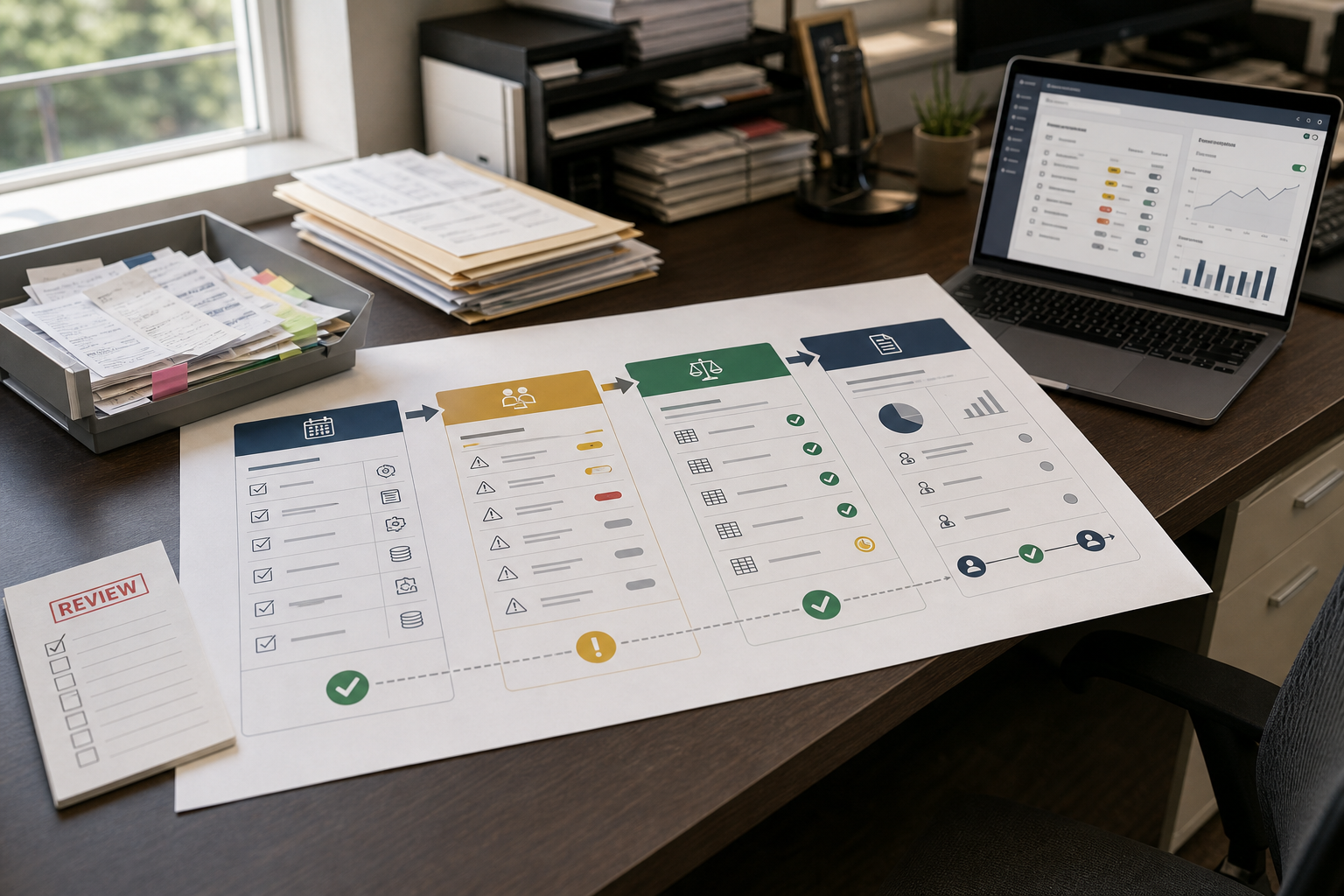
If your firm is growing but month-end close still feels like a scramble, you’re not alone. Most accounting teams don’t struggle because they lack expertise—they struggle because too much work is still manual: transaction coding, reconciliation follow-ups, chasing receipts, and rewriting the same client updates. AI for Accounting is becoming practical specifically because it can reduce repetitive work while improving control over exceptions and review.
Quick Answer (40–60 words): AI for Accounting is most useful when it automates high-volume, repeatable workflows like transaction categorization, receipt/invoice data extraction, reconciliation support, recurring reporting, and routine client communication. The best results come from standardizing your process first, piloting one workflow, measuring hours saved and exception rates, then scaling with human review and clear approvals.
What “AI for Accounting” actually means in a firm (and what it doesn’t)
Let’s separate reality from hype. In most small and mid-sized accounting firms, “AI” isn’t a magic replacement for accountants. It’s typically one (or more) of these categories:
- Workflow automation: moving data and tasks between systems (document intake → coding → approvals → reporting) with fewer manual steps.
- Bookkeeping automation: transaction capture, categorization suggestions, matching documents to transactions, and reconciliation support.
- Intelligent document processing (IDP): extracting fields from invoices/receipts and validating them before posting.
- Decision support: anomaly detection, trend summaries, and draft commentary for reporting and advisory conversations.
- AI assistants: drafting client emails, summarizing meetings, generating SOPs, and helping staff respond faster (with oversight).
What it usually doesn’t mean (in practical accounting operations): fully autonomous bookkeeping with no review, judgment-free financial reporting, or “set-and-forget” compliance.
The Business-First AI Framework™ for accounting firms
Most firms waste time (and budget) when they start by shopping for tools. A better approach is to start with the bottleneck, then map it to the right automation category.
Business-First AI Insight: In accounting operations, the goal isn’t “maximum automation.” The goal is maximum throughput with control. The best AI implementations act like a control layer for exceptions—auto-handling the routine work while routing edge cases to the right reviewer with clear context.
Use this workflow-first sequence:
- Business problem: What’s slowing capacity or harming client experience? (Example: reconciliation takes too long; client status emails consume hours.)
- Workflow improvement: Standardize documents, define roles, clarify approvals, reduce spreadsheet dependencies.
- Choose the right solution: Pick the minimum tool set that removes the bottleneck.
- Implement with human oversight: Define exception rules, reviews, and approvals.
- Measure business outcomes: Hours saved, exception rate, close speed, response time.
- Standardize and scale: Train the team, document the SOP, then expand to more clients/workflows.
The biggest accounting workflows to automate first (highest ROI for most firms)
If you want the fastest time-to-value, focus on the workflows that are (1) repetitive, (2) measurable, and (3) high-volume. In most firms, that’s bookkeeping production and close-related steps.
1) Transaction coding and categorization (your baseline automation win)
Why it matters: Transaction coding is repetitive, constant, and directly tied to time spent per client. It’s also easy to measure.
Where AI helps: suggesting categories, learning recurring patterns, and flagging uncertain transactions as exceptions for review.
Use it when: you have consistent chart-of-accounts rules, recurring vendors, and predictable client behavior.
Avoid (or delay) when: every client’s COA is inconsistent, rules aren’t documented, or the team has no shared coding standards. Fix that first—otherwise you’ll automate confusion.
2) Reconciliation support (speed + control)
Why it matters: Reconciliation delays cascade into late reporting and urgent client requests.
Where AI helps: matching items, highlighting exceptions, and reducing manual searching. The best operational outcome isn’t “zero exceptions”—it’s faster identification of the right exceptions.
3) Receipt and invoice capture (document intake without the back-and-forth)
Why it matters: Data entry and document chasing is where firms quietly lose hours—and where client friction shows up.
Where AI helps: extracting fields, matching documents to transactions, and validating required fields before posting.
Implementation note: This workflow performs best when documents are standardized (consistent naming, required fields, and clear submission channels).
4) Month-end close checklist and exception routing
Why it matters: Close speed is often limited less by accounting logic and more by task coordination: missing items, unclear ownership, late approvals, and repeated review cycles.
Where AI/automation helps: surfacing what’s late, routing tasks, and summarizing what changed since last period so reviewers don’t start from scratch.
5) Recurring reporting + first-draft client commentary
Why it matters: Many firms can generate reports, but still spend too much time turning those reports into a client-ready story.
Where AI helps: drafting variance explanations, highlighting trends, and creating a first-pass narrative that a professional refines.
6) Client communication: status updates, missing-doc requests, and “what’s the status?” replies
Why it matters: Client communication is essential—but it’s also one of the biggest hidden drains on senior time.
Where AI helps: drafting consistent messages, summarizing work status, and responding to repetitive questions faster (with a review step).
Bookkeeping automation vs. accounting automation (don’t buy the wrong category)
Many firms stall because they buy an “accounting AI” tool expecting it to fix bookkeeping production, or they buy a bookkeeping tool expecting it to solve reporting/advisory output.
| Area | Bookkeeping automation | Accounting automation | What success looks like |
|---|---|---|---|
| Primary goal | Reduce manual production work | Improve close, reporting, and decision support | Lower hours per client + faster close |
| Typical tasks | Coding, document matching, reconciliation support | Close workflows, reporting packs, anomaly detection, forecasting inputs | Fewer exceptions + clearer review |
| Best fit | High-volume recurring bookkeeping | Firms delivering management reporting/advisory | Clients get timely, consistent deliverables |
| Human role | Review exceptions, enforce standards | Interpret results, validate narratives, advise clients | More analysis, less rework |
Best AI tools for accounting firms (business-focused comparison)
This section is intentionally practical: not feature lists, but how tools tend to fit real accounting workflows. Pricing and exact integrations change frequently, and several vendors don’t publish pricing publicly—so treat this as a shortlist and verify details on official vendor pages before committing.
| Tool | Best For | Ease of Use | Time to Value | Business Size | Notes |
|---|---|---|---|---|---|
| QuickBooks Online Accountant | Firms already standardized on QuickBooks | High | Fast | Small to mid-sized | Practical baseline automation (bank feeds, batching, reports). Not AI-native, but often the simplest “start here.” |
| Botkeeper | Scaling bookkeeping capacity with firm-oriented workflows | Medium | Medium | Small to mid-sized firms growing fast | Positioned around bookkeeping automation + review workflows for firms; pricing details not always visible publicly. |
| Booke AI | Categorization + matching + exception review before reconciliation | Medium | Medium | US-focused firms doing higher-volume bookkeeping | Workflow fit is strongest when rules and exceptions are clearly defined. |
| Dext | Receipt/invoice capture and document-driven bookkeeping | Medium to high | Fast | Small to mid-sized | Strong for document intake standardization; not a complete bookkeeping automation stack by itself. |
| Fathom | Management reporting and advisory-style analysis packs | Medium | Medium | Small to mid-sized advisory-oriented firms | Great “client-ready” reporting layer; doesn’t replace bookkeeping automation. |
| Trullion | Structured finance workflows, reporting/compliance automation | Medium to advanced | Medium | Mid-market complexity | More finance-ops oriented than pure bookkeeping; best when you have mature processes and governance. |
| Wolters Kluwer / Thomson Reuters AI tools | Tax/audit/compliance-heavy environments | Advanced | Slower | Mid-market and larger firms | Typically deeper professional coverage and governance expectations; may be heavier to implement. |
| Digits | Firms exploring AI-native accounting platforms | Medium | Unclear | Varies | AI-first positioning; evaluate integration fit carefully because migrations and workflow change can be the real cost. |
| Ramp Stack | Firms looking at broader finance automation stacks | Medium | Medium | Varies | Positioned for accounting firms; validate exact workflow fit and integrations during evaluation. |
Expert Verdict: what most small accounting firms should do first
For most small firms, the best starting point is not a big “AI platform.” Start by tightening transaction coding + reconciliation inside your existing accounting system (often QuickBooks Online Accountant if that’s your core). Then add a focused tool for the next bottleneck: document capture (if intake is the pain) or reporting (if advisory output is the pain). Specialist AI bookkeeping platforms become most valuable when you’re scaling client volume and production capacity is your limiting factor.
How AI improves client communication and reporting (without creating new risk)
Client communication is where many firms get nervous about AI—and that caution is healthy. The goal is not autonomous client messaging. The goal is consistent drafts, faster turnaround, and fewer repetitive status conversations.
A practical “AI-assisted communication” workflow
- Trigger: close completed, missing documents detected, or client asks “what’s the status?”
- Data pull: key status fields (what’s done, what’s pending, what you need from them).
- AI draft: a clear email/message using your firm’s tone and templates.
- Human review: staff verifies facts and removes any speculation.
- Send + log: communication stored in the client file with a basic audit trail.
Where AI helps reporting the most
- Recurring report packs: automate generation and delivery so the team focuses on review, not assembly.
- Variance summaries: first-draft commentary that points to likely drivers (then an accountant confirms).
- Anomaly flags: “this month looks unusual” prompts that help reviewers look in the right place sooner.
Consultant Insight: your reporting bottleneck is usually upstream
If reporting takes too long, the root cause is often messy intake and inconsistent coding—not the reporting tool. Fix the upstream workflow (document standards, coding rules, reconciliation discipline), and reporting speed improves even before you add a new platform.
Decision matrix: which AI category should you adopt first?
If you’re deciding where to start, use the simplest rule: pick the automation that removes your highest-friction chokepoint.
| If your main bottleneck is… | Start with… | Why | What to measure |
|---|---|---|---|
| Too much manual coding | Bookkeeping automation (categorization + rules + exception review) | High volume, measurable, fast payoff | % auto-coded, review minutes per client |
| Receipt/invoice chaos | Document capture / IDP workflow | Reduces client back-and-forth and data entry | Missing-doc rate, data-entry time, rework |
| Reconciliation delays | Reconciliation support + exception queue | Speeds close and reduces fire drills | Days to reconcile, exceptions per account |
| Reporting takes forever | Reporting/analysis layer + standardized monthly pack | Turns data into client-ready outputs faster | Report turnaround time, revision cycles |
| Too many repetitive emails | AI-assisted client communication templates + routing | Immediate time savings with controlled risk | Response time, email drafting time |
Implementation roadmap (2–8 weeks to a focused pilot)
Most firms don’t need a long “digital transformation” to get value. A focused pilot can be implemented in a few weeks—if you keep scope tight.
Phase 1 (Week 1): pick one workflow and define “done”
- Choose one client segment (e.g., 10 clients with similar transaction patterns).
- Pick one workflow (e.g., coding + reconciliation, or receipt capture).
- Define what success means in numbers (hours saved, exception rate, close speed).
Phase 2 (Weeks 2–3): standardize inputs and exception rules
- Create a simple document standard: naming, required fields, submission channel.
- Define exception rules: what must be reviewed, who reviews it, and what gets escalated.
- Confirm approvals: especially for AP/AR steps if you automate beyond bookkeeping.
Phase 3 (Weeks 3–6): implement, train, and run parallel checks
- Train staff on the workflow (not just the tool): what changes, what stays human, and how to handle edge cases.
- Run parallel checks for one close cycle: compare results, track rework, tighten rules.
- Document a short SOP and a review checklist.
Phase 4 (Weeks 6–8): measure and decide whether to scale
- Review KPI changes (see next section).
- Decide: expand to more clients, or fix upstream process issues first.
- Only then add the next automation layer (reporting or communication).
ROI and KPI framework for accounting AI (what to track so you’re not guessing)
Because many vendors don’t publish consistent benchmarks, your firm’s ROI case should be built from your own baseline metrics.
Core KPIs to track
- Hours per month-end close (per client segment): the clearest operational KPI.
- Exception rate: how many items require human review.
- % of transactions auto-coded: a practical measure of automation maturity.
- Rework rate: corrections after review (a proxy for quality and controls).
- Client response time: how quickly you reply to routine requests.
- Report turnaround time: from period end to client-ready delivery.
A simple ROI model you can use internally
You don’t need complicated finance modeling to decide whether a pilot worked. Start with:
- Time saved per month = (baseline hours − post-automation hours)
- Value of time saved = time saved × internal hourly cost (or redeployment value)
- Net impact = value of time saved − software + implementation + training time
Then add a qualitative layer:
- Did quality improve or decline?
- Did client experience improve (fewer delays, fewer missing-doc chases)?
- Did staff feel the workflow got simpler—or just different?
Security, privacy, and compliance considerations (before you connect any AI to financial data)
AI can touch highly sensitive client information. Before rollout, treat security and compliance as a gating checklist, not a checkbox.
- Data access scope: only connect what the workflow requires.
- Auditability: can you trace how an output was produced and who approved it?
- Permissions: enforce least-privilege access for staff and tools.
- Vendor posture: confirm security controls and data handling via official vendor documentation.
- Human review: required for any client-facing narrative, classification edge cases, and unusual anomalies.
If you’re unsure, start with automation that doesn’t require broad data access (for example, standardizing document intake and using AI only for internal drafts).
Common mistakes accounting firms make with AI automation (and better alternatives)
Mistake 1: buying tools before defining the bottleneck
Why it happens: tool demos feel productive, and “AI accounting software” sounds like a one-stop solution.
Consequence: you end up with tool sprawl, low adoption, and unclear ROI.
Better approach: choose one measurable workflow (coding + reconciliation is the usual best start) and pilot it first.
Mistake 2: automating messy processes
Why it happens: firms try to “AI their way out” of inconsistent coding standards or chaotic client document intake.
Consequence: automation amplifies inconsistency—more exceptions, more rework, less trust.
Better approach: standardize inputs and define exception rules before expanding automation.
Mistake 3: treating AI as a speed tool instead of a control tool
Why it happens: the first promise most teams hear is “do work faster.”
Consequence: speed increases, but review becomes harder because outputs aren’t explainable or consistent.
Better approach: design for exception handling first: clear queues, ownership, and review checklists.
Mistake 4: skipping training and change management
Why it happens: firms assume “the tool is intuitive” and under-invest in workflow training.
Consequence: inconsistent usage, workarounds, and the old process creeping back.
Better approach: train on the new workflow, define roles, and document an SOP that’s easy to follow.
Start Today / Improve Next / Scale Later (implementation priorities)
Start Today (low effort, high clarity)
- List your top 3 time sinks (coding, reconciliation, intake, reporting, communication).
- Pick one workflow to pilot for one client segment.
- Define 3 KPIs you’ll track (hours per close, exception rate, turnaround time).
Improve Next (next 30 days)
- Standardize intake: required fields, submission channel, and deadlines.
- Create exception rules and a review checklist.
- Build a monthly reporting “standard pack” so automation has a consistent target.
Scale Later (after you prove the pilot)
- Expand to AP/AR workflow automation where approvals and audit trails are well-defined.
- Add an advisory layer (trend/anomaly summaries) once the underlying data is consistently coded.
- Systematize training and QA so new team members can follow the process.
FAQs
What can AI automate in an accounting firm?
AI can help automate transaction categorization, reconciliation support, receipt/invoice data extraction, recurring reporting drafts, anomaly detection prompts, and routine client communication drafts. In most firms, it works best as workflow automation plus decision support, with humans reviewing exceptions and client-facing outputs.
Which bookkeeping tasks are the best to automate first?
Most firms start with transaction coding and reconciliation because those steps are high-volume, repetitive, and easy to measure. Receipt capture and invoice extraction often follow, especially if document intake is a major bottleneck.
What’s the difference between bookkeeping automation and accounting automation?
Bookkeeping automation focuses on capture, categorization, document matching, and reconciliation support. Accounting automation extends into close workflows, reporting packs, compliance-oriented processes, and decision support for advisory conversations.
Do accounting firms need AI-native accounting software to benefit from AI?
Not always. Many firms get strong results by improving workflows inside their existing accounting platform and adding targeted tools for the next bottleneck (document capture or reporting). AI-native platforms can be worth exploring, but integration fit and migration effort often determine real ROI.
Is AI safe for accounting data?
Safety depends on vendor controls, permissions, auditability, and how data is accessed and stored. Before connecting any AI tool to sensitive financial data, review official vendor security documentation and implement least-privilege access, clear approval steps, and human review for exceptions and client-facing outputs.
How do you measure ROI from accounting AI?
Track hours saved per close, exception rate, rework rate, report turnaround time, client response time, and the percentage of transactions auto-coded. A pilot is successful when it measurably reduces time and improves control (not just when it “feels faster”).
Will AI replace accountants?
Most practical implementations position AI as a way to reduce repetitive production work and improve review focus—not as a replacement for professional judgment. The firms that win use AI to free capacity for analysis, client guidance, and higher-value advisory services.
Conclusion: automate for capacity, not novelty
The most successful AI for Accounting implementations don’t start with ambitious tool stacks. They start with one stubborn bottleneck—transaction coding, reconciliation, document intake, reporting production, or repetitive communication—and they redesign that workflow so automation can actually work. When you treat AI as a control layer for exceptions (not just a speed boost), you get the real prize: more capacity, cleaner closes, and a client experience that feels proactive instead of reactive.
Next step: If you want a practical starting point, build a one-page workflow map of your current bookkeeping-to-reporting process and mark where time is lost (handoffs, missing docs, rework, approvals). Then choose one workflow to pilot and measure. If you’d like a structured approach, consider using an Accounting Automation Checklist (lead magnet idea) to score readiness, risks, and ROI before you buy anything.