25 Best AI Automation Ideas for Small Businesses in 2026: Ranked by Impact, Cost & Ease of Implementation
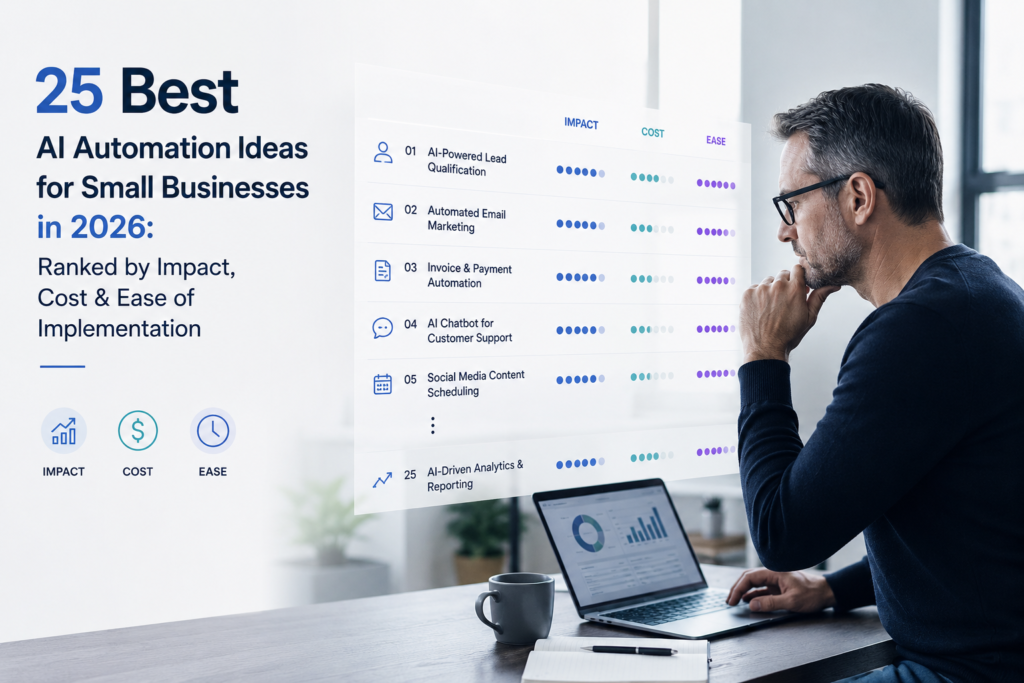
AI automation is becoming more accessible to small businesses, but not every workflow is worth automating. The strongest opportunities are usually repetitive, measurable and supported by digital data—while still allowing human review when the consequences of an error are significant.
This guide ranks 25 practical AI automation ideas for small businesses in 2026 based on business impact, cost, implementation difficulty, time-saving potential and risk.
Each idea is evaluated using the same practical framework so you can determine not only what to automate, but also where to start, what it may cost, where humans should remain involved and how to measure whether it worked.
Important: This ranking is a general starting point, not a universal formula. A home-services company may prioritize an AI phone receptionist, appointment booking and lead follow-up, while an e-commerce business may prioritize order support and inventory analysis.
Quick Answer: The 25 Best AI Automation Ideas
| Rank | AI Automation Idea | Impact | Cost | Ease of Implementation | Best For |
|---|---|---|---|---|---|
| 1 | AI Customer-Service FAQ Automation | Very High | $ | Easy–Moderate | Most service businesses |
| 2 | AI Lead Capture & Qualification | Very High | $–$$ | Easy–Moderate | Sales-led businesses |
| 3 | AI Invoice Processing & Approval | Very High | $$–$$$ | Moderate | Most businesses |
| 4 | AI Appointment Booking & Reminders | High | $ | Easy | Local/service businesses |
| 5 | AI Email Inbox Triage & Response Drafting | High | $ | Easy | Most businesses |
| 6 | AI Lead Follow-Up & Nurturing | Very High | $$ | Moderate | Sales-led businesses |
| 7 | AI Meeting Summaries, CRM Updates & Task Creation | High | $–$$ | Easy–Moderate | Sales & professional services |
| 8 | AI Payment Reminders & Cash-Flow Monitoring | Very High | $$–$$$ | Moderate | Businesses with receivables |
| 9 | AI Expense Categorization & Bookkeeping Assistance | High | $–$$ | Moderate | Most businesses |
| 10 | AI Support-Ticket Classification & Routing | High | $$ | Moderate | Support-heavy businesses |
| 11 | AI Content Repurposing | Medium–High | $–$$ | Easy | Agencies & experts |
| 12 | AI Proposal & Quotation Generation | High | $$–$$$ | Moderate | Professional services |
| 13 | AI Internal Knowledge Search | High | $$–$$$ | Moderate–Hard | Growing teams |
| 14 | AI Customer Review & Feedback Analysis | High | $$ | Easy–Moderate | Customer-facing businesses |
| 15 | AI Task Assignment & Cross-Tool Workflow Automation | High | $$–$$$ | Moderate–Hard | Digitally organized businesses |
| 16 | AI Customer Segmentation & Personalized Campaigns | High | $$–$$$ | Moderate | E-commerce & marketing |
| 17 | AI Employee Onboarding & Training | Medium–High | $$ | Moderate | Growing teams |
| 18 | AI-Assisted Social Media Planning & Publishing | Medium | $–$$ | Easy | Consumer-facing businesses |
| 19 | AI Document Data Extraction | High | $$–$$$ | Moderate–Hard | Document-heavy businesses |
| 20 | AI E-Commerce Order & Returns Support | High | $$–$$$ | Moderate–Hard | Online retailers |
| 21 | AI Inventory, Demand & Purchasing Analysis | Very High | $$–$$$ | Hard | Retail & manufacturing |
| 22 | AI Local SEO & Reputation Monitoring | Medium–High | $–$$ | Easy–Moderate | Local businesses |
| 23 | AI Management Reporting & Business Insights | High | $$–$$$ | Hard | Data-mature businesses |
| 24 | AI Hiring & Candidate-Screening Assistance | Medium–High | $$–$$$ | Hard | Growing employers |
| 25 | AI Phone Receptionist & Missed-Call Recovery | High* | $$–$$$ | Moderate | Local/service businesses |
*Phone reception can be a top-priority automation for local and appointment-based businesses. It ranks lower in the general list because it is less relevant to online-first businesses.
How We Ranked These AI Automations
The ranking uses five dimensions:
1. Impact — potential effect on revenue, costs, productivity, customer experience or cash flow.
2. Cost — approximate software and technology cost.
3. Ease of implementation — how difficult the workflow is to configure, integrate, test and maintain.
4. Time-saving opportunity — potential reduction in repetitive manual work.
5. Risk-adjusted practicality — how suitable the workflow is given data, operational and business risks.
Cost and implementation difficulty are separate
A low-cost AI tool does not necessarily mean an easy automation.
For example, an inexpensive AI tool may still require:
- Data cleanup
- CRM integration
- Workflow design
- Testing
- Employee training
- Permission management
- Exception handling
- Ongoing maintenance
Therefore, Cost and Ease of Implementation are deliberately evaluated separately.
Ranking model
The overall ranking considers:
30% Impact + 20% Affordability + 20% Ease of Implementation + 15%
Time-Saving Opportunity + 15% Risk-Adjusted Practicality
This model favors automations that are valuable, affordable and practical—not simply technically impressive.
Understanding the Cost Ratings
These are planning bands, not universal market prices.
| Cost | Approximate Software Cost | Typical Scenario |
|---|---|---|
| $ | Free–$50/month | Existing software + simple DIY automation |
| $$ | $50–$200/month | One or two paid applications + integrations |
| $$$ | $200–$750/month | Multiple tools, seats, usage or professional setup |
| $$$$ | $750+/month or custom | Complex integrations or substantial implementation |
Actual costs vary by country, users, usage volume, billing plan, AI consumption and implementation requirements.
In many cases, implementation and maintenance can cost more than the AI software itself.
The 12-Field Framework
Every automation in this guide is evaluated using the same framework
1. What it does
2. Example workflow
3. Best suited for
4. Business value
5. Typical tools
6. Impact
7. Implementation difficulty
8. Potential time-saving opportunity
9. Human approval required
10. Data-risk level
11. Recommended starting version
12. Suggested success metric
This consistency makes the list more useful than a conventional AI automation listicle.
1. AI Customer-Service FAQ Automation
What it does
Answers routine customer questions using an approved FAQ, help center or knowledge base.
AI interprets the customer’s question and retrieves or generates an appropriate response, while rules control escalation and approved information sources.
Example workflow
Customer question → AI retrieves approved answer → response generated → confidence/topic checked → human handles exceptions → interaction logged
Best suited for
- Clinics
- Local services
- Hospitality
- Retail
- Software businesses
- Professional services with repetitive questions
Business value
Reduces repetitive customer-service work while improving response speed and consistency.
Typical tools
- Zendesk AI
- Intercom
- HubSpot Service Hub
- Microsoft Copilot
- ChatGPT Business
- Botpress
- Help-center platforms
Impact
Very High when customer-question volume is significant.
Implementation difficulty
Easy–Moderate
Potential time-saving opportunity
Very High
The greatest opportunity comes from automating frequently repeated questions rather than trying to automate every customer interaction.
Human approval required
Human review should remain available for:
- Complaints
- Refunds
- Medical questions
- Legal questions
- Financial questions
- Ambiguous requests
Data-risk level
Medium–High
Customer conversations can contain personal or sensitive information.
Recommended starting version
Start with the top 20–30 documented customer questions.
Use approved answers and escalation rules. Do not initially allow the system to issue refunds, change accounts or make policy exceptions.
Suggested success metric
- First-response time
- Self-service resolution rate
- Escalation rate
- Customer satisfaction
2. AI Lead Capture and Qualification
What it does
Captures leads from websites, forms, email, chat, WhatsApp or other channels and extracts qualification information.
Example workflow
New inquiry → AI extracts intent, location, budget and urgency → CRM record created → lead routed → human reviews high-value leads → follow-up begins
Best suited for
- Agencies
- Real estate
- Home services
- Clinics
- Professional services
- B2B businesses
Business value
The biggest opportunity is reducing lead leakage and improving response speed.
Typical tools
- HubSpot
- Zoho CRM
- Salesforce
- Typeform
- Website chat
- WhatsApp Business/API
- Zapier
- Make
Impact
Very High
Implementation difficulty
Easy–Moderate
Potential time-saving opportunity
High
Human approval required
Recommended for high-value, unusual or regulated leads.
Data-risk level
Medium
Recommended starting version
Connect one lead source to your CRM and automate five qualification fields.
Avoid building sophisticated predictive lead scoring at the beginning.
Suggested success metric
- Response time
- Qualified-lead rate
- Meeting-booking rate
- Lead-to-customer conversion
3. AI Invoice Processing and Approval
What it does
Extracts invoice information, matches invoices against purchase orders or receipts and routes invoices for approval.
Example workflow
Invoice received → AI extracts supplier, amount, tax and due date → rules validate/match → approval routed → human approves exception → accounting record created
Best suited for
Most businesses with recurring supplier invoices.
Business value
Reduces manual data entry, processing time and invoice errors.
Typical tools
- QuickBooks
- Xero
- Dext
- Hubdoc
- BILL
- Ramp
- Microsoft Power Automate
- Document AI/OCR tools
Impact
Very High
Implementation difficulty
Moderate
Potential time-saving opportunity
Very High
Human approval required
Yes.
Humans should approve:
- Payments
- New vendors
- Unusual invoices
- Tax exceptions
- High-value transactions
Data-risk level
High
Invoices contain financial and supplier information.
Recommended starting version
Automate invoice extraction and approval routing, but retain human approval before posting or paying.
Suggested success metric
- Invoice-processing time
- Cost per invoice
- Exception rate
- Duplicate-payment rate
- Approval cycle time
4. AI Appointment Booking, Reminders and Rescheduling
What it does
Automates appointment scheduling, confirmations, reminders and routine rescheduling.
Example workflow
Customer request → AI identifies service → calendar checks availability → customer selects time → booking confirmed → reminders sent
Best suited for
- Clinics
- Consultants
- Salons
- Repair services
- Real estate
- Training providers
Business value
Reduces scheduling administration and can reduce no-shows.
Typical tools
- Calendly
- Google Calendar
- Microsoft Bookings
- Acuity
- HubSpot
Impact
High
Implementation difficulty
Easy
Potential time-saving opportunity
High
Human approval required
Usually not required for routine bookings.
Human intervention may be necessary for special appointments or capacity exceptions.
Data-risk level
Low–Medium
Higher for healthcare and other sensitive services.
Recommended starting version
Automate one service type, one calendar and standard reminders.
Suggested success metric
- Booking completion rate
- No-show rate
- Rescheduling time
- Staff coordination time
5. AI Email Inbox Triage and Response Drafting
What it does
Classifies emails, prioritizes urgent messages, identifies tasks and drafts responses.
Example workflow
Email arrives → AI classifies and summarizes → rules label/assign → response draft created → human reviews → email sent
Best suited for
Almost every small business with a meaningful email workload.
Business value
Reduces inbox overload and administrative interruption.
Typical tools
- Gmail/Gemini
- Microsoft 365 Copilot
- Outlook
- Front
- Shortwave
- Superhuman
- Zapier
- Make
Impact
High
Implementation difficulty
Easy
Potential time-saving opportunity
Very High
Human approval required
Recommended for external messages.
Required for sensitive legal, financial, employment or conflict-related communication.
Data-risk level
Medium–High
Recommended starting version
Start with:
- Email classification
- Summaries
- Task extraction
- Draft responses
Do not start with autonomous email sending.
Suggested success metric
- Response time
- Inbox backlog
- Time spent in email
- Missed-action rate
- Draft acceptance rate
6. AI Lead Follow-Up and Nurturing
What it does
Creates personalized follow-ups based on lead stage, previous conversations and approved messaging.
Example workflow
Lead enters CRM → AI summarizes context → follow-up drafted → timing/consent checked → human approves → message sent → replies routed
Best suited for
- Agencies
- Real estate
- B2B services
- Professional services
- Sales-led businesses
Business value
Prevents qualified opportunities from going cold.
Typical tools
- HubSpot
- Pipedrive
- Zoho CRM
- Mailchimp
- Brevo
- Gmail
- Outlook
- Zapier
- Make
Impact
Very High for businesses with inconsistent follow-up.
Implementation difficulty
Moderate
Potential time-saving opportunity
High
Human approval required
Recommended for first-touch messages, high-value opportunities and sensitive sectors.
Data-risk level
Medium–High
Recommended starting version
Automate reminders and drafts, rather than fully autonomous outbound messaging.
Suggested success metric
- Follow-up completion rate
- Reply rate
- Meeting rate
- Opportunity conversion
- Unsubscribe rate
7. AI Meeting Summaries, CRM Updates and Task Creation
What it does
Transcribes meetings, summarizes decisions, identifies action items and updates CRM or project-management systems.
Example workflow
Meeting → AI transcription → summary/action items → human check → CRM updated → tasks assigned
Best suited for
- Sales teams
- Agencies
- Consultants
- Distributed teams
Business value
Eliminates much of the administrative work after meetings.
Typical tools
- Microsoft Teams
- Zoom
- Google Meet
- Otter
- Fireflies
- Fathom
- HubSpot
- Salesforce
- Notion
- Asana
- ClickUp
Impact
High
Implementation difficulty
Easy–Moderate
Potential time-saving opportunity
High
Human approval required
Recommended before CRM updates or commitments become official records.
Data-risk level
High
Meeting discussions may contain confidential information.
Recommended starting version
Begin with internal, low-risk meetings and require consent.
Suggested success metric
- Note-taking time
- CRM completeness
- Task completion
- Action-item aging
8. AI Payment Reminders and Cash-Flow Monitoring
What it does
Identifies overdue invoices, drafts payment reminders and monitors near-term cash flow.
Example workflow
Invoice approaching due date → payment status checked → reminder drafted → rules check customer terms → human approval where necessary → reminder sent → payment status updated
Best suited for
- Agencies
- Contractors
- Wholesalers
- Professional services
- Businesses with significant receivables
Business value
Can improve collection discipline and cash visibility.
Typical tools
- QuickBooks
- Xero
- Stripe
- Square
- GoCardless
- BILL
- HubSpot
- Power BI
- Looker Studio
Impact
Very High
Implementation difficulty
Moderate
Potential time-saving opportunity
High
Human approval required
Required for:
- Disputed invoices
- Escalations
- Payment plans
- Legal language
- High-value accounts
Data-risk level
Very High
Recommended starting version
Start with automated reminders for undisputed invoices and a basic receivables dashboard.
Suggested success metric
- Days sales outstanding
- Overdue balance
- Collection rate
- Reminder-to-payment rate
- Cash-flow forecast variance
9. AI Expense Categorization and Bookkeeping Assistance
What it does
Suggests expense categories, identifies recurring transactions and helps reconcile financial records.
Example workflow
Bank transaction → AI suggests category → known merchant rule applied → exception sent to bookkeeper → approved entry reconciled
Best suited for
Most small businesses.
Business value
Reduces repetitive bookkeeping work and improves financial visibility.
Typical tools
- QuickBooks
- Xero
- Wave
- Zoho Books
- Dext
- Receipt applications
- Bank feeds
Impact
High
Implementation difficulty
Moderate
Potential time-saving opportunity
Very High
Human approval required
Yes for:
- Tax treatment
- Unusual transactions
- Month-end close
- Financial statements
Data-risk level
High
Recommended starting version
Automate recurring merchant categorization and receipt capture.
Suggested success metric
- Reconciliation time
- Uncategorized transactions
- Correction rate
- Books-to-close time
10. AI Support-Ticket Classification and Routing
What it does
Classifies support tickets by topic, urgency, sentiment and department.
Example workflow
Ticket arrives → AI classifies/summarizes → rules determine priority → ticket routed → human resolves
Best suited for
Businesses with meaningful support-ticket volume.
Business value
Reduces queue delays and unnecessary handoffs.
Typical tools
- Zendesk
- Freshdesk
- Intercom
- HubSpot Service Hub
- Jira Service Management
- Zapier
- Make
Impact
High
Implementation difficulty
Moderate
Potential time-saving opportunity
High
Human approval required
Recommended for urgent, angry, regulated or ambiguous tickets.
Data-risk level
Medium–High
Recommended starting version
Start with five common ticket categories and manual escalation.
Suggested success metric
- First-assignment accuracy
- First-response time
- Resolution time
- Reassignment rate
- SLA breaches
11. AI Content Repurposing
What it does
Transforms one approved content asset into multiple formats.
For example:
Blog article → LinkedIn post → email → social snippets → video script
Best suited for
- Agencies
- Consultants
- Educators
- B2B companies
- Founder-led businesses
Business value
Increases content distribution without creating every asset from scratch.
Typical tools
- ChatGPT
- Claude
- Gemini
- Canva
- Descript
- Adobe
- Buffer
- Hootsuite
Impact
Medium–High
Implementation difficulty
Easy
Potential time-saving opportunity
High
Human approval required
Yes.
Humans should verify:
- Facts
- Claims
- Brand voice
- Copyright
- Customer examples
Data-risk level
Medium
Recommended starting version
Turn one approved article into:
- One email
- Three social posts
Keep publication human-controlled.
Suggested success metric
- Production time
- Cost per asset
- Approval time
- Qualified traffic
- Conversion
12. AI Proposal and Quotation Generation
What it does
Creates proposal and quotation drafts using approved customer, service and pricing information.
Example workflow
Opportunity reaches proposal stage → CRM information retrieved → approved pricing/templates retrieved → AI generates draft → human reviews → proposal sent
Best suited for
- Agencies
- Consultants
- Contractors
- IT providers
- Professional services
Business value
Reduces proposal turnaround time and improves consistency.
Typical tools
- HubSpot
- PandaDoc
- Proposify
- Qwilr
- Google Docs
- Microsoft Word
- CRM systems
Impact
High
Implementation difficulty
Moderate
Potential time-saving opportunity
High
Human approval required
Always before sending.
Humans must approve:
- Pricing
- Scope
- Commitments
- Legal terms
- Guarantees
Data-risk level
High
Recommended starting version
Generate drafts using fixed packages and approved clauses.
Suggested success metric
- Proposal turnaround time
- Win rate
- Revision cycles
- Error rate
- Sales-cycle duration
13. AI Internal Knowledge Search
What it does
Allows employees to ask questions about approved company information and receive answers based on internal documents.
Example workflow
Employee asks question → AI searches approved sources → answer generated with citations → employee verifies consequential information
Best suited for
Growing teams with substantial internal documentation.
Business value
Reduces time spent searching for information and asking repetitive questions.
Typical tools
- Microsoft 365 Copilot
- Google Workspace/Gemini
- Notion AI
- Confluence
- Guru
- Slab
- ChatGPT Business
Impact
High
Implementation difficulty
Moderate–Hard
Potential time-saving opportunity
High
Human approval required
Recommended for:
- HR
- Legal
- Safety
- Compliance
- Customer-facing information
Data-risk level
High
Poor permission design can expose confidential documents.
Recommended starting version
Index a small set of current FAQs and policies with citations.
Suggested success metric
- Search time
- Repeated questions
- Citation rate
- Employee satisfaction
- Correction rate
14. AI Customer Review and Feedback Analysis
What it does
Analyzes customer reviews and feedback to identify sentiment, themes and recurring problems.
Example workflow
Review arrives → AI classifies sentiment/theme → serious issue flagged → human reviews → response drafted → issue logged
Best suited for
- Restaurants
- Hospitality
- Clinics
- Retail
- Local businesses
- Customer-facing services
Business value
Helps businesses respond faster and identify recurring customer problems.
Typical tools
- Google Business Profile
- ReviewTrackers
- Birdeye
- Podium
- SurveyMonkey
- Typeform
- HubSpot
Impact
High for reputation-sensitive businesses.
Implementation difficulty
Easy–Moderate
Potential time-saving opportunity
Medium
Human approval required
Required for negative or sensitive reviews.
Data-risk level
Medium–High
Recommended starting version
Monitor, summarize and draft responses.
Do not automatically publish responses to serious negative reviews.
Suggested success metric
- Response time
- Average rating trend
- Complaint recurrence
- Customer recovery rate
15. AI Task Assignment and Cross-Tool Workflow Automation
What it does
Connects multiple business applications and automatically routes work based on triggers, classifications and business rules.
Example workflow
New inquiry → AI classifies → CRM updated → task created → employee assigned → notification sent → status synchronized
Best suited for
Businesses already using multiple digital tools.
Business value
Eliminates duplicate entry and manual handoffs.
Typical tools
- Zapier
- Make
- n8n
- Microsoft Power Automate
- HubSpot
- Asana
- ClickUp
- Slack
- Microsoft Teams
- Google Workspace
Impact
High
Implementation difficulty
Moderate–Hard
Potential time-saving opportunity
Very High
Human approval required
Required for consequential actions involving:
- Money
- Legal commitments
- Employment
- Customer-impacting decisions
Data-risk level
High
Multiple connected systems increase the importance of permissions and access controls.
Recommended starting version
Automate one trigger-to-task workflow with logging and a manual fallback.
Suggested success metric
- Handoff time
- Duplicate-entry rate
- Failed workflow runs
- Completion time
- Manual touches
16. AI Customer Segmentation and Personalized Campaigns
What it does
Groups customers according to behavior, lifecycle, value or needs and helps create targeted campaigns.
Example workflow
Customer data updated → AI identifies segments → human validates → rules select eligible audience → campaign drafted → campaign approved → results measured
Best suited for
- E-commerce
- Subscription businesses
- Education
- Agencies
- Retailers
Business value
Can improve marketing relevance and customer retention.
Typical tools
- HubSpot
- Mailchimp
- Klaviyo
- Brevo
- Customer.io
- Shopify
- Google Analytics
Impact
High when sufficient quality customer data exists.
Implementation difficulty
Moderate
Potential time-saving opportunity
Medium
Human approval required
Recommended for segmentation logic and campaigns.
Data-risk level
High
Customer profiling requires careful treatment of privacy and consent.
Recommended starting version
Start with three transparent segments:
- New customers
- Active customers
- Inactive customers
Suggested success metric
- Repeat-purchase rate
- Campaign conversion
- Revenue per recipient
- Unsubscribe rate
17. AI Employee Onboarding and Training
What it does
Automates onboarding checklists, training assignments and routine employee questions.
Example workflow
New employee added → role identified → onboarding checklist assigned → AI answers policy questions → manager reviews progress
Best suited for
Growing teams.
Business value
Creates a more consistent onboarding process while reducing manager administration.
Typical tools
- Microsoft 365
- Google Workspace
- Notion
- Trainual
- TalentLMS
- BambooHR
- Rippling
- Asana
- Slack
Impact
Medium–High
Implementation difficulty
Moderate
Potential time-saving opportunity
High
Human approval required
Required for:
- Access decisions
- Employment terms
- Safety
- Compliance
Data-risk level
High
Recommended starting version
Automate onboarding checklists, document links and FAQs.
Suggested success metric
- Onboarding completion time
- Manager time
- Training completion
- New-hire questions
18. AI-Assisted Social Media Planning, Drafting and Publishing
What it does
Creates content calendars, drafts posts, adapts content to different platforms and schedules approved content.
Example workflow
Campaign objective → AI proposes calendar → drafts created → human reviews → posts scheduled → performance analyzed
Best suited for
- Consumer brands
- Local businesses
- Agencies
- Hospitality
- Retail
Business value
Reduces content-planning and production effort.
Typical tools
- Canva
- Buffer
- Hootsuite
- Later
- Meta Business Suite
- ChatGPT
- Claude
Impact
Medium
Implementation difficulty
Easy
Potential time-saving opportunity
High
Human approval required
Yes before publication.
Especially for:
- Regulated industries
- Crisis communication
- Promotions
- Public claims
- Sensitive topics
Data-risk level
Medium
Recommended starting version
Automate evergreen content drafting and scheduling while keeping real-time posts human-controlled.
Suggested success metric
- Production time
- Approval rate
- Qualified traffic
- Leads
- Conversion
19. AI Document Data Extraction
What it does
Extracts structured information from PDFs, forms, receipts, applications, purchase orders and other documents.
Example workflow
Document received → AI extracts fields → validation rules run → exceptions sent to human → data entered into business system
Best suited for
- Accounting firms
- Logistics
- Manufacturing
- Property management
- Legal services
- Administrative businesses
Business value
Reduces manual data entry and re-keying errors.
Typical tools
- Microsoft Power Automate
- Google Document AI
- Azure AI Document Intelligence
- AWS Textract
- ABBYY
- Rossum
- Dext
- Make
Impact
High
Implementation difficulty
Moderate–Hard
Potential time-saving opportunity
Very High
Human approval required
Required for low-confidence extraction and consequential records.
Data-risk level
High
Recommended starting version
Extract five stable fields from one document type.
Suggested success metric
- Processing time
- Field accuracy
- Exception rate
- Manual touches
- Cost per document
20. AI E-Commerce Order and Returns Support
What it does
Answers questions about order status, delivery, exchanges and return policies.
Example workflow
Customer asks about order → AI retrieves order status → policy checked → answer generated → exception/refund routed to human
Best suited for
E-commerce and omnichannel retailers.
Business value
Reduces repetitive support contacts while improving order visibility.
Typical tools
- Shopify
- WooCommerce
- Gorgias
- Zendesk
- Intercom
- Klaviyo
- ShipStation
Impact
High
Implementation difficulty
Moderate–Hard
Potential time-saving opportunity
High
Human approval required
Required for:
- Refunds
- Chargebacks
- Policy exceptions
- Angry customers
- Sensitive complaints
Data-risk level
High
Recommended starting version
Start with order tracking and standard policy questions.
Suggested success metric
- Ticket deflection
- First-response time
- Cost per order
- Return-processing time
- Customer satisfaction
21. AI Inventory, Demand and Purchasing Analysis
What it does
Analyzes sales and inventory data to identify demand patterns, slow-moving products, potential stockouts and purchasing opportunities.
Example workflow
Sales/inventory data → AI forecasts demand → rules apply lead times and thresholds → buyer reviews recommendation → purchase order approved
Best suited for
- Retail
- E-commerce
- Wholesalers
- Restaurants
- Manufacturing
Business value
Can reduce stockouts, excess inventory and purchasing surprises.
Typical tools
- Shopify
- Square
- Lightspeed
- Cin7
- NetSuite
- QuickBooks
- Excel
- Power BI
Impact
Very High for inventory-driven businesses.
Implementation difficulty
Hard
Potential time-saving opportunity
High
Human approval required
Required for purchase orders and supplier changes.
Data-risk level
High
Recommended starting version
Begin with reorder alerts for a small number of stable products.
Do not automate purchasing across the entire catalog immediately.
Suggested success metric
- Stockout rate
- Inventory turns
- Excess inventory
- Forecast error
- Gross-margin return on inventory
22. AI Local SEO and Reputation Monitoring
What it does
Monitors local listings, reviews, search visibility and content opportunities.
Example workflow
Listing/review data collected → AI identifies issues → human reviews → listing/review updated → local performance monitored
Best suited for
- Restaurants
- Clinics
- Trades
- Salons
- Retailers
- Local professional services
Business value
Can improve local discoverability and listing consistency.
Typical tools
- Google Business Profile
- Semrush
- BrightLocal
- Moz Local
- Yext
- Ahrefs
- Review platforms
- WordPress
Impact
Medium–High
Implementation difficulty
Easy–Moderate
Potential time-saving opportunity
Medium
Human approval required
Required for public claims and review responses.
Data-risk level
Medium
Recommended starting version
Audit one location and fix core listing information.
Suggested success metric
- Listing accuracy
- Qualified calls
- Direction requests
- Local visibility
- Conversion rate
23. AI Management Reporting and Business Insights
What it does
Combines business data into recurring reports and highlights important changes or exceptions.
Example workflow
Business data refreshed → metrics validated → AI summarizes changes → manager reviews → decisions/tasks recorded
Best suited for
Businesses with clean data across multiple systems.
Business value
Improves management visibility and decision speed.
Typical tools
- Power BI
- Looker Studio
- Tableau
- QuickBooks
- HubSpot
- Google Sheets
- Excel
- Microsoft Fabric
- BigQuery
Impact
High, but highly dependent on data quality.
Implementation difficulty
Hard
Potential time-saving opportunity
Medium
Human approval required
Required before using AI-generated insights for major:
- Financial decisions
- Staffing decisions
- Pricing decisions
- Strategic decisions
Data-risk level
High
Recommended starting version
Create a weekly management report containing 8–12 agreed KPIs.
Suggested success metric
- Reporting time
- Data freshness
- Error rate
- Decision cycle time
- Forecast variance
- Action completion
24. AI Hiring and Candidate-Screening Assistance
What it does
Assists with job descriptions, application organization, candidate summaries and interview scheduling.
It should assist the hiring process—not autonomously decide who gets hired or rejected.
Example workflow
Hiring need → AI drafts job description → human approves → applications received → AI summarizes against defined criteria → human reviews → interview scheduled
Best suited for
Growing employers with repetitive recruitment administration.
Business value
Reduces recruitment administration and improves process consistency.
Typical tools
- Greenhouse
- Lever
- Workable
- Breezy HR
- LinkedIn Recruiter
- Microsoft 365
Impact
Medium–High
Implementation difficulty
Hard
Potential time-saving opportunity
Medium–High
Human approval required
Absolutely.
Humans should make decisions regarding:
- Candidate rejection
- Shortlisting
- Interviews
- Offers
- Employment decisions
Data-risk level
Very High
Recommended starting version
Automate:
- Job-description drafting
- Interview scheduling
- Administrative summaries
Avoid opaque AI scoring systems that automatically reject candidates.
Suggested success metric
- Time to shortlist
- Time to hire
- Recruiter administrative time
- Candidate completion rate
25. AI Phone Receptionist and Missed-Call Recovery
What it does
Answers routine phone inquiries, captures caller information, books appointments and recovers missed calls.
Example workflow
Incoming/missed call → AI answers or sends callback → identifies intent → checks approved information/availability → appointment or callback task created → human handles exceptions
Best suited for
Especially valuable for:
- Home services
- Clinics
- Real estate
- Restaurants
- Repair businesses
- Local professional services
It is less relevant for online-first businesses.
Business value
Can recover leads that would otherwise be lost because nobody answered
the phone.
Typical tools
- Twilio
- RingCentral
- Zoom Phone
- Dialpad
- Google Voice
- Microsoft Teams Phone
- Calendly
- CRM systems
Impact
High for phone-dependent businesses
Implementation difficulty
Moderate
Potential time-saving opportunity
High
Human approval required
Required before providing:
- Medical advice
- Legal advice
- Financial advice
- Complaint resolution
- Sensitive information
Data-risk level
High
Voice recordings and caller information require appropriate privacy and retention controls.
Recommended starting version
Do not begin with a fully autonomous voice agent.
Start with:
Missed call → automated text-back → caller intent → appointment/callback capture
Suggested success metric
- Answer rate
- Missed-call recovery rate
- Booked appointments
- Qualified calls
- Escalation rate
The 10 AI Automations Most Small Businesses Should Consider First
The overall ranking is useful, but your business may not need all 25.
These ten are strong starting points for many small businesses:
| Rank | Automation | Why Start Here | First KPI |
|---|---|---|---|
| 1 | Customer-service FAQ | Frequent, repetitive questions | Resolution rate |
| 2 | Lead capture | Prevents lead leakage | Qualified-lead conversion |
| 3 | Invoice processing | Removes repetitive finance work | Processing time |
| 4 | Appointment booking | Easy to implement and measure | Booking/no-show rate |
| 5 | Email triage | Applies to almost every business | Response time |
| 6 | Lead follow-up | Recovers neglected opportunities | Reply/conversion rate |
| 7 | Meeting-to-CRM | Removes post-meeting administration | CRM completeness |
| 8 | Payment monitoring | Directly affects cash flow | Days sales outstanding |
| 9 | Expense automation | Improves bookkeeping efficiency | Reconciliation time |
| 10 | Ticket routing | Reduces support delays | Assignment accuracy |
Best Low-Cost AI Automations
If your business has a limited automation budget, start with workflows that can be implemented using software you may already have.
1. Email triage and drafting
2. Appointment scheduling
3. Content repurposing
4. FAQ automation
5. Meeting summaries
6. Social-media drafting
7. Basic lead capture
8. Review monitoring
The goal is not to buy the most AI tools.
The goal is to automate one measurable problem at the lowest reasonable cost.
Highest-Impact AI Automations
The highest-impact opportunity depends heavily on the business model.
For a broad small-business audience, the strongest candidates include:
- Lead capture and qualification
2. Invoice processing
3. Payment and cash-flow monitoring
4. Customer-service automation
5. Inventory and purchasing analysis
6. Lead follow-up
7. Appointment automation
However, the ranking should not be interpreted as universal ROI.
For example:
Home-services company
Phone receptionist → appointment booking → lead follow-up
E-commerce company
Order support → inventory analysis → customer segmentation
Professional-services firm
Meeting-to-CRM → proposals → email automation → knowledge search
The right automation is the one connected to a real business bottleneck.
Easiest AI Automations to Implement
If you are implementing AI automation for the first time, start with:
- Appointment Scheduling
- Email triage and drafting
- Content repurposing
- Social-media planning
- Basic FAQ automation
- Meeting summaries
- Simple lead capture
These workflows generally have:
- Clear inputs
- Clear outputs
- Relatively low implementation complexity
- Easy-to-measure results
- Manageable human oversight
Automations That Need the Most Human Approval
Not every workflow should become fully autonomous.
The strongest human-control requirements apply to:
1. Hiring and candidate screening
AI can assist with administration, but humans should make employment decisions.
2. Financial workflows
AI can extract, classify and recommend, but humans should approve consequential financial actions.
3. Proposals and quotations
AI can create the draft. Humans should approve pricing, scope and commitments.
4. Refunds and customer disputes
AI can identify and route cases. Humans should handle exceptions.
5. Medical, legal and financial communications
AI should not independently provide consequential professional advice.
6. Public reputation
AI can draft responses, but humans should approve sensitive public communication.
The Highest-Risk AI Automation Categories
The workflows requiring the greatest attention to data protection include:
- Hiring and candidate screening
2. Payment and cash-flow workflows
3. Management reporting
4. Internal knowledge search
5. Document extraction
6. Invoice processing
7. Customer segmentation
8. Employee onboarding
Risk depends on the data being processed and the consequences of an error, not simply whether AI is being used.
Which AI Automations Are Best for Different Businesses?
The best AI automation depends on the type of business, how frequently a process occurs, and where employees spend the most repetitive effort. A solo operator may benefit most from simple administrative automation, while an e-commerce or manufacturing business may gain more from inventory, customer-service or cross-system workflows. Use the priorities below as a starting point rather than a universal ranking.
Very Small Businesses & Solo Operators
For businesses with a small team—or just one or two people—the priority should be simple, low-cost automations that remove repetitive administrative work without requiring complex integrations.
Prioritize:
- AI email inbox triage and response drafting
- AI appointment booking and reminders
- AI content repurposing
- AI meeting summaries and task creation
- AI proposal and quotation generation
- AI customer-service FAQ automation
Best starting point: Choose one workflow that consumes several hours each week and automate the repetitive portion first. Keep customer-facing responses and important business decisions under human review.
Local and Service Businesses
Local businesses often depend on phone calls, appointments, inquiries and online reviews. Automations that improve responsiveness can have a direct effect on lead conversion and customer experience.
Prioritize:
- AI phone receptionist and missed-call recovery
- AI appointment booking and reminders
- AI lead capture and qualification
- AI customer-service FAQ automation
- AI customer review and feedback analysis
- AI local SEO and reputation monitoring
Best starting point: Automate missed-call recovery or appointment booking before deploying a fully conversational phone agent.
E-Commerce Businesses
E-commerce businesses generate large volumes of repetitive customer inquiries and transaction data. Customer support, inventory and customer segmentation are therefore strong automation opportunities.
Prioritize:
- AI e-commerce order and returns support
- AI inventory, demand and purchasing analysis
- AI customer segmentation and personalized campaigns
- AI support-ticket classification and routing
- AI invoice processing and expense automation
Best starting point: Start with order-status and standard returns questions, then expand into inventory and purchasing workflows once reliable transaction data is available.
Professional Services
Consulting firms, law firms, IT providers and other professional-service businesses typically spend significant time handling emails, meetings, proposals and documents.
Prioritize:
- AI meeting summaries, CRM updates and task creation
- AI proposal and quotation generation
- AI email inbox triage and response drafting
- AI internal knowledge search
- AI document data extraction
Best starting point: Automate post-meeting administration and proposal drafting while keeping client commitments, pricing and contractual language under human approval.
Agencies
Marketing, advertising, design and other agencies can use AI automation to reduce repetitive sales and content-production work while allowing employees to spend more time on strategy and creative work.
Prioritize:
- AI lead capture and qualification
- AI lead follow-up and nurturing
- AI proposal and quotation generation
- AI content repurposing
- AI meeting summaries, CRM updates and task creation
Best starting point: Connect lead capture, CRM updates and follow-up into one controlled workflow rather than attempting to automate the entire sales process at once.
Accounting and Bookkeeping Firms
Accounting and bookkeeping businesses process large volumes of financial documents, transactions and client communications, making document and finance-related automation particularly valuable. Because financial
errors can have significant consequences, human review should remain part of consequential workflows.
Prioritize:
- AI document data extraction
- AI invoice processing and approval
- AI email inbox triage and response drafting
- AI internal knowledge search
- AI management reporting and business insights
Best starting point: Begin with document extraction and invoice-processing assistance while retaining human approval for accounting entries, tax treatment and financial decisions.
Manufacturing Businesses
Manufacturing businesses can benefit from automation across purchasing, inventory, documentation and management reporting. These workflows generally require more integration and better-quality operational data
than simpler administrative automations.
Prioritize:
- AI inventory, demand and purchasing analysis
- AI document data extraction
- AI invoice processing and approval
- AI task assignment and cross-tool workflow automation
- AI management reporting and business insights
Best starting point: Start with inventory alerts or document extraction for a clearly defined process before connecting multiple operational systems.
The Key Takeaway
There is no single “best AI automation” for every small business. A solo consultant may get more value from email, meeting and proposal automation, while a local service business may benefit more from appointment booking and missed-call recovery. An e-commerce company may prioritize order support and inventory analysis, while a manufacturing business may need deeper cross-system automation. The best first automation is usually the workflow that is repetitive, measurable, digitally accessible and low enough risk to test with human oversight.
What Makes a Good AI Automation Candidate?
Before automating a workflow, ask seven questions.
1. Does it happen frequently?
A workflow performed once a month may not justify complex automation.
2. Are the inputs reasonably structured?
Forms, invoices, emails, tickets and transactions are easier to automate than undocumented judgment.
3. Is the desired output clear?
Good examples include:
- A categorized ticket
- A CRM record
- A drafted email
- An appointment
- An extracted invoice field
- A task
- A report
4. Can a human verify the result?
If an AI output cannot be checked, automation risk increases significantly.
5. Is there existing digital data?
Automation becomes much easier when the necessary information already exists in your CRM, accounting system, email, calendar or other software.
6. Can you define exceptions?
You should be able to say:
“If X happens, stop and send this to a human.”
7. Can you measure the outcome?
A good automation should have a baseline and a KPI.
Examples:
- Response time
- Conversion rate
- Processing time
- Error rate
- Hours saved
- Ticket deflection
- Days sales outstanding
- Stockout rate
If you cannot measure whether the automation improved the process, it is difficult to determine whether it is actually creating value.
AI Automation Should Follow This Pattern
One of the most practical patterns for small businesses is:
AI → Rules → Human → Business System
AI
Handles tasks such as:
- Classification
- Extraction
- Summarization
- Drafting
- Pattern recognition
- Information retrieval
Rules
Control:
- Triggers
- Thresholds
- Permissions
- Routing
- Timing
- Escalation
Human
Handles:
- Exceptions
- Approval
- Judgment
- High-risk decisions
- Customer-sensitive situations
Business system
Records the final action in:
- CRM
- Accounting
- Helpdesk
- Calendar
- Project management
- ERP
- HR system
This approach is often more practical than trying to create a completely autonomous AI agent from day one.
Start Small: The 5-Step AI Automation Approach
Step 1: Identify the bottleneck
Do not start with:
“Where can we use AI?”
Start with:
“Which repetitive business process is costing us time, money or opportunities?”
Step 2: Measure the current process
Establish a baseline.
For example:
Current invoice processing time: 12 minutes per invoice.
or:
Average lead response time: 4 hours.
Without a baseline, you cannot reliably measure improvement.
Step 3: Automate the simplest version
Do not automate the entire process immediately.
For example:
Instead of:
AI independently handles every customer-support interaction.
Start with:
AI answers the top 20 FAQs and escalates everything else.
Step 4: Add human approval where necessary
Human approval should remain in workflows involving:
- Money
- Employment
- Legal commitments
- Medical information
- Refunds
- Sensitive customer complaints
- Public reputation
Step 5: Measure and improve
After implementation, compare the new workflow with your baseline.
Measure:
- Time saved
- Error rate
- Cost
- Conversion
- Response time
- Customer satisfaction
- Revenue impact
If the automation does not create measurable value, improve it—or remove it.
AI Automation Cost: What Small Businesses Should Actually Budget For
The biggest misconception is that the AI subscription is the entire cost.
It isn’t.
Your total automation cost may include:
Software
AI tools, CRM, accounting, automation platforms and communication tools.
Integration
Connecting:
- CRM
- Calendar
- Accounting
- Website
- Helpdesk
- Project-management tools
Data preparation
Cleaning and organizing:
- Customer records
- Product information
- FAQs
- Documents
- Financial data
Implementation
Someone needs to design and configure the workflow.
Testing
The automation needs to be tested against normal and unusual cases.
Training
Employees need to understand how the new workflow works and when to intervene.
Maintenance
AI workflows are not “set and forget.”
APIs change. Business rules change. Pricing changes. Documents change. AI models change.
A workflow that worked six months ago may need adjustment today.
A Practical AI Automation Cost-to-Value Strategy
For most small businesses, I recommend starting with:
Phase 1 — Low-cost, low-risk
- Email triage
- Appointment booking
- Meeting summaries
- Content repurposing
- Basic FAQ automation
Phase 2 — Revenue and operational workflows
- Lead capture
- Lead follow-up
- Proposal generation
- Invoice processing
- Payment reminders
Phase 3 — Multi-system automation
- Cross-tool workflow orchestration
- Internal knowledge search
- Customer segmentation
- Document extraction
- Management reporting
Phase 4 — Higher-complexity automation
- Inventory forecasting
- AI phone reception
- Advanced reporting
- Hiring assistance
- Complex financial workflows
This progression reduces the risk of spending heavily before your organization understands how AI automation performs in real workflows.
Safety and Human Oversight
AI automation can create significant value, but businesses should not assume that AI outputs are automatically accurate.
The U.S. Small Business Administration’s guidance on AI recommends starting small, testing lower-cost tools, protecting sensitive information and reviewing AI outputs.
The NIST AI Risk Management Framework provides a broader framework for managing AI-related risks.
CISA and partner agencies have also published guidance on protecting data used by AI systems and strengthening security controls.
A practical small-business framework is:
- Define the business objective.
2. Identify the data being processed.
3. Minimize the information shared with AI systems.
4. Use approved and current sources.
5. Define human approval points.
6. Log important actions.
7. Test normal and unusual cases.
8. Monitor KPIs and errors.
9. Maintain a manual fallback.
10. Review vendors, permissions, retention and security controls.
Don’t Promise AI Savings You Haven’t Measured
One of the biggest mistakes in AI automation marketing is saying:
“This automation will save your business 20 hours every week.”
Unless you have reliable evidence from a defined baseline and measurement period, that claim is difficult to defend.
Instead, use language such as:
Potential time-saving opportunity: High. Actual savings depend on transaction volume, workflow complexity, response requirements and the number of systems connected.
Then measure the real result after implementation.
This is especially important because the FTC has taken action over unsupported AI performance claims.
Final Takeaway: Don’t Automate Everything. Automate What Matters.
The goal of AI automation isn’t to replace every manual activity in your business.
The goal is to build a business where people spend less time on repetitive work and more time on activities that require judgment, relationships, creativity and decision-making.
The best AI automation opportunities usually have several characteristics:
- They happen frequently.
- They use digital information.
- They have relatively predictable inputs.
- They produce measurable outputs.
- They can be checked.
- They have clear exception rules.
- Their results can be measured.
- Their risks are manageable.
Start with one workflow, not 25.
Identify the bottleneck.
Measure the baseline.
Automate the simplest version.
Keep humans in control of consequential decisions.
Then measure the result.
The best AI automation isn’t the most advanced one. It’s the one that
solves a real business problem, produces measurable value and can be
implemented safely.
Frequently Asked Questions
What is the best AI automation for a small business?
There is no single best automation for every business. Customer-service FAQ automation, lead capture, email automation, appointment scheduling and invoice processing are strong starting points because they are repetitive and relatively easy to measure.
What is the cheapest AI automation to implement?
Email triage, appointment scheduling, content repurposing, meeting summaries and basic FAQ automation can often be implemented at relatively low software cost, especially when a business already uses compatible tools.
What AI automation can save the most time?
High-volume workflows such as invoice processing, document extraction, email management, customer-service automation and cross-tool workflow automation can have substantial time-saving potential. Actual savings depend on workflow volume and complexity.
Should small businesses automate customer service?
Yes, but start with repetitive questions. AI can handle FAQs and basic information retrieval while humans handle complaints, refunds, complex questions and sensitive situations.
Should AI make hiring decisions?
AI can assist with administrative recruitment tasks such as drafting job descriptions, organizing applications and scheduling interviews. Hiring decisions should remain under meaningful human control because of legal, fairness and data-protection considerations.
Should small businesses build AI agents or simple automations first?
For most businesses, simple workflow automation is the better starting point. Once the business has reliable processes, clean data and clear rules, more sophisticated AI agents may become appropriate.
How do I know if a process is ready for AI automation?
Look for a workflow that is frequent, repetitive, digitally documented, measurable and relatively easy to verify. Avoid starting with processes that depend heavily on subjective judgment or involve high consequences for mistakes.