AI Customer Support Case Study: How AI Automation Can Reduce Support Workload for a Small Retail Business
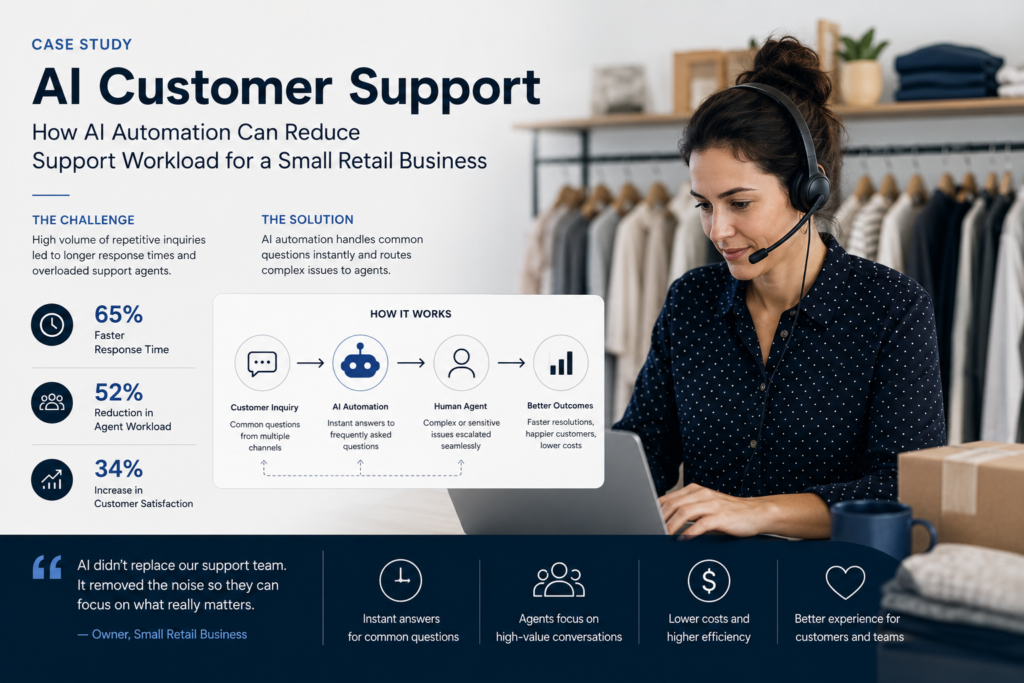
Case Study Classification & Headline
Scope & Assumptions
This is an illustrative SMB implementation case study based on a common retail support workflow (FAQs, order-status queries, and AI-to-human escalation). This AI customer support case study illustrates how a small retail business could redesign repetitive customer-support workflows using AI while keeping humans in control of exceptions.The workflow design, tooling options, costs, and potential outcomes are presented for planning purposes and do not represent verified results from a specific retail business in India.
Case study metadata
- Evidence Type: Illustrative Reconstruction (planning-oriented)
- Industry: Retail (SMB)
- Geography: India
- Primary workflow: AI customer support for FAQs, order-status queries, and escalation to human agents
- Primary channels (typical in India): WhatsApp + email + website chat + social DMs (varies by business)
- Automation risk level: Moderate (customer-facing communication, policy interpretation, data access)
- Implementation difficulty: Intermediate (requires workflow standardization + knowledge base + order-system access + escalation controls)
AI Customer Support Case Study: Business Context & Workflow
Consider a small retail business in India selling products online and handling a steady flow of customer questions throughout the day. The business runs lean: a small operations team manages order fulfillment, and a small support team (often the same people) handles customer messages while also coordinating returns, exchanges, and delivery follow-ups.
Support requests typically cluster around a few repetitive topics:
- Order status: “Where is my order?”, “Has it shipped?”, “When will it arrive?”
- Shipping and delivery: delivery timelines, address changes, failed deliveries, courier issues
- Returns and exchanges: eligibility, steps, pick-up scheduling, refunds, store credit
- Product and availability: size/variant questions, stock availability, compatibility, basic specifications
- Basic policy questions: warranty, COD availability, cancellation rules
In many Indian retail contexts, WhatsApp is a high-frequency channel for pre- and post-purchase support. Customers often expect quick answers outside business hours, especially during promotional spikes. When the same team is also managing fulfillment and exceptions, the cost of support isn’t just wages—it’s context switching, delays, and missed attention on higher-value cases.
This case study focuses on a practical, business-first question: How can a small retail business reduce repetitive support workload without losing the human touch for exceptions?
The Problem & Business Impact
The operational problem is not “we need a chatbot.” The operational problem is: the support team spends too much time answering repeatable questions and doing routine lookups manually, which slows response times and pulls staff away from complex cases that require judgment.
In retail support, repetitive workload tends to create four business impacts:
| Impact area | What it looks like in day-to-day operations | Why it matters |
|---|---|---|
| Efficiency | Agents repeatedly copy/paste answers, search for policies, and check order status in the order system | High volume multiplies manual work; peak periods become unmanageable |
| Customer experience | Slow first responses, inconsistent answers across agents/channels, “please wait” loops | Customers abandon conversations or escalate on social channels |
| Quality | Wrong policy wording, missing details, inconsistent return steps, incorrect delivery promises | Creates rework, callbacks, and trust issues |
| Capacity & growth | Support headcount must scale with order volume; founders/ops get dragged into routine queries | Support becomes a growth bottleneck instead of a retention lever |
Decision gate: is this workflow a good automation candidate? Often, yes—when (a) the same questions repeat, (b) the business has stable policies, (c) order status is available in a system that can be accessed safely, and (d) the business can measure outcomes like response time, deflection rate, and escalations. It’s a weaker candidate when policies are constantly changing, data is messy, or the business cannot enforce clear escalation rules.
In this AI customer support case study, the manual workflow highlights where repetitive triage, order lookups, and response drafting consume staff time.
Before: Manual Workflow
Before automation, the workflow is typically a set of manual loops across channels. A simplified version looks like this:
Customer message (WhatsApp/email/DM/chat) → Agent reads & categorizes → Agent searches policy or checks order system → Agent writes response → Customer follow-up → Agent repeats until resolved → Agent logs outcome (sometimes)
Where the time goes in practice:
- Triaging: deciding whether a message is order-status vs returns vs product question
- Lookup: switching tools to find order status, shipment updates, or policy text
- Drafting: writing the response and adjusting tone/language
- Back-and-forth: asking for order ID, phone number, address, or product variant
- Routing: forwarding “hard cases” to the right person without losing context
Baseline discipline (what to measure first): Because this is an illustrative case study, we do not assume a specific ticket volume, response time, or support cost. Before implementing automation, a retail SMB would typically measure at least:
- Weekly inbound volume by channel and topic (FAQs, order status, returns, product questions)
- First response time (median and 90th percentile)
- Resolution time for the top 3 request types
- Share of repetitive tickets (e.g., top 20 questions as a percentage of total)
- Escalation rate (cases needing a senior person or cross-team handoff)
If a business can’t measure these yet, that’s not a reason to avoid automation—it’s a reason to start with workflow instrumentation and a lightweight pilot that produces measurable data.
AI Customer Support Automation Design
The proposed solution is not “AI answers everything.” The proposed solution is: AI handles routine, low-risk queries using approved knowledge and structured order data, and escalates exceptions to humans with context.
Primary AI roles in this workflow
- Classification: identify intent (order status vs returns vs product FAQ)
- Extraction: pull order ID, phone number, pincode, product SKU/variant from the message
- Retrieval-assisted answering: respond using an approved support knowledge base (policies, shipping SLAs, FAQs)
- Drafting (agent assist): prepare a suggested reply for human review on edge cases
- Routing / decision support: decide whether to answer automatically, ask a clarifying question, or escalate
Workflow design (business-first)
Trigger
- New inbound message arrives from WhatsApp, web chat, email, or social DMs into a unified inbox/help desk (or is forwarded there).
AI task
- Classify the request type.
- Extract key identifiers (order number, phone, email) if present.
- For FAQs/policies: retrieve approved answer text from the knowledge base and draft a response.
- For order-status: call a safe “order status lookup” function (via integration) and draft a response from structured fields (status, ETA, tracking link if available).
Business rules (examples)
- Confidence rule: Auto-send only when intent confidence is above a defined threshold and required fields are present.
- Policy rule: Returns/refunds must reference the current policy version; if policy is ambiguous, escalate.
- Data rule: Never reveal full address, payment details, or sensitive personal data; share only what the customer needs.
- Exception rule: Payment failures, high-value orders, suspected fraud, threats/legal complaints always escalate.
Data access
- Knowledge base (approved FAQs, shipping policy, return policy, warranty rules).
- Order management system (OMS) or ecommerce platform order data (order status, shipment status, courier tracking where applicable).
System actions
- Send a customer reply on the same channel.
- Create or update a support ticket with intent, extracted fields, and conversation summary.
- Route to the correct queue (returns, delivery exceptions, product expertise) when escalation is required.
Human approval
- Required for refunds, replacements, goodwill credits, policy exceptions, and any message that changes financial outcome.
- Recommended during the first pilot phase for a sample of auto-resolved cases (quality sampling).
Fallback behavior
- If missing order ID: ask a short clarifying question and provide a structured way to share details.
- If integration fails: apologize, create a ticket, and notify a human agent.
- If low confidence: route to a human with a draft response and a short AI-generated summary.
Monitoring & auditability
- Log intent classification, confidence, answer source (knowledge base article ID / policy version), escalation reason, and any tool calls (e.g., order lookup).
- Track error buckets: wrong intent, wrong policy, incomplete data, integration errors, customer dissatisfaction signals.
Why AI here (and what simpler automation could do)
Some parts of this workflow can be handled with deterministic automation:
- Static FAQ menus (“Press 1 for returns policy”)
- Keyword-based routing (“order status” → order tracking flow)
- Templated replies for common questions
AI is justified when messages are messy (mixed languages, typos, voice-to-text), when customers don’t follow templates, and when you want to reduce manual triage and drafting across channels. The proportionate approach for an SMB is typically: use rules where rules are enough, and use AI for interpretation, extraction, and drafting—bounded by strict escalation rules.
After: Automated Workflow
After automation (proposed future state), the workflow becomes a controlled triage-and-resolution loop.
Customer message → AI intent classification & entity extraction → Knowledge base / order lookup (as needed) → Rules validation → Auto-reply or AI-to-human escalation → Human resolves exceptions → Ticket updated & logged
Before vs after (what changes operationally)
| Workflow element | Before (manual) | After (proposed automation) |
|---|---|---|
| First response | Depends on agent availability; often delayed during peaks | Immediate for common FAQs/order-status (when data is available), otherwise quick clarification or escalation |
| Order-status handling | Agent manually checks OMS and drafts reply | Automated lookup + structured response, with escalation on exceptions (stuck shipment, address change) |
| FAQ accuracy | Varies by agent memory and copy/paste habits | Standardized answers from an approved knowledge base, with version control |
| Escalation | Often ad-hoc; context gets lost in forwarding | Escalation is rule-driven; humans receive a summary, extracted details, and suggested next steps |
| Agent workload | High time spent on repeatable interactions | More time available for exceptions, retention saves, and complex cases |
| Visibility | Hard to track common issues across channels | Better reporting by intent category and automation outcome (auto-resolved vs escalated) |
What the AI does not do (boundaries that protect the business)
- Does not approve refunds or replacements without explicit human authorization.
- Does not override written policy (return windows, warranty rules) or create new promises.
- Does not access unnecessary sensitive information (full payment details, full address) to answer routine questions.
- Does not handle ambiguous or emotionally charged complaints without escalation.
- Does not send irreversible operational commands (cancellation, address change) without additional verification and/or human approval.
These boundaries matter because customer support is customer-facing, and the cost of a wrong message can be higher than the cost of a delayed message. The goal is not maximum automation; it’s safe workload reduction with measurable service quality.
For a broader framework for identifying and prioritizing automation opportunities, see our AI Automation Strategy for Small Businesses: A Practical 90-Day Roadmap.
Human Control, Risks & Safeguards
In a well-run support automation workflow, humans remain accountable for customer outcomes and policy decisions. Automation changes who does what, not who is responsible.
Where humans stay in control
- Support/process owner: defines policies, escalation rules, and acceptable automation scope; reviews weekly KPI trends and failure buckets.
- Human agents: handle escalations, approve exceptions, and provide feedback on wrong classifications or weak answers.
- Operations/logistics lead: owns delivery exceptions and courier escalations (when the issue is operational, not informational).
Risk-to-safeguard mapping
| Risk | What can go wrong | Safeguards (practical controls) |
|---|---|---|
| Incorrect interpretation | AI misclassifies a complaint as an FAQ and replies incorrectly | Confidence thresholds; escalation on negative sentiment keywords; periodic QA sampling of auto-resolved tickets |
| Wrong policy answer | Outdated return policy text gets sent | Single approved knowledge base; policy versioning; scheduled policy review; “no answer” fallback when policy is unclear |
| Order data mismatch | Customer provides wrong order ID; AI pulls wrong order status | Verification steps (phone/email match); partial masking; ask clarifying question when identifiers don’t match |
| Privacy exposure | Sensitive data appears in replies or logs | Minimum-necessary data; masking rules; restrict fields returned by integrations; role-based access controls |
| Hallucinated or overconfident answers | AI invents a delivery date or policy exception | Retrieval-based answering from approved sources; prohibit free-form promises; require structured fields for ETAs; escalate when data isn’t available |
| Integration failure | OMS lookup fails and customer gets no response | Retries with backoff; “we’re checking” message; automatic ticket creation; human notification queue |
| Adoption & trust | Agents ignore the system or customers dislike automated responses | Pilot with limited scope; clear “talk to a human” option; collect agent/customer feedback; tune templates and escalation rules |
For many SMBs, the most important governance step is naming a single owner for the workflow (even if it’s a founder or ops manager). Without ownership, automation becomes a “tool” rather than a managed process.
Before implementing AI customer support, businesses should assess their processes, data, systems, and team readiness. Our AI Readiness Assessment: Is Your Business Ready for AI? provides a practical framework for this evaluation.
Technology, Implementation & Cost
Technology should serve the workflow. For a small retail business in India, a practical architecture is usually built from five components: channel, inbox/help desk, knowledge base, automation/orchestration, and OMS/CRM access.
Reference architecture (illustrative)
| Component | Role in the workflow | Notes for SMB implementation |
|---|---|---|
| Customer channels | Where customers ask questions | Often WhatsApp plus at least one of email, web chat, Instagram/Facebook DMs |
| Unified inbox / help desk | System of record for conversations and tickets | Centralizes routing, tags, SLAs, and reporting |
| Knowledge base | Approved source of truth for FAQs and policies | Quality here drives answer quality; keep it small and current (top questions first) |
| AI response engine | Intent classification, entity extraction, drafting, retrieval-based answers | Should be constrained by approved content and rules |
| Automation/orchestration layer | Routes tickets, applies thresholds, calls integrations, triggers escalations | Can be built into a support platform or implemented as workflows around existing tools |
| Order system / OMS / ecommerce platform | Provides structured order status and shipment fields | Integration is key for “Where is my order?” automation |
| Human escalation queue | Where exceptions land with context | Define what qualifies as “exception” and who owns each bucket |
Tooling options (not a recommendation, examples only)
This topic is often discussed using vendor platforms. Examples commonly used for support AI include help-desk suites with AI features (such as Zendesk AI), ecommerce-focused support platforms (such as Gorgias AI), WhatsApp automation providers, or custom chatbot builds on cloud infrastructure (such as AWS-based architectures). The right choice depends on current systems, channel mix, and integration needs.
Important limitation: Vendor case studies do not consistently disclose full technology stacks, data scope, measurement periods, or independent verification. Treat vendor-reported metrics as external reports, not guaranteed outcomes for your business.
Implementation difficulty: Intermediate
- Why it’s not “easy”: customer-facing automation needs safe boundaries, consistent policies, and reliable integrations for order status.
- Why it’s not “advanced” for most SMBs: you can start with FAQ deflection and structured order-status replies before tackling complex returns and refunds automation.
Implementation timeline (illustrative)
- Week 1: measure baseline, choose top 20 questions, draft escalation rules, unify inbox routing
- Weeks 2–3: build/clean knowledge base; set up intent taxonomy; create templates; enable safe logging
- Weeks 3–5: pilot FAQ automation; add order-status lookup integration if feasible
- Weeks 6–8: expand to returns triage; tune thresholds; add QA sampling; finalize dashboards
Cost model (planning categories)
Exact pricing varies by vendor, ticket volume, channels, and integrations, so this section uses categories rather than precise prices.
| Cost category | What it includes | Typical drivers |
|---|---|---|
| Software subscriptions | Help desk/unified inbox, AI add-ons, WhatsApp channel tooling, knowledge base | Number of agents, channels, ticket volume, AI usage |
| One-time implementation | Workflow mapping, KB creation, integration setup, templates, testing | How messy current policies/data are; OMS integration complexity |
| Ongoing operating costs | QA sampling, KB updates, prompt/rules tuning, exception handling time | Policy change frequency; new product launches; seasonality |
| Training & change management | Agent training, escalation playbooks, adoption monitoring | Team size; turnover; process maturity |
| Security & compliance work | Access control, audit logs, data minimization, retention rules | Data sensitivity; vendor/security requirements |
AI Customer Support Case Study: Results, Evidence & ROI
This AI customer support case study separates external reports and research findings from illustrative planning estimates. Because this is an illustrative case study, there are no verified results for a single specific Indian retail SMB presented here.
Verified Result
No verified results are available for a single identified small retail business in India within this illustrative scenario.
External reports (benchmarks you can use cautiously)
- AWS vendor-published retail chatbot case study (external report): reported a 60% drop in costs, an increase in CSAT from 3.1 to 4.6, and 24×7 support delivered in 12 weeks. Treat this as vendor-reported and context-dependent. https://aws.amazon.com/retail/case-studies/
- SupportYourApp reporting on Gorgias AI (external report): reported ~30% of questions handled entirely by AI and a reduction in resolution time from 29 minutes to 5 minutes 30 seconds in that case context.https://supportyourapp.com/blog/ai-customer-service-case-study/
- ConverseAI retail case study (external report): reported first-response time reduced from 6 hours to under 30 seconds for their WhatsApp automation story. Treat as vendor-reported.
- Zendesk marketing claim (external report): claims that AI can automate over 80% of interactions on a small-business page; treat as product marketing rather than a neutral benchmark.
These reports suggest that meaningful deflection and faster response times are possible, but they do not establish what your business will achieve. The outcome depends on channel mix, knowledge base quality, integration reliability, and the strictness of escalation rules.
Research finding (directional, not a guarantee)
Research Finding
Industry reporting and vendor trend summaries commonly associate support automation with faster response times and reduced agent workload, especially when automation is limited to repetitive intents and paired with controlled escalation.
Illustrative ROI planning model (replace with your baseline data)
The simplest business-first ROI model starts with one question: How much agent time is currently spent on repetitive queries that could be safely deflected?
Illustrative Scenario
The following ROI model uses hypothetical inputs to show how a retail SMB could estimate payback. Replace each assumption with your measured baseline.
Illustrative assumptions (example only)
- Inbound support conversations per month: 3,000
- Share that are repetitive FAQs/order-status: 60% (1,800 conversations)
- Average manual handling time for repetitive conversations: 4 minutes
- Achievable safe deflection rate in early phase: 25% of total conversations (750 deflected)
- Loaded labour cost: ₹350 per hour (example blended rate)
- Monthly recurring automation cost (software + usage): ₹25,000 (planning placeholder)
- One-time implementation cost: ₹1,20,000 (planning placeholder)
Calculations (based on the assumptions above)
Estimated monthly labour hours saved
Hours saved = Deflected conversations × Handling time ÷ 60
Hours saved = 750 × 4 ÷ 60 = 50 hours/month
Estimated monthly labour cost avoided (capacity freed)
Labour value = Hours saved × Labour cost
Labour value = 50 × ₹350 = ₹17,500/month
Net monthly benefit (labour value − monthly automation cost)
Net monthly benefit = ₹17,500 − ₹25,000 = −₹7,500/month
With these particular placeholders, labour savings alone does not pay for the system. That doesn’t mean automation is “not worth it.” It means the business must test one (or more) of these levers:
- Higher deflection (after KB improvements and better routing)
- More handling time saved (if repetitive cases take longer than assumed)
- Lower monthly tooling cost (lighter stack, fewer channels, negotiate plans)
- Revenue protection/uplift (fewer abandoned conversations, better conversion, more repeat purchases)
- Peak-load avoidance (avoid hiring or overtime during promotions)
Alternative planning view: break-even deflection
If you only count labour capacity value, you can compute the break-even number of deflected conversations required:
Break-even deflections per month = Monthly automation cost ÷ (Handling time in hours × Labour cost)
Handling time in hours = 4/60 = 0.0667 hours
Value per deflection = 0.0667 × ₹350 ≈ ₹23.3
Break-even deflections = ₹25,000 ÷ ₹23.3 ≈ 1,073 deflections/month
That’s roughly 36 deflections/day. If your inbound volume is high and repetitive, this might be achievable; if volume is low, a lighter or more rules-based approach may be more proportionate.
What to measure to prove value (not just activity)
- Hard benefits: reduced overtime, avoided hiring, reduced outsourcing, reduced rework from wrong answers
- Soft benefits (measure, don’t force into currency): faster first response time, improved customer satisfaction, better agent focus on escalations
For many SMBs, the early “win” is not immediate cost reduction—it’s capacity recovery: the same team can handle growth without drowning in repetitive work.
Lessons, Starting Version & KPIs
Because this is an illustrative case, the lessons below are distilled from commonly reported patterns in support automation and from practical workflow design constraints (especially for WhatsApp-heavy retail support).
What we learned (planning lessons)
- Start with the top 20 questions, not an open-ended chatbot. In retail, FAQs and order-status queries usually dominate volume.
- A knowledge base is a control system, not just content. If the KB is wrong or outdated, automation scales the mistake.
- Escalation is the product. Deflection only works when exceptions are routed quickly with context.
- Order-status automation depends on integration quality. If the OMS data is unreliable or delayed, the bot will be blamed.
- Measure “deflection quality,” not only deflection volume. Bad deflection increases repeat contacts and damages trust.
What should not be automated initially
- Refund approvals and compensation decisions (financial impact, policy exceptions)
- Address changes and cancellations (irreversible operational actions unless tightly verified)
- Threats, legal complaints, or safety-related issues (always escalate)
- Highly ambiguous product advice (risk of wrong recommendations and returns)
Recommended starting version (minimum sensible pilot)
A small retail business can start with a pilot that is narrow, measurable, and safe:
- Scope: FAQs + order-status queries only
- Channels: choose the highest-volume channel first (often WhatsApp), then expand
- Controls: confidence thresholds; clear “talk to a human” option; escalation tags
- Human workflow: agents handle escalations; process owner reviews weekly failure buckets
- Data requirement: a clean top-20 FAQ knowledge base; read-only access to order status fields
Suggested KPIs (3–5 that a small team can actually run)
| KPI | How to measure | Target direction | Why it matters |
|---|---|---|---|
| First response time (median & P90) | From inbox timestamps by channel/intent | Down | Direct customer experience signal; especially important for WhatsApp expectations |
| Deflection rate (safe auto-resolution) | % conversations resolved without human agent messages | Up (within safety limits) | Primary workload reduction metric |
| Escalation rate | % conversations escalated to humans after AI attempt | Stable or down over time | Too high suggests poor KB or thresholds; too low can indicate unsafe over-automation |
| Repeat contact rate | % customers who contact again for same issue within X days | Down | Proxy for answer quality and true resolution |
| CSAT (or simple thumbs-up) | Lightweight survey after resolution | Up | Validates that speed didn’t come at the cost of quality |
30/60/90-day review (how to decide whether to expand)
- Day 30: confirm logging works; review top failure buckets; tune KB and thresholds; validate escalation speed
- Day 60: add one new workflow (e.g., returns triage that collects details but does not approve refunds)
- Day 90: evaluate business value: capacity freed, peak-load handling, customer satisfaction, and operational stability
When to expand: when first response time improves, deflection quality is acceptable (low repeat contacts), integrations are stable, and agents trust the escalation process.
Practical next step
If you want a low-risk starting point, begin by capturing your top 20 repetitive questions and building a single, approved knowledge base page for each one. Then design one workflow: Order status → order lookup → structured reply → escalate on exceptions. Measure for 30 days before expanding.
CTA (non-pushy): If you want help scoping a safe pilot, ask for a support workflow audit and a simple ROI planning worksheet tailored to your monthly ticket volume, channels, and labour costs.