AI Doesn’t Have to Be Complicated
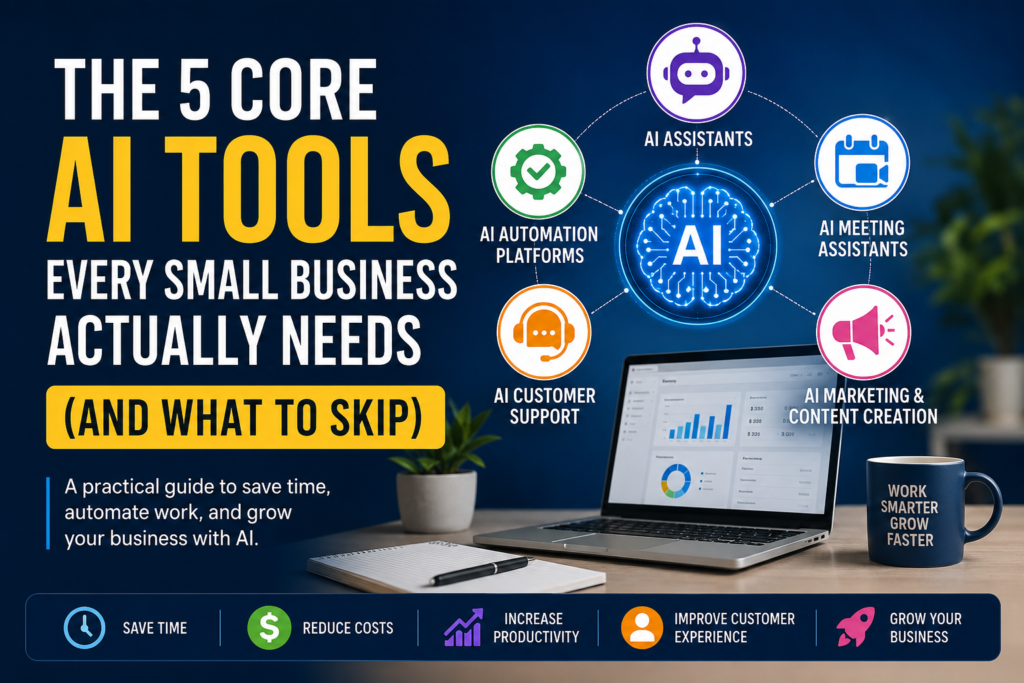
If you’ve searched for AI tools recently, you’ve probably felt overwhelmed.
Every day brings another headline about the “next must-have AI tool.” One expert recommends ChatGPT. Another says Claude is better. Someone else tells you to build AI agents. Meanwhile, YouTube is full of videos showcasing dozens of AI applications that promise to transform your business overnight.
For most small business owners, this creates decision paralysis instead of productivity.
The truth is simpler: you don’t need dozens of AI subscriptions — you need the right AI capabilities that solve real business problems.
Whether you run a consulting firm, marketing agency, retail business, accounting practice, or local service company, your AI journey should start with five essential categories. They can help you:
- Save hours every week
- Reduce repetitive manual work
- Improve customer experience
- Create better marketing content
- Respond to customers faster
- Scale operations without immediately hiring more staff
Everything else can wait.
Disclosure: this guide names specific tools for illustration. We don’t have paid placements or affiliate arrangements with the vendors listed — but pricing, features, and rankings shift over time, so treat these as a starting point for your own research, not a guaranteed best-in-class list.
Why Most Small Businesses Waste Money on AI
Many businesses approach AI the way they approach software in general — buying a new tool every time they discover a new feature. A few months in, the stack looks like this:
- ChatGPT for writing
- Claude for documents
- Gemini for research
- Three different automation tools
- Two chatbot platforms
- Multiple design applications
- Several AI video generators
Most of these get used once or twice, then quietly billed every month.
The problem isn’t AI. The problem is tool sprawl. Every additional subscription adds monthly cost, training overhead, integration complexity, and another account to secure.
Instead of asking “Which AI tool should I buy?” — ask “What business problem am I trying to solve?” Focusing on problems instead of products makes the whole decision easier.
The Five AI Categories Every Small Business Needs
Think of AI as a business operating system. Every business performs a few core activities every day:
| Business Activity | AI Category | Primary Benefit |
|---|---|---|
| Writing and planning | AI Assistant | Improves personal productivity |
| Repetitive tasks | AI Automation | Saves time, reduces manual work |
| Meetings | AI Meeting Assistant | Captures knowledge automatically |
| Customer communication | AI Customer Support | Provides faster responses |
| Marketing | AI Content & Marketing | Creates content more efficiently |
These are categories, not individual products. The goal isn’t to use every AI tool available — it’s to choose one good tool per category as your business grows.
Before You Choose Any AI Tool
Not every business needs the same solution. Use this framework before signing up for another platform.
Step 1 — Identify the problem. What task eats the most time each week? Which process is repetitive? Where do mistakes happen most? What delays customer responses? What’s blocking growth? The answers usually point straight at where AI helps most.
Step 2 — Estimate the impact. Prioritize what happens every day, not what happens occasionally.
| Priority | Typical Example |
|---|---|
| High | Responding to customer enquiries |
| High | Writing proposals |
| High | Updating CRM records |
| Medium | Creating social media posts |
| Medium | Meeting documentation |
| Low | AI-generated logos every week |
Step 3 — Start small. One successful automation beats ten unused subscriptions:
- Adopt one AI assistant.
- Learn to write effective prompts.
- Automate one repetitive workflow.
- Measure the time saved.
- Expand gradually.
Small wins build confidence and drive wider adoption.
Category 1: AI Assistants — Your Everyday Productivity Partner
If you only adopt one AI tool this year, make it an assistant. Almost every business owner spends time writing emails, preparing proposals, drafting reports, brainstorming, researching competitors, summarizing documents, and planning projects — an AI assistant accelerates all of it.
Where it helps:
- Sales — proposals, follow-up emails, scripts, objection handling
- Marketing — blog posts, LinkedIn content, product descriptions, ad copy, email campaigns
- Operations — SOPs, process documentation, internal policies, checklists
- Customer service — FAQ responses, support documentation
- Strategy — SWOT analysis, brainstorming, market research
Popular Options
| Tool | Best For | Strengths | Free Plan |
|---|---|---|---|
| ChatGPT | Everyday business tasks | Versatile, broad ecosystem, strong reasoning | Yes |
| Claude | Long documents and writing | Strong document analysis and natural writing | Yes |
| Google Gemini | Google Workspace users | Deep integration with Gmail, Docs, Drive | Yes |
| Microsoft Copilot | Microsoft 365 users | Works inside Word, Excel, Outlook, Teams | Yes |
All four handle everyday business work well. Rather than switching between them, pick the one that fits your existing software ecosystem — ChatGPT for general versatility, Claude for long-document work, Gemini if you live in Google Workspace, Copilot if you live in Microsoft 365.
Real Business Example
A marketing consultant writing five client proposals, three blog posts, ten client emails, and two project plans a week might spend 8–10 hours on that work without AI. With an assistant producing strong first drafts and suggestions, much of that time can be reclaimed for client relationships and business development — though actual savings depend on task complexity and how much human review each piece needs.
Common Mistakes
- Expecting perfect answers. AI produces drafts, not final decisions — review anything customer-facing before it goes out.
- Using weak prompts. “Write a proposal” produces generic output. “Create a professional proposal for a website redesign project valued at $8,000, including scope, timeline, deliverables, assumptions, and payment terms, in a friendly but professional tone” produces something usable.
- Switching between assistants. Comparing tools can eat more time than using them. Pick one and master it first.
Category 2: AI Automation Platforms — Where the Biggest Time Savings Begin
If assistants help you work faster, automation platforms help your business run with less manual effort. This is where many small businesses see the strongest return on investment.
An automation platform connects the tools you already use — website, CRM, email, accounting software, spreadsheets, messaging apps — and moves information between them automatically.
Website Contact Form → Lead Added to CRM → AI Summarizes Requirements
→ Welcome Email Sent → Sales Team Notified in Slack → Follow-up Task Created
No manual step-by-step handling required.
What You Can Automate
- Sales — capturing enquiries, qualifying leads, creating CRM records, follow-ups
- Marketing — publishing across platforms, scheduling newsletters, collecting reviews, tracking campaigns
- Finance — invoices, payment reminders, receipt organization, accounting updates
- Support — routing enquiries, creating tickets, acknowledgement emails, escalations
- Operations — file organization, reporting, database sync, task notifications
Popular Platforms
| Platform | Best For | Strengths | Free Plan |
|---|---|---|---|
| n8n | Growing businesses | Highly flexible, self-hosting option, advanced workflows | Yes |
| Make | Visual workflow design | Powerful drag-and-drop automation | Yes |
| Zapier | Beginners | Large integration library, simple setup | Yes |
| Pabbly Connect | Budget-conscious businesses | One-time and lower-cost plans | Limited |
n8n vs. Zapier, the most common question here: Zapier is easier to pick up and better for beginners; n8n is more flexible and scales better into sophisticated workflows as your technical comfort grows.
Practical Example
A consulting firm receiving ~30 website enquiries a week used to need someone to read each one, copy details into the CRM, draft a response, notify sales, and schedule a follow-up — all manually. With automation, those steps happen within seconds, freeing the team to focus on qualified prospects instead of admin.
Category 3: AI Meeting Assistants — Never Lose Important Information Again
Meetings generate valuable knowledge that tends to evaporate within hours — the classic Ebbinghaus “forgetting curve” research on memory decay is the reason meeting notes matter as much as they do. Action items get missed, follow-ups slip, and decisions become fuzzy.
An AI meeting assistant records, transcribes, summarizes, and organizes meetings automatically, so your team can focus on the conversation instead of note-taking.
What They Do
Record calls, generate transcripts, produce executive summaries, identify action items, assign responsibilities, capture decisions, flag open questions, and make past meetings searchable.
Best Tools
| Tool | Best For | Strengths | Free Plan |
|---|---|---|---|
| Fireflies.ai | Sales teams & consultants | Strong summaries, CRM integration | Yes |
| Fathom | Individuals & small teams | Free summaries, simple interface | Yes |
| Otter.ai | Interviews & documentation | Strong transcription | Yes |
| Zoom AI Companion | Existing Zoom users | Built into the Zoom ecosystem | With eligible Zoom plans |
Choose Fireflies if you meet clients often and use a CRM; Fathom if you live in Zoom and want a generous free tier; Otter if transcription accuracy is the priority; Zoom AI Companion if you’d rather not add another platform at all.
Real Business Example
A financial consultant running 25 client meetings a month, plus strategy and planning sessions, used to spend real time taking notes, organizing action items, and writing follow-ups. With a meeting assistant in place, summaries generate automatically, follow-ups draft faster, action items are easier to track, and more attention goes to the client during the call itself.
Benefits: better customer experience, faster follow-up, improved accountability, less admin, a searchable knowledge base, better team collaboration.
Category 4: AI Customer Support — Serve Customers 24/7
Customers expect immediate responses, and few small businesses can staff round-the-clock support. AI chatbots close that gap — answering common questions instantly and forwarding complex issues to a human. The goal isn’t replacing people; it’s freeing your team for higher-value interactions.
What AI can handle: FAQs, business hours, pricing questions, appointment booking, order tracking, product recommendations, lead qualification, basic troubleshooting.
Platforms and How They Differ
| Tool | Best For | Strengths | Free Plan |
|---|---|---|---|
| Tidio AI | Small businesses | Easy setup, live chat, affordable | Yes |
| Chatbase | Knowledge-base chatbots | Trains on your own docs/PDFs/help center | Limited |
| Intercom AI | Growing SaaS companies | Onboarding, product tours, advanced journeys | Trial |
| Zendesk AI | Established support teams | Enterprise-grade ticketing | Trial |
| Freshdesk AI | Freshworks users | AI-powered ticket management | Trial |
By business type: local businesses and consultants tend to fit Tidio best; course creators with lots of documentation lean toward Chatbase; SaaS startups toward Intercom; large support teams toward Zendesk.
Practical Example
An accounting firm fielding tax questions, appointment requests, pricing enquiries, and document requests can let a chatbot answer the routine ones, collect customer info, schedule appointments, and forward anything complex — customers get faster answers, and staff spend more time on the cases that actually need them.
Category 5: AI Marketing & Content Creation
Marketing is often the first task small business owners postpone — not because it’s unimportant, but because producing content consistently takes time. AI won’t replace your expertise, but it gets you to a strong first draft much faster, across formats.
| Format | Tools |
|---|---|
| Writing | ChatGPT, Claude |
| Design | Canva Magic Studio, Adobe Firefly |
| Video | CapCut AI, Descript |
| Social scheduling | Buffer AI, Publer AI |
Quick picks: ChatGPT for blog drafts, Canva Magic Studio for social graphics, CapCut AI for short video, Descript for podcast editing, Buffer AI for scheduling.
Practical Workflow
Blog Topic → ChatGPT Drafts → Human Reviews & Edits
→ Canva Creates Graphics → Buffer Schedules Posts → AI Tracks Performance
One piece of content becomes several marketing assets with a fraction of the manual effort.
Pricing at a Glance
Last verified: July 2026 — pricing and tool details change quickly; confirm current plans before purchasing.
| AI Category | Typical Monthly Cost |
|---|---|
| AI Assistant | Free – $20 |
| Automation Platform | Free – $30 |
| Meeting Assistant | Free – $20 |
| Customer Support AI | $0 – $39 |
| Marketing Tools | Free – $30 |
A practical stack for most small businesses runs roughly $50–100/month, depending on tools and usage. These figures reflect commonly available entry-level plans as of the last-verified date above — always check current pricing before purchasing, since it moves often.
Which Category Should You Start With?
| If You Want To… | Start Here |
|---|---|
| Save time writing | AI Assistant |
| Reduce repetitive work | AI Automation |
| Improve meetings | AI Meeting Assistant |
| Respond faster to customers | AI Customer Support |
| Create marketing content | AI Marketing |
The Practical Starter Stack
| Business Need | Suggested Tool |
|---|---|
| AI Assistant | ChatGPT |
| Automation | n8n |
| Meeting Notes | Fireflies.ai |
| Customer Support | Tidio AI |
| Marketing Design | Canva Magic Studio |
By Business Type
| Business | Starting Stack |
|---|---|
| Consultant | ChatGPT + Fireflies + Canva |
| Marketing agency | ChatGPT + n8n + Canva + Buffer |
| Local service business | ChatGPT + Tidio + Canva |
| Ecommerce store | ChatGPT + n8n + Tidio |
| SaaS startup | ChatGPT + Intercom + n8n |
These are starting points, not fixed rules — your ideal stack should reflect your workflows, budget, and existing software.
30-Day Implementation Roadmap
Trying to adopt several AI tools at once is one of the most common mistakes small businesses make. Rolling it out gradually builds confidence before you add more advanced workflows.
Week 1 — Build your foundation. Choose one AI assistant, learn effective prompting, and use it for everyday writing and research (emails, summaries, agendas, outlines, proposal templates). Success metric: save 30–60 minutes a day on routine writing.
Week 2 — Automate one process. Don’t try to automate everything at once — pick one recurring workflow (contact form → CRM, invoice reminders, lead notifications, onboarding emails). Success metric: eliminate one manual task that happens daily.
Week 3 — Improve meetings. Turn on automatic summaries, share action items, and centralize notes. Success metric: less post-meeting admin, more consistent follow-up.
Week 4 — Enhance customer experience. Deploy a chatbot for hours, pricing, booking, FAQs, and lead capture. Success metric: faster response times, better satisfaction.
Month 2 and beyond: once the basics are running, consider multi-step workflows, AI agents, CRM automation, document processing, predictive analytics, dashboards, voice AI, or industry-specific tools — but master one capability before adding the next.
Before Uploading Business Data
AI tools process the information you give them to generate responses and automate workflows — a few safeguards are worth setting up first.
- Avoid sharing confidential customer information unless your organization’s policies allow it.
- Strip personally identifiable information from test data where possible.
- Review each vendor’s privacy policy and data retention settings.
- Enable multi-factor authentication on business accounts.
- Restrict access with role-based permissions.
- Periodically review who has access to your AI tools and workflows.
Questions to Ask Before Choosing a Vendor
| Question | Why It Matters |
|---|---|
| Does the tool meet your security requirements? | Protects sensitive business information |
| Can data retention settings be configured? | Helps meet compliance obligations |
| Does it integrate with your existing software? | Reduces manual work and duplication |
| Is there an export option? | Reduces vendor lock-in |
| Does the pricing scale with your business? | Helps control future costs |
Common Mistakes to Avoid
| Mistake | Better Approach |
|---|---|
| Buying too many subscriptions | Start with one tool per category |
| Automating an inefficient process | Fix the process before automating it |
| Expecting AI to replace employees | Use AI to augment human expertise |
| Ignoring employee training | Teach prompt writing and AI basics |
| Skipping human review | Review anything customer-facing |
| Choosing tools without integration support | Prioritize tools that fit your existing systems |
A few of these deserve more than a table row:
Automating a broken process just makes the inefficiency faster — fix the workflow first, then automate it.
Expecting perfection is a setup for disappointment. AI can produce impressive results and real mistakes in the same draft — always review customer emails, contracts, financial information, legal documents, and marketing campaigns before they go out.
Ignoring team adoption quietly wastes the whole investment. The best tool delivers nothing if nobody uses it — budget time for basic training, prompt-writing practice, and internal guidelines.
Frequently Asked Questions
Do I need to pay for AI tools? Not necessarily. Many platforms have generous free plans that are enough for learning and small-scale use. Upgrade only when you need more features, higher limits, or business-specific capabilities.
Which category should I implement first? An AI Assistant, for most businesses — it improves productivity across writing, planning, research, and communication with minimal setup.
Is ChatGPT better than Claude? Both are strong assistants. ChatGPT is versatile with a broad integration ecosystem; Claude tends to be stronger for long documents and natural-sounding writing. Pick based on your workflow rather than switching between them.
Is n8n better than Zapier? Depends on your needs. Zapier is easier for beginners with a large integration library; n8n offers more flexibility, deeper customization, and self-hosting for more complex automation.
Can AI replace employees? AI handles repetitive, rule-based work well. People remain essential for strategy, relationship-building, creative problem-solving, leadership, and judgment calls. The best outcomes combine AI efficiency with human expertise.
How much should a small business budget for AI? Many can build a practical stack for roughly $50–100/month depending on tools and usage. Start with free plans and upgrade only when the value justifies the cost.
How do I measure ROI? Track outcomes that matter to the business — hours saved per week, faster response times, higher lead conversion, fewer manual errors, customer satisfaction, and revenue tied to AI-supported marketing — rather than counting how many tools you’re using.
Final Thoughts
AI is no longer a technology reserved for large enterprises — today’s tools are affordable, accessible, and genuinely useful for small businesses that adopt them with a clear strategy.
Rather than chasing every new product, focus on five categories: AI Assistants, AI Automation, AI Meeting Assistants, AI Customer Support, and AI Marketing & Content Creation. These cover the operational challenges most small businesses actually face. As you grow, you can expand into intelligent agents, predictive analytics, and industry-specific automation.
The goal isn’t the largest AI stack — it’s the one that delivers the most value. Start small. Measure results. Improve continuously.
Key Takeaways
- Think in terms of AI categories, not individual tools.
- Choose solutions that solve specific business problems.
- Start with an AI assistant before expanding into automation.
- Implement AI gradually rather than adopting multiple platforms at once.
- Protect sensitive business information with basic security practices.
- Measure success by business outcomes, not tool count.
- Review AI-generated content before using it in customer-facing situations.
- Expand your stack only once the team is comfortable with what’s already in place.
References & Further Reading
- OpenAI — https://openai.com/
- Anthropic — https://www.anthropic.com/
- Google Gemini — https://gemini.google.com/
- Microsoft Copilot — https://www.microsoft.com/copilot
- n8n — https://n8n.io/
- Zapier — https://zapier.com/
- Make — https://www.make.com/
- Fireflies.ai — https://fireflies.ai/
- Tidio — https://www.tidio.com/
- Canva Magic Studio — https://www.canva.com/magic/
Disclaimer: Tool features, pricing, and availability may change over time. Review the latest information on each vendor’s website before making a purchasing decision.