Small Business AI Transformation: From Manual Work to Intelligent Workflows
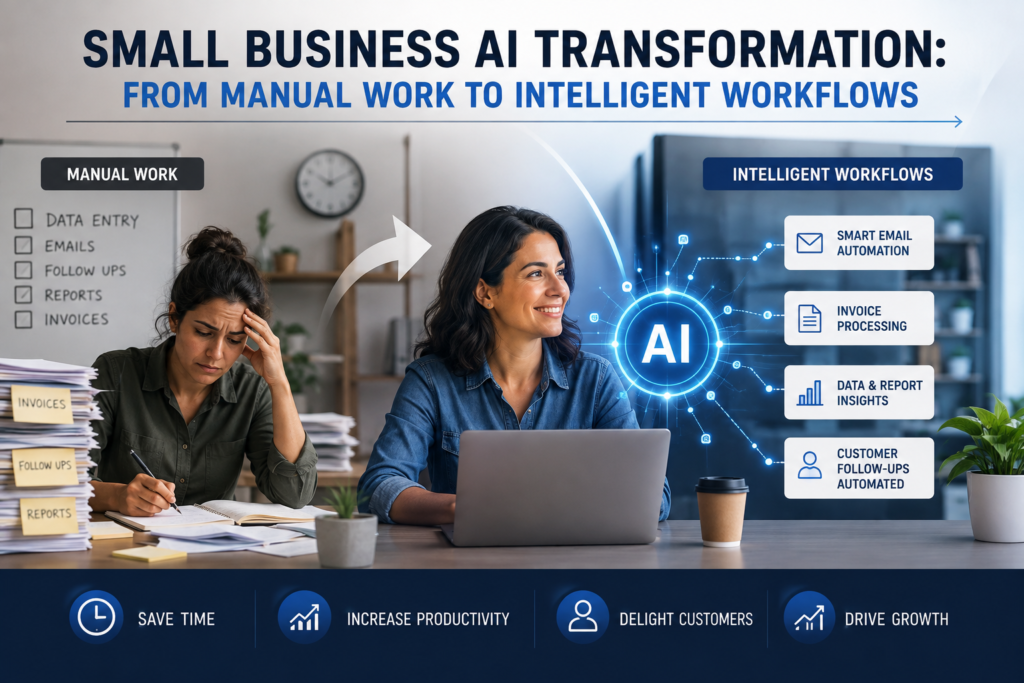
Case study metadata
- Case study classification: Illustrative SMB Transformation Case Study (not a verified client implementation)
- Geography: India
- Business type: Small Business (multi-industry pattern)
- Primary workflow: Manual process assessment → workflow redesign → AI integration → automation deployment with human oversight
- Primary keyword: Small Business AI Transformation
- Automation risk: Medium (varies by workflow; higher for customer-facing messages and finance actions)
- Implementation difficulty: Moderate for a one-workflow pilot; Advanced if scaled across multiple systems
Scope & Assumptions
This is an illustrative scenario based on common small-business workflows in India. The tools, steps, costs, and potential outcomes are examples for planning purposes and do not represent verified results from a specific business.
Many Indian small businesses don’t have a single “broken system.” They have too many disconnected mini-systems: WhatsApp chats for leads, spreadsheets for follow-ups, email for invoices, a separate accounting tool, and ad-hoc reporting done late at night. Work still gets done—but it scales badly. The owner becomes the router for every decision, and every new customer adds more manual coordination.
A small business does not become AI-powered by adding more AI tools. It becomes AI-powered when fragmented manual work is redesigned into a measurable, connected workflow.
This case study shows a practical path to Small Business AI Transformation that stays business-first: start with one high-friction workflow, improve the process before automating it, connect only the data you need, add AI where it meaningfully reduces manual effort, and keep humans in control of exceptions and risk.
Case Study Classification & Scope
This article is structured as an illustrative SMB transformation case study. It demonstrates how a typical small business in India could move from manual work to connected, intelligent workflows using a pilot-and-measure approach.
What this case study is—and is not:
- Is: a practical, evidence-conscious blueprint for process transformation with AI-assisted automation and human oversight
- Is not: a report of a specific company’s measured results, a vendor tool review, or a promise of guaranteed ROI
To keep the scenario realistic for small businesses, the examples use common building blocks frequently found in Indian SMB operations: WhatsApp for customer communication, a spreadsheet or lightweight CRM, email, and an accounting system. Specific brands are mentioned only as possible components, not as required choices.
Business Context & Workflow
Business context (illustrative): A small business in India with a lean team (owner + 2–10 staff) serving customers through inbound inquiries and repeat transactions. The business may be a service provider, retailer, agency, clinic, training institute, or distributor—anywhere the same pattern appears: high message volume, repetitive follow-ups, and fragmented records.
Teams involved:
- Owner / operations lead: final decision-maker for escalations, pricing exceptions, and high-risk actions
- Sales/admin staff: handles inquiries, follow-ups, quote requests, and status updates
- Finance/admin: sends invoices, reminders, and reconciles payments (often part-time or shared)
Why this workflow matters: “Manual coordination work” is invisible until it becomes the bottleneck. When every inquiry requires copying details into a sheet, rechecking inventory/availability, asking a colleague, then following up again, the business hits a ceiling: response time slows, leads go cold, and reporting becomes unreliable.
Workflow selected for transformation: A cross-functional “front-to-back” workflow that touches revenue and operations:
- Customer inquiry intake (often WhatsApp)
- Lead qualification and follow-up
- Quote/order confirmation
- Invoice and payment reminders
- Basic daily/weekly reporting
This case study focuses on how the business redesigns and connects the workflow first, then uses automation (and selective AI) to reduce manual effort.
This case study treats customer inquiry handling as the first transformation layer rather than attempting to automate the entire business at once. Once this workflow is stable, the same operating model can be extended to adjacent workflows such as invoice reminders, support triage, reporting, and customer follow-up.
The Problem & Business Impact
Problem statement (illustrative): The business relies on disconnected manual processes (messages, calls, spreadsheets, and individual memory) that limit productivity and scalability.
Common operational symptoms:
- Efficiency: repetitive copying/pasting between WhatsApp, spreadsheets, email, and accounting tools; manual reminders; manual status checks
- Quality: missed follow-ups, inconsistent responses, duplicate records, wrong customer details, invoice mismatches
- Customer experience: delayed replies, inconsistent answers, limited availability outside business hours, slower issue resolution
- Financial impact (potential): slower lead response can reduce conversions; late reminders can increase overdue payments; rework consumes staff capacity
Decision gate: when this is a good automation candidate
- Repeatability: the same types of inquiries and follow-up steps repeat daily
- Rule stability: there are clear business rules (e.g., when to send reminders, what information is required to quote)
- Volume: enough weekly transactions/messages to justify automation effort
- Measurability: the business can track response time, follow-up completion, overdue invoices, and staff hours spent
When this may not be a good first candidate
- If most work is one-off, highly bespoke, or depends on expert judgment with little repeatable structure
- If customer communications carry high regulatory risk (industry-specific) and the business cannot support review and audit controls
- If the underlying process is unclear—automation would only make a broken process run faster
Before: Manual Workflow
Manual “as-is” workflow (illustrative)
Customer message (WhatsApp/email) → Staff reads and tags mentally → Staff asks questions → Staff copies details to a spreadsheet → Staff checks availability/price in another place → Staff replies → Staff sets a reminder manually → Staff follows up → Finance sends invoice → Finance follows up manually → Owner compiles weekly status report
Typical friction points:
- Information is scattered: customer details in chat, order details in a sheet, payments in accounting, status in someone’s head
- Follow-ups depend on memory and personal reminders
- Reporting is manual and late, so management decisions are reactive
- Multilingual communication adds load: messages arrive in different languages or mixed language, increasing handling time
Baseline measurement (what should be captured before automation)
Because this is an illustrative scenario, baseline metrics are not presented as measured results. Before building automation, a small business would typically measure a 2–4 week baseline for:
- Median first response time for inquiries (minutes/hours)
- Follow-up completion rate (percentage of leads receiving a follow-up within X hours/days)
- Manual handling time per inquiry (minutes spent across reading, logging, replying, updating records)
- Overdue invoice rate (percentage overdue and days overdue)
- Rework rate (messages that require correction, duplicate entries, wrong invoice details)
Without this baseline, it’s easy to “feel faster” after automation but not prove business value.
AI Automation Design
Business-first design principle: Improve and simplify the workflow before adding AI. Many SMB wins come from connecting systems and standardizing data—not from advanced models.
Proposed approach: Build a single “source of truth” for customer and request records (a lightweight CRM or structured spreadsheet). Then orchestrate a workflow that routes messages, captures structured fields, drafts responses, triggers reminders, and escalates exceptions to humans.
AI roles in this design (selective, not everywhere):
- Classification: identify intent (new lead, order status, pricing request, support issue, invoice query)
- Extraction: pull key fields from messages (name, phone, product/service, location, preferred time, urgency)
- Drafting: create a response draft using approved templates and business rules
- Summarization: produce a short internal summary for staff and for the CRM record
Trigger
- New inbound message in WhatsApp Business (or email/web form)
AI task
- Classify message intent and language
- Extract required fields (and detect missing information)
- Draft a response based on approved templates and policy constraints
Business rules (examples)
- If missing critical information (e.g., product/service, quantity, location), ask a clarifying question rather than guessing
- If message is about pricing beyond standard ranges, escalate for human approval
- If the customer requests a callback, create a task and assign an owner; do not promise a time slot without confirmation
- If the message relates to payment disputes or refunds, route directly to a human
Data access (minimum necessary)
- Customer record (name, phone, history)
- Product/service catalog and standard FAQs
- Basic status fields (lead stage, order stage, invoice stage)
System actions (automation)
- Create/update a CRM row (or structured sheet row) for every inquiry
- Assign owner and due date for follow-up
- Send a response (auto-send for low-risk categories; draft-only for higher-risk)
- Schedule reminders and nudges (internal and/or customer-facing)
Human approval and exception handling
- Human reviews and sends messages when AI confidence is low, the request is ambiguous, or the topic is sensitive (billing disputes, refunds, special pricing)
- Owner approves policy exceptions (discounts, non-standard commitments, contractual terms)
Fallback behavior
- If classification confidence is low: create a “Needs review” queue and notify staff
- If integration fails (e.g., CRM unavailable): log the message and notify staff for manual handling
- If required data is missing: ask clarifying questions rather than proceeding
Monitoring and auditability
- Log: message ID, classification label, extracted fields, whether human edited, final message sent, timestamps
- Track: escalation rate, human override rate, error reports, and customer complaint tags
Why AI is used here (and where simpler automation may be enough)
- Good use of AI: turning messy inbound text (often multilingual) into structured data and routing decisions
- Better as deterministic automation: reminders based on due dates, internal notifications, CRM status updates, scheduled reporting
After: Automated Workflow
Proposed “to-be” intelligent workflow (illustrative)
Customer message → AI intent classification + field extraction → Rules validation → CRM record created/updated → Response drafted (or sent for low-risk intents) → Follow-up tasks + reminders scheduled → Human escalation queue for exceptions → Reporting summary generated
Before vs After (what changes)
| Workflow element | Before (manual) | After (proposed intelligent workflow) |
|---|---|---|
| Inquiry logging | Manual copy/paste into spreadsheet; inconsistent fields | Automatic structured capture into CRM/sheet with required fields |
| Routing and ownership | Owner or staff manually forwards messages | Auto-assign based on category, workload, or customer type; exceptions escalate |
| Customer responses | Typed from scratch; inconsistent tone and details | Template-based drafts; low-risk auto-send optional; high-risk requires approval |
| Follow-ups | Personal reminders; often missed | System-generated tasks, due dates, and reminders with clear accountability |
| Reporting | Manual weekly compilation; outdated information | Automated daily/weekly summaries from the system of record |
What the AI Does Not Do (boundaries)
- Does not finalize discounts, refunds, or contractual promises without human approval
- Does not override business rules (e.g., credit terms, refund policy, delivery commitments)
- Does not “invent” answers when key information is missing; it should ask clarifying questions or escalate
- Does not access unnecessary sensitive data; the workflow should use minimum necessary fields
- Does not execute irreversible actions (e.g., issuing credits, cancelling invoices) without explicit controls
These boundaries are not about model capability; they are about authorized business action and risk containment.
Human Control, Risks & Safeguards
A practical AI transformation for small business depends on explicit human control points. The goal is not “zero humans,” but humans focusing on exceptions, quality, and decisions.
Who remains responsible (illustrative governance)
- Process owner (owner/ops lead): defines rules, approves high-risk automations, reviews weekly KPI trends
- Queue owner (sales/admin lead): clears escalations, corrects templates, trains staff on correct dispositions
- Finance approver: reviews payment dispute routing and any automation that touches invoicing/reminders
| Risk | What can go wrong | Safeguard (specific control) |
|---|---|---|
| Incorrect interpretation | Wrong category or missing nuance; wrong reply | Confidence threshold + “Needs review” queue + mandatory human approval for sensitive categories |
| Hallucinated or non-policy answers | AI drafts confident but wrong details (pricing, availability, policy) | Approved templates + restricted knowledge sources + rule checks for allowed commitments |
| Wrong system action | Updates wrong customer record; assigns wrong owner; sends wrong reminder | Validation rules (required fields, deduping checks) + audit logs + reversible actions where possible |
| Privacy exposure | Unnecessary customer data captured or shared | Minimum necessary data + access controls + retention rules + avoid storing message content when not required |
| Integration failure | Messages not logged; reminders not sent; staff assumes system handled it | Failure alerts + retries + daily “missed capture” reconciliation report |
| Adoption failure | Staff bypasses system; data quality degrades | Simple SOPs + training + “if it’s not in the CRM, it didn’t happen” policy + feedback loop |
In practice, the most common failure mode is not “bad AI”—it’s inconsistent process usage and poor data discipline. Safeguards must address both.
Technology, Implementation & Cost
This transformation can be implemented with a mix of:
- Communication channel: WhatsApp Business (common for Indian SMB customer communication), plus email/web forms if applicable
- System of record: lightweight CRM or structured spreadsheet/database
- Automation platform: a workflow orchestration tool (examples in the market include Zapier, Make, n8n, Power Automate, Pabbly Connect)
- AI layer: a language model API for classification/extraction/drafting (provider varies)
- Accounting tool: an accounting/invoicing system used by the business (varies)
Implementation difficulty (illustrative): Moderate
- Easy if the pilot is limited to one channel + one system of record + simple rules
- Harder when integrating multiple systems, managing message templates across languages, and maintaining high-quality exception handling
Implementation plan (30/60/90-day structure)
- Days 1–10: process mapping, baseline measurement, define categories and rules, standardize required fields
- Days 11–30: build pilot workflow (intake → CRM logging → routing → draft replies → escalation queue); train staff; start logging KPIs
- Days 31–60: refine templates, tune thresholds, add reminders and reporting, strengthen audit logs and failure alerts
- Days 61–90: expand to a second workflow (e.g., invoice reminders) only if pilot KPIs are stable
Cost structure (planning view)
Exact costs vary widely by tool choices, message volume, AI usage, and implementation support. A small business should plan costs in categories rather than a single number:
| Cost category | What it includes | Notes for small businesses |
|---|---|---|
| Software subscriptions | Automation platform, CRM/database, messaging integrations, accounting integrations | Subscriptions are often the smallest part of total cost for serious workflows |
| AI usage costs | Per-call or token-based costs for classification/extraction/drafting | Design to minimize usage: classify once, reuse summaries, avoid reprocessing entire threads |
| One-time implementation | Workflow design, integration setup, templates, testing, rollout | Often the biggest initial investment; can be reduced by limiting scope to one workflow |
| Ongoing operations | Human review time, exception handling, monitoring, periodic rule updates | Budget for human oversight; “fully hands-off” is rarely realistic |
| Change management | Training, SOPs, adoption enforcement, feedback loop | Critical for data quality and consistent usage |
Results, Evidence & ROI
This illustrative case study does not include verified measured results from a specific business. Instead, it provides a planning model for how an SMB could measure value and estimate ROI before scaling.
Verified Result
No verified results are available in this illustrative scenario because no specific business implementation, timeframe, or dataset is established.
What outcomes to measure (business-first)
- Speed: median first response time; time from inquiry to qualified status
- Capacity: inquiries handled per staff member per day; follow-ups completed on time
- Quality: rework rate; duplicate records; incorrect commitments; customer complaints about misinformation
- Financial: conversion rate (inquiry → order); overdue invoice rate; days sales outstanding (if measurable)
- Control: escalation rate; human override rate; automation failure rate
Illustrative ROI planning model (with transparent assumptions)
Illustrative Scenario
The numbers below are hypothetical inputs to show how an SMB can model ROI. Replace them with your baseline measurements and real costs.
Step 1: Estimate current manual handling cost
- Illustrative assumption A: 1,000 inquiries/month across WhatsApp and other channels
- Illustrative assumption B: 6 minutes average handling time per inquiry (reading, logging, replying, updating)
- Illustrative assumption C: ₹300/hour blended cost for staff time (salary + overhead, simplified)
Calculated estimate:
Monthly manual hours = 1,000 × 6 minutes ÷ 60 = 100 hours/month
Monthly manual handling cost = 100 hours × ₹300/hour = ₹30,000/month
Step 2: Estimate automation impact (do not assume 100%)
- Illustrative assumption D: 35% of handling time reduced through structured capture + drafting + automated routing
- Illustrative assumption E: Remaining time is spent on exceptions, sensitive issues, and quality control
Calculated estimate:
Monthly time saved = 100 hours × 35% = 35 hours/month
Illustrative capacity value of time released = 35 hours × ₹300/hour = ₹10,500/month
This ₹10,500 represents the estimated economic value of employee capacity released by the workflow. It is not automatically cash savings unless the business actually removes a cost, avoids additional hiring or overtime, or converts the released capacity into measurable additional business value.
Step 3: Include ongoing costs realistically
- Illustrative assumption F: ₹6,000/month combined software + AI usage (varies by stack and volume)
- Illustrative assumption G: 10 hours/month of ongoing oversight time (queue review, template updates, monitoring)
Calculated estimate:
Oversight cost = 10 hours × ₹300/hour = ₹3,000/month
Total ongoing monthly cost = ₹6,000 + ₹3,000 = ₹9,000/month
Step 4: Net value and payback considerations
Estimated net monthly value = capacity value of time released − ongoing monthly cost
Calculated estimate: ₹10,500 − ₹9,000 = ₹1,500/month
This example shows why small businesses should not stop at “hours saved.” If the stack is too expensive or oversight time is high, the net value can be small. The fix is usually:
- reduce complexity (fewer tools, fewer steps)
- push more work into deterministic rules (not AI calls)
- improve templates and data discipline to reduce escalations
Where ROI can become more compelling
In an SMB, ROI can become more compelling when the workflow touches revenue or cash collection. Two examples of value mechanisms a business can measure:
- Lead response speed: if faster follow-up increases conversion by even a small amount, incremental margin can exceed the automation cost (requires careful attribution and a baseline)
- Payment reminders: if structured reminders reduce overdue invoices and improve cash flow, the benefit may be meaningful even without large labor savings
These outcomes must be measured with clean baselines and comparable time periods. If a business cannot measure them, it should treat ROI claims as unproven and focus on operational KPIs first.
Lessons, Starting Version & KPIs
Lessons from the workflow design and planning model
- Workflow redesign creates most early value: standard fields, clear statuses, and accountability often matter more than the AI model choice
- Start with one workflow: multi-workflow builds fail when the team has not adopted the first system of record
- Exception handling is the real “product”: if escalations are unclear, the system will be blamed and bypassed
- Measurement must be designed in: logs and KPI definitions must exist from day one
What should not be automated initially
- Discount approvals, refunds, contractual commitments, and other irreversible/high-impact decisions
- Any customer message category that frequently triggers complaints or legal exposure
- Edge-case-heavy workflows where the rules are not stable yet
Recommended starting version (minimum viable intelligent workflow)
A sensible pilot for most Indian SMBs:
- One intake channel: WhatsApp Business (or your highest-volume channel)
- One system of record: a lightweight CRM or structured sheet
- One workflow goal: every inquiry is logged, categorized, assigned, and responded to within a defined SLA
- AI scope: classification + extraction + draft replies for two or three low-risk categories only
- Human control: “Needs review” queue for ambiguous/sensitive items; humans send the final response until quality is stable
Suggested KPIs (3–5 that owners can actually review)
| KPI | How to measure | Target direction | Review cadence |
|---|---|---|---|
| Median first response time | Timestamp of first inbound message vs first outbound response | Down | Weekly |
| Follow-up completion rate | % of leads with follow-up task completed within SLA | Up | Weekly |
| Escalation rate | % of messages routed to “Needs review” | Down (without harming quality) | Weekly |
| Human override rate | % of AI drafts edited significantly before sending | Down | Weekly |
| Cost per handled inquiry (optional) | (Staff time + tooling) ÷ inquiries handled | Down | Monthly |
Review period and when to expand
- 30-day review: adoption, logging completeness, response-time improvement, stability of routing, failure alerts
- 60-day review: template quality, reduced escalations, fewer missed follow-ups, clearer reporting
- 90-day review: expand to a second workflow (invoice reminders or support triage) only if KPIs are stable and the team trusts the system
The central lesson is simple: AI transformation for a small business should begin with process clarity, measurable baselines, and controlled automation—not with buying more AI tools. Once one workflow proves stable and valuable, the business can extend the same operating model to adjacent processes.
Practical next step
If you want a structured way to start, begin with a manual process assessment of your top 3 workflows, identify one high-friction candidate, and design a 30-day pilot with clear KPIs and human oversight.