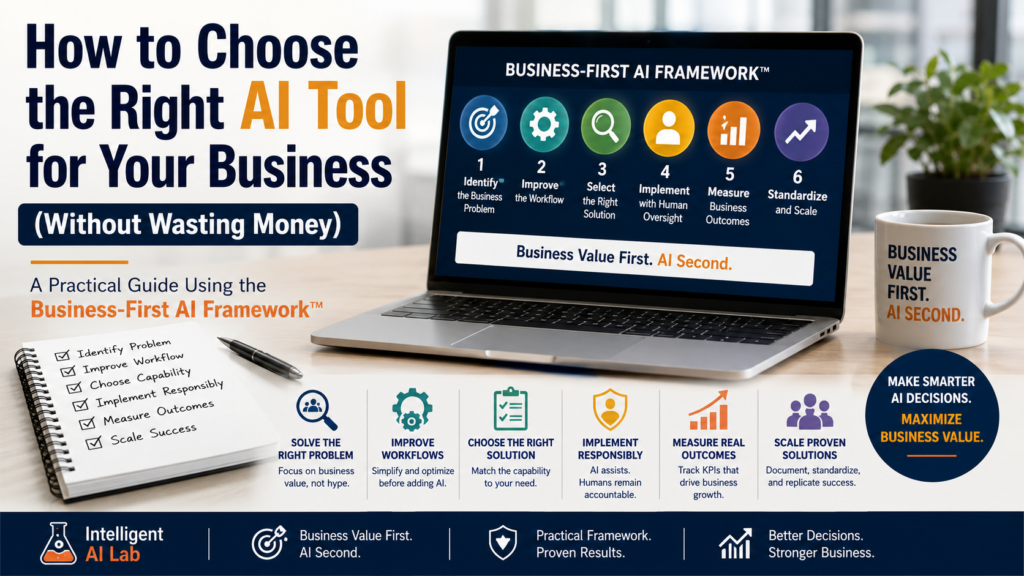
A Practical Guide Using the Business-First AI Framework™
Choosing an AI tool for your business should not begin with a product comparison. It should begin with a business problem.
The right AI solution can reduce repetitive work, improve response times, increase operating capacity, and help employees focus on higher-value work. Whether that creates financial benefit depends on how the recovered capacity is used.
The wrong tool becomes another monthly subscription—one that employees rarely use and no one can connect to a measurable business result.
Today, businesses have an expanding range of AI assistants, automation platforms, document-processing tools, search systems, AI agents, and industry-specific applications to evaluate.
From ChatGPT and Claude to Microsoft Copilot, Gemini, Zapier, Make, n8n, and specialized AI applications, the challenge is no longer finding an AI tool.
The challenge is choosing the right solution for the right business problem.
Most businesses start by asking:
“What AI tool should we buy?”
It seems logical.
But there is a better question:
“What business problem are we trying to solve?”
That shift can make the difference between an AI investment that creates measurable value and one that quietly becomes another unused software subscription.
At Intelligent AI Lab, we believe successful AI adoption should begin with business value—not technology.
That is why we developed the Business-First AI Framework™, a practical methodology for helping businesses identify valuable AI opportunities, improve workflows, evaluate solutions, manage risk, measure ROI, and scale what works.
Business Value First. AI Second.
By the end of this guide, you will have a practical way to:
- Define a business problem and establish a baseline
- Determine whether AI is actually necessary
- Improve the workflow before automating it
- Choose the right AI capability
- Compare competing tools using a weighted scorecard
- Calculate total cost and potential economic value
- Evaluate data security and vendor controls
- Run a low-risk AI pilot
- Define measurable success thresholds
- Decide whether to scale, refine, replace, or stop
Whether you are a small-business owner, entrepreneur, consultant, or operations leader, this guide will help you make AI investment decisions based on evidence rather than hype.
Why Businesses Buy the Wrong AI Tools
AI has become one of the fastest-growing categories of business software. This creates enormous opportunities—but also a new purchasing problem.
Businesses can easily buy AI software before understanding what they actually need.
Common reasons include:
- A competitor is using it.
- A vendor promises dramatic productivity improvements.
- Employees request access after seeing AI demonstrations.
- Leadership feels pressure to “do something with AI.”
- A new tool becomes popular on social media.
- Multiple departments independently purchase similar tools.
The result can be unnecessary subscriptions, overlapping functionality, employee confusion, and additional management complexity.
Consider a few examples.
A company purchases ChatGPT licenses for employees. Six months later, a few people use the tool regularly while others rarely log in. No major workflows have changed, and no measurable business outcome has improved.
Another business subscribes to Zapier because it has heard that automation can save time. However, nobody has documented the existing workflows or identified which repetitive tasks are worth automating. After a few simple experiments, the platform becomes underused.
A marketing team may purchase an AI writing platform expecting content production to accelerate. But without clear brand guidelines, approval processes, and content workflows, employees continue working much as they did before.
Businesses can also accumulate overlapping AI subscriptions.
For example, ChatGPT, Claude, Gemini, Microsoft Copilot, Grammarly AI, and Notion AI may all provide capabilities that overlap for certain knowledge-work tasks. That does not mean they are identical—but it does mean businesses should evaluate whether they genuinely need multiple products.
The real cost is also greater than the subscription price.
Each additional AI tool can introduce:
- Employee training
- Security reviews
- Administrative overhead
- Integration work
- Governance requirements
- Data-management considerations
- Ongoing maintenance
- Vendor-dependency risk
The better approach is to identify the business problem first.
Ask:
- Which process is consuming too much employee time?
- Where are customers experiencing delays?
- Which workflow contains repetitive manual work?
- Where are errors occurring frequently?
- Which process limits business capacity?
- What measurable business outcome could improve?
Only then should you evaluate technology.
The Business-First AI Framework™
Most technology-first approaches begin with:
“Which AI tool should we use?”
The Business-First AI Framework™ starts with:
“Which business problem should we solve?”
The framework follows a simple sequence:
Problem → Baseline → Workflow → Capability → Tool Scorecard → Pilot → Evidence
It is built around three layers:
| Layer | Core Question | Goal |
|---|---|---|
| WHY – Business Strategy | Are we solving the right problem? | Define business value before technology |
| HOW – AI Execution | What is the simplest appropriate solution? | Implement AI effectively and responsibly |
| OUTCOMES – Business Growth | Did the solution create measurable value? | Measure results and scale what works |
The framework contains six stages:
| Stage | Core Question | Primary Deliverable |
|---|---|---|
| 1. Identify the problem | What business problem are we solving? | Problem statement and baseline KPI |
| 2. Improve the workflow | Can the process be improved before AI? | Current-state and future-state workflow |
| 3. Select the solution | What is the simplest appropriate technology? | Tool shortlist and evaluation scorecard |
| 4. Implement with oversight | How will we control risk and accountability? | Owner, data rules, and review rules |
| 5. Measure outcomes | Did the solution create measurable value? | Pilot results and KPI comparison |
| 6. Standardize and scale | Is the solution proven enough to expand? | SOP, training, and governance |
Stage 1: Identify the Business Problem
Every successful AI initiative begins with a clearly defined problem.
Instead of asking:
“Where can we use AI?”
Ask:
“What is preventing our business from performing better?”
Look for:
- Repetitive tasks
- Customer-service bottlenecks
- Slow response times
- Manual data entry
- Recurring errors
- Document-processing workloads
- Information-search problems
- Delayed reporting
- Excessive administrative work
For example, suppose customers wait 12 hours for responses.
The problem is not:
“We need an AI chatbot.”
The problem is:
“Our average customer response time is 12 hours, creating delays and increasing employee workload.”
That definition gives you something measurable.
Establish a Baseline
Before changing the workflow, record the current state.
Depending on the use case, measure:
- Transactions per month
- Hours spent
- Processing time
- Error rate
- Response time
- Cost per transaction
- Customer satisfaction
- Conversion rate
- Employee workload
Collect enough data to represent normal work, including busy periods, common exceptions, and typical error cases.
A baseline based only on one unusually easy week can make an AI solution appear more effective than it really is.
Deliverable
At the end of Stage 1, you should have:
One-sentence problem statement + baseline KPI
Stage 2: Improve the Workflow
One of the biggest mistakes businesses make is automating inefficient processes.
A poor workflow does not automatically become a good workflow because AI is added.
It simply becomes an automated poor workflow.
Before introducing AI:
- Remove unnecessary steps.
- Eliminate duplicate work.
- Reduce unnecessary approvals.
- Standardize recurring tasks.
- Clarify responsibilities.
- Remove unnecessary data entry.
- Identify exceptions and failure points.
Document both:
Current state → Future state
For example:
Current workflow
Customer inquiry → Email → Employee checks CRM → Employee searches documents → Employee writes response → Manager reviews → Customer receives response
Improved workflow
Customer inquiry → AI retrieves relevant information → AI drafts response → Employee reviews → Customer receives response
The second workflow is easier to automate because unnecessary steps have already been removed.
Guiding Principle
Never automate waste.
Deliverable
At the end of Stage 2, you should have:
A current-state and future-state workflow map
Stage 3: Select the Right Solution
Only after defining the problem and improving the workflow should you evaluate technology.
The key principle is:
Choose capabilities before tools.
Ask:
“What capability do we actually need?”
Possible capabilities include:
- Generative AI
- Workflow automation
- AI-powered search
- Document AI
- AI classification
- Speech AI
- Vision AI
- Retrieval-augmented generation (RAG)
- AI agents
RAG, or retrieval-augmented generation, grounds AI responses in selected business documents or data rather than relying only on the model’s general knowledge.
But there is another important question:
Do we need AI at all?
Sometimes a process improvement, existing software feature, database query, or conventional automation is the better solution.
Automation vs AI: Which Do You Actually Need?
Not every automation problem requires AI.
| Use Case | Likely Starting Point |
|---|---|
| Move data between two applications | Rule-based automation |
| Send a scheduled reminder | Existing software or automation |
| Create a recurring report | Existing software or automation |
| Classify unstructured emails | AI classification |
| Extract fields from varied documents | Document AI or AI extraction |
| Answer questions from internal documents | Search or RAG |
| Draft responses for employee approval | Generative AI |
| Analyze large volumes of unstructured text | Generative AI |
| Handle a multi-step workflow with bounded decisions | Agentic workflow |
If a process follows stable rules and has predictable inputs, conventional automation may be preferable even when the workflow contains several steps.
The simplest appropriate technology is often the best starting point.
When Should a Business Consider an AI Agent?
AI agents can be useful when a workflow requires multiple steps, changing context, tool usage, or bounded decision-making.
For example, an agent might:
- Receive a customer request.
- Search a knowledge base.
- Check information in a CRM.
- Determine which workflow applies.
- Draft a response.
- Ask for human approval.
- Update the appropriate system.
However, multiple steps alone do not require an AI agent.
If the process follows stable rules and predictable inputs, conventional automation may be safer, cheaper, easier to maintain, and easier to audit.
Consider an AI agent when the workflow genuinely requires:
- Bounded reasoning
- Changing context
- Selection among tools
- Interpretation of unstructured information
- Conditional decisions that are difficult to encode as fixed rules
Even then, permissions, monitoring, human review, and stop controls should be defined before deployment.
How to Compare AI Tools
Once you know the required capability, you may still have several competing tools.
This is where a structured evaluation becomes valuable.
The AI Tool Evaluation Scorecard
Score each candidate from 1 to 5.
| Evaluation Area | Question |
|---|---|
| Business fit | Does it directly address the defined business problem? |
| Workflow fit | Can it work with the systems and processes employees already use? |
| Ease of adoption | Can intended users learn and use it effectively? |
| Output quality | Are results accurate, consistent, complete, relevant, and usable? |
| Integration | Does it connect with required applications and data? |
| Data and security | Does it provide controls appropriate for the workflow? |
| Human oversight | Can people review, edit, approve, reject, or stop outputs? |
| Total cost | What will licenses, usage, setup, training, and maintenance cost? |
| Vendor reliability | Is the product supported, documented, and actively maintained? |
| Exit risk | Can you export data and replace the tool if necessary? |
Do not select the tool with the longest feature list.
Select the tool that best fits the workflow that matters most.
Evaluate Output Quality Beyond Accuracy
Output quality should not be judged by accuracy alone.
Evaluate:
- Accuracy
- Consistency
- Completeness
- Relevance
- Tone
- Explainability
- Amount of human correction required
A tool that produces technically correct but incomplete or unusable output may still create little business value.
Use Weighted Scoring for Important Decisions
Not every criterion deserves equal importance.
For example, a customer-facing workflow involving confidential information may place greater importance on security and business fit than on price.
An illustrative weighting might be:
| Criterion | Weight |
|---|---|
| Business fit | 20% |
| Workflow fit | 15% |
| Ease of adoption | 10% |
| Output quality | 15% |
| Integration | 10% |
| Data and security | 15% |
| Human oversight | 5% |
| Total cost | 5% |
| Vendor reliability | 3% |
| Exit risk | 2% |
| Total | 100% |
These weights are illustrative.
Increase the weight of security, oversight, reliability, or exit risk when the workflow is sensitive, customer-facing, or operationally critical.
How Weighted Scoring Works
Score every criterion from 1 to 5.
Then calculate:
Weighted average = Σ (criterion score × criterion weight)
For example, if Tool A scores 5 for Business Fit and Business Fit has a 20% weight:
5 × 0.20 = 1.00
If all ten criteria are calculated this way, Tool A might receive a weighted score of:
4.2 out of 5
You can then compare it directly with another tool scoring:
3.8 out of 5
This is more useful than simply choosing the tool with the lowest subscription price.
Deliverable
At the end of Stage 3, you should have:
A shortlist of tools and a completed evaluation scorecard
What to Ask AI Vendors Before Buying
Do not rely only on marketing pages.
Ask vendors specific questions relevant to your workflow.
Data and Privacy
- Is business data used to train models by default?
- What data-retention options are available?
- Is a data-processing agreement available?
- Where is data processed or stored?
- Can administrators control access?
Security and Administration
- Are role-based access controls available?
- Are audit logs available?
- Can administrators restrict connectors?
- Can access to sensitive systems be limited?
- How are accounts protected?
Business Continuity
- Can data be exported?
- What happens when the subscription ends?
- How difficult is it to migrate to another platform?
- What happens if the vendor changes pricing or functionality?
- Does the vendor have a documented incident-response process?
Cost Control
- Are there usage-based charges?
- Can spending limits be configured?
- Are overage charges possible?
- Can administrators monitor usage?
These are questions to verify, not assumptions that every vendor or plan provides the same controls.
AI product features, pricing, privacy policies, retention settings, integrations, and administrative controls can change frequently. Always review the current documentation for the specific plan you intend to purchase.
Calculate the Real Cost of an AI Solution
The subscription price is only one part of the investment.
Calculate the Total Cost of Ownership (TCO).
A useful estimate is:
TCO = Software + Usage + Implementation + Integration + Training + Maintenance + Governance
For example:
| Cost Category | Example |
|---|---|
| Software subscription | ₹4,000/month |
| Usage charges | ₹1,000/month |
| Implementation | ₹30,000 one-time |
| Integration | ₹10,000 one-time |
| Training | ₹5,000 one-time |
| Maintenance | ₹2,000/month |
| Governance/security | ₹1,000/month |
This prevents businesses from comparing only monthly subscription prices.
A ₹3,000/month tool that requires ₹1 lakh of implementation may be more expensive than a ₹7,000/month tool that works immediately with existing systems.
How to Calculate AI ROI
The goal is not simply to prove that AI saves time.
The goal is to determine whether the economic value created justifies the investment.
Step 1: Estimate Economic Benefit
Start with:
Estimated monthly time-value benefit = hours saved × fully loaded hourly cost
For example:
A customer-support workflow saves 20 hours per month.
If the fully loaded employee cost is ₹800 per hour:
20 × ₹800 = ₹16,000
That gives an estimated monthly time-value benefit of ₹16,000.
But time saved is not automatically cash saved.
The recovered capacity becomes realized financial benefit only when it contributes to something measurable, such as:
- Additional output
- More customers served
- Faster response times
- Reduced overtime
- Reduced operating costs
- Additional gross profit
- Avoided error costs
Step 2: Calculate Monthly Net Value
Use:
Estimated monthly net value = estimated monthly economic benefit − monthly operating cost
If:
- Economic benefit = ₹16,000
- Software and operating cost = ₹6,000
Then:
₹16,000 − ₹6,000 = ₹10,000 estimated monthly net value
This is an economic-value estimate—not necessarily ₹10,000 in direct cash savings.
Step 3: Estimate Payback Period
If implementation costs ₹30,000 and monthly net value is ₹10,000:
Payback period = ₹30,000 ÷ ₹10,000 = 3 months
A three-month payback may be attractive for a small business, but the acceptable period depends on risk, strategic importance, implementation complexity, and expected lifespan of the solution.
Step 4: Calculate Simplified Monthly Operating ROI
For an early-stage estimate:
Simplified monthly operating ROI = monthly net value ÷ monthly operating cost × 100
Using the example:
₹10,000 ÷ ₹6,000 × 100 = 166.7%
This is a simplified operating ROI—not a complete investment ROI.
For a larger implementation, use the more conventional calculation:
ROI = (total benefit − total cost) ÷ total cost × 100
Include implementation, integration, training, operating costs, and other relevant costs in the total investment.
Deliverable
At the end of your evaluation, you should understand:
- Expected economic benefit
- Monthly operating cost
- Implementation cost
- Payback period
- Estimated ROI
- Key assumptions
Stage 4: Implement with Human Oversight
AI may assist people, but accountability should remain with a named human owner.
Human review must be meaningful—not merely a formal approval step.
The reviewer should have enough:
- Context
- Time
- Authority
- Expertise
to detect and correct an AI error.
Before implementation, define:
- Who owns the workflow?
- Who reviews AI output?
- What requires human approval?
- What data can AI access?
- What happens when AI is uncertain?
- What happens when the workflow fails?
- Who can pause the automation?
- How are incidents documented?
Start with a bounded pilot rather than immediately deploying the workflow across the organization.
AI Data Security: What to Check
AI introduces another layer of data-management risk.
Before connecting a tool to business systems, understand:
What Data Will the AI Receive?
Identify whether the workflow involves:
- Customer information
- Employee information
- Financial records
- Health information
- Legal documents
- Intellectual property
- Business-confidential information
Who Can Access the Data?
Check:
- User permissions
- Administrator access
- Connector permissions
- Export capabilities
- Data retention
- Activity logging
What Can the AI Do?
There is an important difference between an AI system that:
Reads data
and one that can:
Create, modify, delete, send, approve, or purchase.
Start with the minimum permissions necessary.
A useful rule is:
Start with low-risk internal data. Require explicit approval before connecting AI tools to sensitive customer records, financial systems, legal documents, payment platforms, or systems that can send messages or change records.
For higher-risk workflows, establish:
- Restricted access
- Mandatory human review
- Logging
- Escalation procedures
- Spending limits where applicable
- Emergency stop controls
- Recovery or rollback procedures
Stage 5: Measure Business Outcomes
AI usage is not the same as business value.
Tracking prompts, logins, or generated documents can tell you whether people are using a tool.
It does not tell you whether the business is better off.
Instead, measure outcomes such as:
- Hours saved
- Processing time
- Revenue
- Gross profit
- Customer satisfaction
- Response time
- Error rate
- Conversion rate
- Cost per transaction
- Employee capacity
Evaluate Output Quality Properly
Quality is more than accuracy.
Evaluate:
- Accuracy
- Consistency
- Completeness
- Relevance
- Tone
- Explainability
- Human correction required
A tool that produces technically correct but incomplete or unusable output may still create little business value.
Deliverable
Create a pilot dashboard comparing:
Baseline → Pilot → Target
A Practical AI Pilot Plan
Do not make a large AI purchase based solely on a product demonstration.
Run a controlled pilot.
Days 1–3: Establish the Baseline
Record:
- Task volume
- Processing time
- Employee time
- Error rate
- Current cost
- Response time
- Typical exceptions
Make sure the baseline represents normal work, not just an unusually easy period.
Days 4–7: Define the Workflow
Document:
- Inputs
- Decisions
- Systems
- Handoffs
- Exceptions
- Approval points
- Failure conditions
Define what the AI is allowed—and not allowed—to do.
Week 2: Test Historical Examples
Use representative, low-risk examples.
Compare AI output with the existing process.
Record:
- Accuracy
- Completeness
- Corrections
- Exceptions
- Processing time
Week 3: Run in Shadow Mode
Let AI prepare recommendations, classifications, or drafts while employees continue making the final decisions.
This allows you to observe performance without immediately giving the AI operational control.
Week 4: Review the Results
Compare:
- Speed
- Quality
- Cost
- Employee adoption
- Customer impact
- Error rates
- Exception rates
Define the acceptance threshold before the pilot begins.
For example, depending on the workflow, you might require:
- At least 30% reduction in processing time
- 95% field-extraction accuracy
- Less than 15% human-escalation rate
- Zero critical errors
These are illustrative thresholds. The correct threshold depends on the business process and risk level.
A 95% accuracy rate may be acceptable for a low-risk classification task but completely unacceptable for another workflow.
Make One of Three Decisions
Scale if the workflow consistently produces acceptable value.
Refine if the problem is valuable but the implementation needs improvement.
Stop if the benefit does not justify the cost or risk.
Stage 6: Standardize and Scale
Do not scale an experiment simply because employees like it.
Scale a solution because it has demonstrated repeatable value.
Before expanding, document:
- Standard operating procedures
- Workflow diagrams
- Training materials
- Data-access rules
- Permission requirements
- Human-review rules
- Exception handling
- Monitoring requirements
- Vendor dependencies
Then test the workflow in the next department or use case.
Scale proven solutions—not experiments.
How to Identify a Good AI Use Case
Not every business process is a good candidate for AI.
A strong AI use case typically has several characteristics.
1. It Happens Frequently
The more often the task occurs, the more opportunity there is to create value.
2. It Consumes Meaningful Time
Saving five minutes once a month is rarely a compelling AI opportunity.
3. The Current Process Has Measurable Problems
Examples include:
- Delays
- High costs
- Errors
- Customer dissatisfaction
- Employee workload
4. Inputs and Outputs Can Be Defined
You should be able to explain:
What goes in → What happens → What should come out
5. Results Can Be Measured
If you cannot determine whether the process improved, evaluating ROI becomes difficult.
6. The Risk Is Manageable
Low-risk internal workflows are generally better starting points than high-impact decisions.
Real Business Examples
The following examples are illustrative, not reported case studies. Figures are examples designed to demonstrate the decision process.
Example 1: Restaurant
A restaurant receives frequent reservation requests through WhatsApp.
The initial idea is:
“We need an AI booking assistant.”
Instead, the restaurant first defines the problem:
Reservation requests require too much staff time and customers sometimes wait too long for confirmation.
The business maps the workflow and connects the assistant to current reservation availability.
The AI can answer common questions, collect booking information, and prepare reservations for confirmation.
However, the assistant should not claim availability unless it can access current reservation data.
It should also have a clear fallback when reservation or inventory data is unavailable.
Example 2: Law Firm
A small law firm receives new-client information through emails, phone calls, and spreadsheets.
The problem is fragmented client intake.
Instead of immediately deploying an autonomous AI chatbot, the firm:
- Standardizes the intake process.
- Defines required information.
- Uses AI to identify missing information.
- Uses AI to prepare drafts and summaries.
- Keeps a qualified professional responsible for legal analysis, client advice, and final documents.
Client confidentiality, professional obligations, and applicable regulations should be reviewed before client information is entered into any AI system.
Example 3: Accounting Firm
An accounting firm processes hundreds of invoices each month.
Suppose the firm processes 600 invoices per month and each invoice requires approximately six minutes of manual data entry.
That represents:
600 × 6 minutes = 3,600 minutes
or approximately:
60 hours per month
Before buying an extraction tool, the firm:
- Standardizes invoice fields.
- Defines exception rules.
- Tests the tool on a representative sample.
- Measures extraction accuracy.
- Measures human correction time.
- Validates results before posting transactions.
Extracted invoice data should be validated before it is used for accounting entries, payments, or other consequential actions.
The goal is not simply to extract data faster.
The goal is to reduce total processing effort without introducing unacceptable errors.
A Simple AI Decision Tree
Use this decision process before purchasing an AI tool.
Do you have a clearly defined, repetitive business problem?
No → Document the problem and establish a baseline first.
Yes → Continue.
Can an existing feature or process improvement solve it?
Yes → Use the simpler option.
No → Continue.
Does the task involve sensitive data or high-impact decisions?
Yes → Add stronger controls, restricted access, and mandatory human review.
No → Continue with a low-risk pilot.
Can success be measured?
No → Improve the use-case definition and establish measurable KPIs.
Yes → Run the pilot.
Did the pilot produce acceptable value?
Yes → Standardize and scale.
Partially → Refine the workflow or tool.
No → Stop or replace the solution.
This decision tree helps businesses avoid buying technology before they understand the problem.
Five Common AI Buying Mistakes
1. Buying AI Because Competitors Are Using It
Your competitor’s workflow is not necessarily your workflow.
2. Automating a Broken Process
AI cannot compensate for an unnecessarily complicated workflow.
3. Choosing the Tool With the Most Features
More features do not necessarily mean better business fit.
4. Ignoring Adoption and Governance
A technically powerful system can fail if employees do not understand how or when to use it.
5. Measuring AI Activity Instead of Business Outcomes
Usage does not equal ROI.
The better question is:
Did the business process improve?
AI Tool Decision Checklist
Before purchasing an AI solution, ask:
Business Problem
- Have we clearly defined the problem?
- Have we established a baseline KPI?
- Is the problem important enough to justify investment?
Workflow
- Have we documented the current workflow?
- Have we removed unnecessary steps?
- Have we designed the future workflow?
Technology
- Do we actually need AI?
- Could existing software solve the problem?
- Which AI capability is required?
- Have we compared multiple solutions?
Tool Evaluation
- Have we completed the tool scorecard?
- Have we weighted important criteria appropriately?
- Have we evaluated output quality?
- Have we assessed vendor reliability?
- Have we considered exit risk?
Cost and ROI
- Have we calculated total cost of ownership?
- Have we estimated economic benefit?
- Have we calculated payback?
- Have we considered implementation and maintenance costs?
Security and Governance
- What data will the AI access?
- Who can access the data?
- What permissions are required?
- Is human review required?
- Who owns the workflow?
- Can the workflow be paused or rolled back?
Pilot
- Have we defined success thresholds?
- Can we test with representative examples?
- Have we planned for exceptions?
- Will we compare results against the baseline?
If you cannot confidently answer these questions, pause the purchase and complete the missing discovery work first.
You may still need an AI solution—but you are not yet ready to choose one responsibly.
Frequently Asked Questions
How do I know whether my business needs an AI tool?
Start with a costly, repetitive, measurable problem.
If a task happens frequently, consumes meaningful employee time, produces errors or delays, and has measurable outcomes, it may be a good AI candidate.
If the task is already handled efficiently or occurs too infrequently to justify implementation, AI may not be the right investment.
Should I choose ChatGPT, Claude, Gemini, or Copilot?
Do not choose based solely on popularity.
Evaluate:
- Workflow fit
- Existing software ecosystem
- Data requirements
- Privacy and security controls
- Integrations
- Administration
- User adoption
- Total cost
- Vendor reliability
The best tool for one business may not be the best tool for another.
Always verify current features, pricing, usage limits, privacy policies, and administrative controls for the specific plan you are considering.
Should a small business build an AI agent?
Usually, start with a bounded workflow rather than a fully autonomous agent.
An AI agent may be appropriate when a workflow requires multiple steps, changing context, tool usage, and bounded decisions.
But if the process follows predictable rules, conventional automation may be simpler and safer.
How long should an AI pilot run?
A 14- to 30-day pilot can be a practical starting point for many workflows, but the correct duration depends on transaction volume, seasonality, risk, and the number of exceptions you need to observe.
A pilot should continue long enough to represent normal operating conditions.
What should never be automated without human review?
Human review should generally remain mandatory for high-impact decisions involving areas such as:
- Legal matters
- Financial decisions
- Employment decisions
- Medical decisions
- Safety
- Customer compensation
- Pricing
- Contracts
- Other decisions with significant consequences
The exact control requirements depend on the workflow, industry, and applicable obligations.
How do I compare two AI tools that do the same thing?
Use a weighted scorecard.
Evaluate business fit, workflow fit, output quality, integrations, security, human oversight, total cost, vendor reliability, and exit risk.
Then assign weights based on what matters most for your particular workflow.
The cheapest tool is not necessarily the lowest-cost solution.
How can I calculate the ROI of an AI tool?
Start by estimating the economic value created.
For example:
Hours saved × fully loaded hourly cost
Then account for operating costs and implementation costs.
Calculate payback period and, for larger investments, conventional ROI using total benefits and total costs.
Remember that time saved is not automatically cash saved. The recovered capacity must translate into measurable business value.
What data should I give an AI tool?
Start with the minimum data necessary for the workflow.
Prefer low-risk internal data when testing a new solution.
Before connecting sensitive information, verify the vendor’s data handling, retention, access controls, administrative capabilities, contractual terms, and applicable compliance requirements.
Conclusion
The right AI tool is not necessarily the one with the most features, the lowest price, or the greatest popularity.
It is the solution that:
- Addresses a meaningful business problem
- Fits the workflow
- Produces acceptable-quality results
- Protects business data
- Has appropriate human oversight
- Creates measurable economic value
- Justifies its total cost
Before buying another AI subscription, follow this sequence:
Problem → Baseline → Workflow → Capability → Scorecard → Pilot → Evidence
If the evidence supports the investment, standardize and scale it.
If the results are promising but incomplete, refine the workflow or solution.
If the value does not justify the cost or risk, stop.
Business Value First. AI Second.
Editorial Note
The examples in this article are educational illustrations, not reported case studies. They are intended to demonstrate how the framework can be applied and should not be interpreted as legal, financial, accounting, medical, or security advice.
AI products, pricing, capabilities, privacy policies, data controls, integrations, and usage limits change frequently. Verify current vendor documentation and contractual terms before making a purchasing or implementation decision.