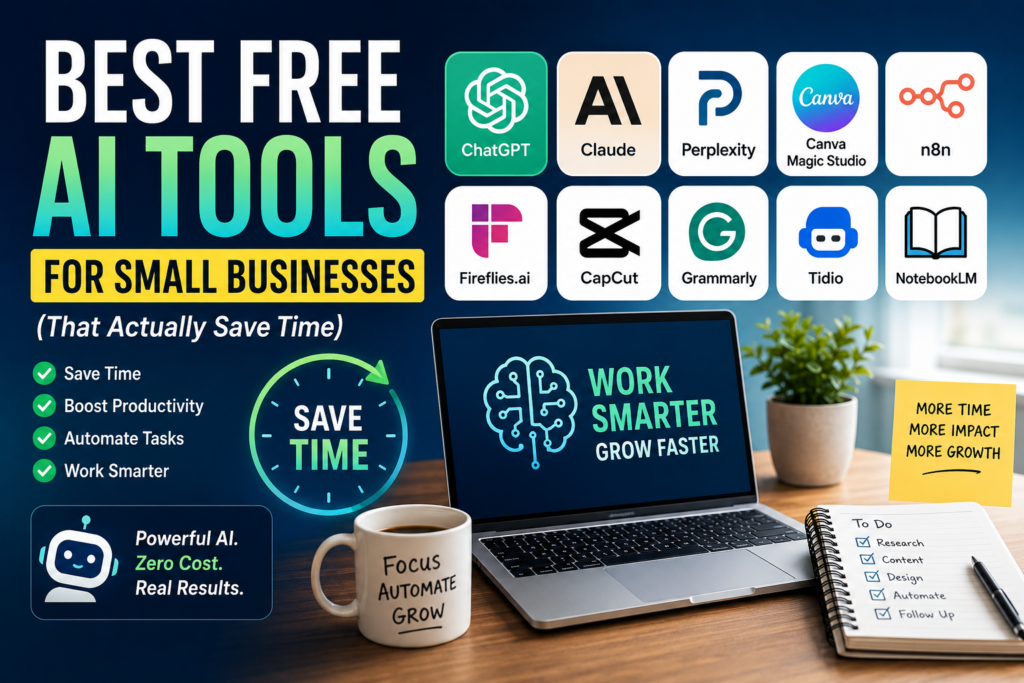
Discover the best free AI tools that help small businesses automate repetitive work, improve productivity, and grow—without increasing software costs.
Editorial Note: AI tools evolve rapidly. Features, pricing, and free plan limits may change over time. Always verify the latest information on each vendor’s website before making a business decision.
Why Free AI Tools Matter for Small Businesses
For many small businesses, the biggest obstacle to adopting Artificial Intelligence isn’t technology—it’s budget.
Many business owners assume AI requires expensive enterprise software and large implementation projects. In reality, some of today’s most capable AI platforms offer generous free plans that deliver immediate business value.
With the right free AI tools, you can:
- Write marketing content faster
- Automate repetitive business tasks
- Create professional graphics
- Summarize meetings automatically
- Analyze documents
- Produce short-form videos
- Research competitors
- Improve customer support
The goal isn’t to collect dozens of AI applications.
The goal is to choose a handful of free tools that eliminate repetitive work and give you more time to focus on growing your business.
What Makes a Great Free AI Tool?
Not every “free” AI tool deserves a place in your business.
For this guide, every recommendation meets the following criteria:
- Offers a genuinely useful free plan
- Solves a real business problem
- Requires little or no technical expertise
- Saves measurable time
- Can scale with your business as your needs grow
Quick Comparison
| Business Need | Recommended Free Tool | Best For |
|---|---|---|
| AI Assistant | ChatGPT | Everyday productivity |
| Business Writing | Claude | Long-form writing |
| Research | Perplexity | Fast research with citations |
| Graphic Design | Canva Magic Studio | Marketing materials |
| Workflow Automation | n8n | Business automation |
| Meeting Notes | Fireflies.ai | Meeting summaries |
| Video Creation | CapCut | Social media videos |
| Writing Assistant | Grammarly | Grammar and editing |
| Customer Support | Tidio | AI chatbot |
| Knowledge Management | NotebookLM | Company knowledge base |
1. ChatGPT
Website: https://chatgpt.com/
Best For
General business productivity
ChatGPT has become one of the most versatile AI assistants available. It helps business owners complete everyday tasks more efficiently without requiring specialized technical knowledge.
Business Use Cases
- Writing emails
- Creating proposals
- Drafting blog posts
- Brainstorming ideas
- Summarizing reports
- Preparing presentations
- Creating SOPs
- Analyzing spreadsheets
Why It Saves Time
Instead of starting every task from scratch, ChatGPT creates a high-quality first draft in seconds. You spend less time creating and more time refining.
2. Claude
Website: https://www.anthropic.com/
Best For
Professional writing and document analysis
Claude is particularly strong when working with lengthy business documents that require clear structure and natural language.
Business Use Cases
- Business reports
- Contracts
- Policy documents
- Research summaries
- Proposal writing
- Internal documentation
Why It Saves Time
Claude often produces polished content that requires minimal editing, especially for professional reports and documentation.
3. Perplexity
Website: https://www.perplexity.ai/
Best For
Business research
Perplexity combines AI-generated answers with source citations, making it easier to verify information before using it in business decisions.
Business Use Cases
- Market research
- Competitor analysis
- Product comparisons
- Industry trends
- Technology research
Why It Saves Time
Instead of visiting multiple websites, Perplexity summarizes information and provides links to supporting sources.
4. Canva Magic Studio
Website: https://www.canva.com/
Best For
Marketing design
Canva has evolved from a simple design platform into an AI-powered content creation suite.
Create
- Social media graphics
- Presentations
- Flyers
- Infographics
- Product images
- Marketing banners
AI Features
- Magic Write
- Magic Design
- AI image generation
- Background removal (plan-dependent)
- Brand templates
Why It Saves Time
Professional-looking designs can be created in minutes without hiring a designer or learning complex software.
5. Grammarly
Website: https://www.grammarly.com/
Best For
Business communication
Grammarly helps improve grammar, spelling, clarity, and tone across nearly every business communication channel.
Business Use Cases
- Emails
- Reports
- Website copy
- LinkedIn posts
- Blog articles
- Proposals
Why It Saves Time
Instead of proofreading manually, Grammarly identifies writing issues instantly as you type.
6. n8n
Website: https://n8n.io/
Best For
Workflow automation
n8n enables businesses to automate repetitive processes by connecting different applications and moving data automatically.
Example Workflow
Website Form
      ↓
CRM Updated
      ↓
AI Summarizes Lead
      ↓
Welcome Email Sent
      ↓
Sales Team Notified
Popular Automations
- Website → CRM
- CRM → Email marketing
- Invoice → Accounting software
- Form → Slack notification
- AI → Database update
Why It Saves Time
Routine tasks happen automatically, reducing manual work and minimizing human error.
7. Fireflies.ai
Website: https://fireflies.ai/
Best For
Meeting documentation
Fireflies.ai automatically records, transcribes, and summarizes meetings so teams can focus on the conversation instead of taking notes.
Features
- Automatic transcription
- Meeting summaries
- Action items
- Searchable conversations
- CRM integration
Why It Saves Time
Meeting notes and follow-up actions are generated automatically, reducing administrative work.
8. CapCut
Website: https://www.capcut.com/
Best For
Short-form video creation
CapCut makes video editing accessible for businesses that want to create engaging content for social media.
Create
- Instagram Reels
- TikTok videos
- YouTube Shorts
- Product demonstrations
- Promotional videos
AI Features
- Automatic captions
- Text-to-speech
- Background removal
- Video templates
Why It Saves Time
AI-powered editing tools significantly reduce the time required to produce professional-looking videos.
9. Tidio
Website: https://www.tidio.com/
Best For
Customer support
Tidio combines AI chatbots with live chat to provide immediate responses to common customer questions.
Automate
- Frequently asked questions
- Appointment booking
- Order tracking
- Lead qualification
- Basic customer support
Why It Saves Time
Routine customer enquiries are handled automatically, allowing your team to focus on complex issues.
10. NotebookLM
Website: https://notebooklm.google/
Best For
Knowledge management
NotebookLM allows businesses to upload their own documents and interact with them using natural language.
Business Use Cases
- SOPs
- Company policies
- Research reports
- Meeting notes
- Product documentation
Why It Saves Time
Employees spend less time searching for information and more time acting on it.
Which Free AI Tool Should You Start With?
| If You Want To… | Recommended Tool |
|---|---|
| Improve productivity | ChatGPT |
| Write better reports | Claude |
| Research faster | Perplexity |
| Design marketing graphics | Canva |
| Automate workflows | n8n |
| Capture meeting notes | Fireflies.ai |
| Create videos | CapCut |
| Improve writing quality | Grammarly |
| Support customers | Tidio |
| Search company documents | NotebookLM |
Build Your Free AI Starter Stack
Rather than installing every AI application available, start with one tool in each core business function.
| Business Need | Recommended Tool |
|---|---|
| AI Assistant | ChatGPT |
| Research | Perplexity |
| Automation | n8n |
| Design | Canva |
| Meetings | Fireflies.ai |
This simple stack covers the majority of everyday productivity needs while keeping software costs close to zero.
A Practical 30-Day AI Adoption Plan
Week 1 — Improve Everyday Productivity
Use ChatGPT for:
- Emails
- Meeting agendas
- Proposal drafts
- Brainstorming
- Research summaries
Goal: Save at least 30 minutes every day.
Week 2 — Automate One Workflow
Choose one repetitive business process such as:
- Website enquiries → CRM
- Invoice reminders
- Customer follow-up emails
Automate it using n8n.
Goal: Eliminate one recurring manual task.
Week 3 — Improve Marketing
Use:
- Canva for graphics
- Grammarly for editing
- ChatGPT for content ideas
Goal: Publish marketing content more consistently.
Week 4 — Improve Customer Experience
Deploy:
- Tidio for customer support
- Fireflies.ai for meeting documentation
Goal: Reduce response times and improve follow-up quality.
Common Mistakes to Avoid
| Mistake | Better Approach |
|---|---|
| Installing too many AI tools | Master a few high-value tools first |
| Using AI without clear objectives | Focus on solving business problems |
| Ignoring security | Review vendor privacy settings |
| Expecting AI to replace employees | Use AI to augment human expertise |
| Publishing AI output without review | Always review customer-facing content |
Frequently Asked Questions
Are free AI tools good enough for business?
Yes. Many free plans provide enough functionality for startups, freelancers, consultants, and small businesses. Upgrade only when additional features deliver measurable value.
Which free AI tool offers the best overall value?
For most businesses, ChatGPT is the strongest all-around free AI assistant because it supports writing, planning, research, brainstorming, and business productivity.
Can I operate my business using only free AI tools?
Many small businesses can successfully manage writing, research, design, meetings, and basic automation using free plans. As operations grow, paid plans may become worthwhile for higher limits and advanced collaboration.
Are free AI tools secure?
Leading AI providers invest heavily in security, but businesses should always understand how their data is stored and processed before uploading confidential information.
How should I measure ROI?
Track outcomes such as:
- Hours saved
- Faster response times
- Reduced manual work
- Increased content production
- Customer satisfaction
- Lead conversion rates
Business results—not the number of AI tools installed—are the best measure of success.
Final Thoughts
Free AI tools have made Artificial Intelligence accessible to businesses of every size.
You no longer need enterprise budgets to automate repetitive work, improve marketing, create professional content, or enhance customer service.
The businesses that benefit the most aren’t those using the largest number of AI applications—they’re the ones using the right tools consistently.
Start with one AI assistant, automate one repetitive process, measure the results, and expand gradually. Small improvements implemented consistently often produce greater long-term value than adopting dozens of new tools at once.
Key Takeaways
- Free AI tools can deliver significant productivity gains without upfront software costs.
- Choose tools that solve real business problems.
- ChatGPT is the best all-around free AI assistant for most businesses.
- n8n is an excellent free workflow automation platform.
- Canva and Grammarly improve marketing and communication.
- Fireflies.ai and Tidio enhance meetings and customer support.
- Measure AI success through business outcomes rather than tool count.
- Expand your AI toolkit only after your team is comfortable with the basics.
References
- OpenAI — https://openai.com/
- Anthropic — https://www.anthropic.com/
- Perplexity — https://www.perplexity.ai/
- Canva — https://www.canva.com/
- Grammarly — https://www.grammarly.com/
- n8n — https://n8n.io/
- Fireflies.ai — https://fireflies.ai/
- CapCut — https://www.capcut.com/
- Tidio — https://www.tidio.com/
- NotebookLM — https://notebooklm.google/
Disclaimer: Features, pricing, and free plan limits change frequently. Always review the latest information on each vendor’s official website before making a purchasing decision.