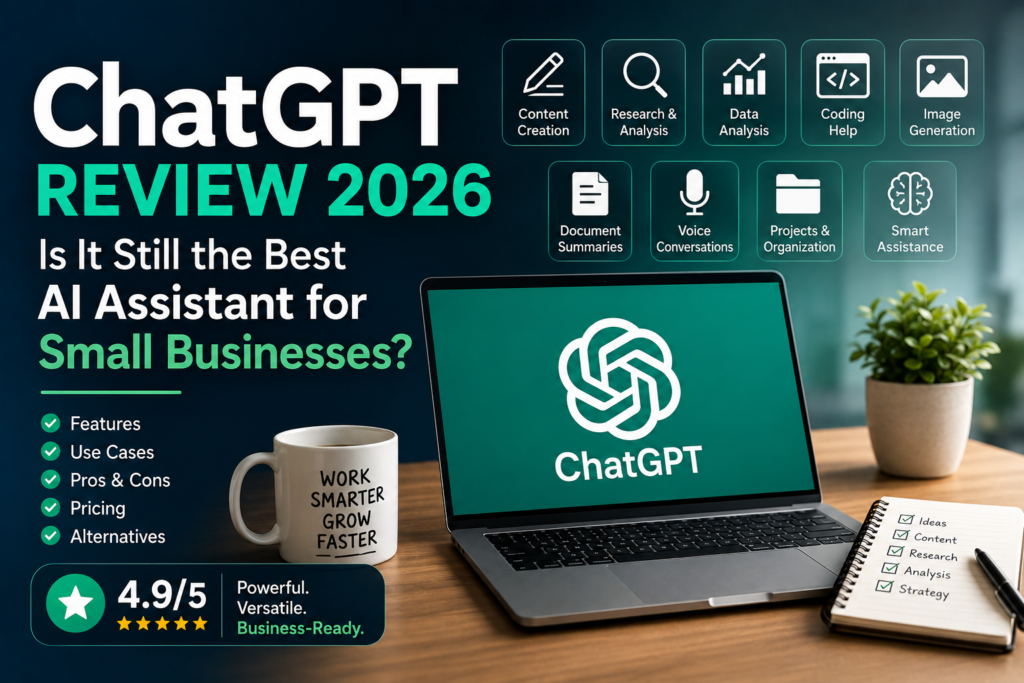
An in-depth review of ChatGPT for small business owners, consultants, agencies, and entrepreneurs. Discover its features, strengths, limitations, pricing, and whether it’s the right AI assistant for your business.
Editorial Note: ChatGPT evolves rapidly through regular model updates and new features. This review reflects the platform’s capabilities at the time of writing. Always verify the latest features and pricing on OpenAI’s official website before making a purchasing decision.
Quick Verdict
If you’re looking for a single AI tool that can help with writing, research, brainstorming, business planning, marketing, coding, and everyday productivity, ChatGPT remains one of the strongest choices available.
Rather than specializing in one specific task, ChatGPT serves as a versatile business assistant capable of supporting nearly every department within a small business.
From drafting proposals and creating social media content to analyzing spreadsheets and summarizing lengthy reports, it helps business owners spend less time on repetitive work and more time on high-value activities.
Overall Rating
| Category | Rating |
|---|---|
| Overall Score | ⭐⭐⭐⭐⭐ 4.9/5 |
| Ease of Use | ⭐⭐⭐⭐⭐ |
| AI Capabilities | ⭐⭐⭐⭐⭐ |
| Business Productivity | ⭐⭐⭐⭐⭐ |
| Writing Quality | ⭐⭐⭐⭐⭐ |
| Automation Potential | ⭐⭐⭐⭐☆ |
| Value for Money | ⭐⭐⭐⭐⭐ |
Best For
- Small businesses
- Consultants
- Marketing agencies
- Freelancers
- Startup founders
- Sales teams
- Content creators
- Professional services firms
Not Ideal For
- Businesses looking only for workflow automation
- Teams that require highly specialized industry software
- Organizations unwilling to review AI-generated output
What Is ChatGPT?
Developed by OpenAI, ChatGPT is a conversational AI assistant powered by large language models (LLMs). It understands natural language, generates human-like responses, analyzes documents, assists with coding, creates images, and helps automate knowledge-based work.
Unlike traditional software that performs a single function, ChatGPT can support a wide variety of business activities from a single interface.
Business owners commonly use ChatGPT to:
- Write emails
- Create marketing content
- Generate proposals
- Research competitors
- Brainstorm ideas
- Analyze spreadsheets
- Summarize meetings
- Build Standard Operating Procedures (SOPs)
- Create customer support documentation
- Draft business plans
Because of its versatility, ChatGPT has become one of the most widely adopted AI assistants across industries.
Why Small Businesses Are Using ChatGPT
Small businesses often operate with limited staff and resources.
Owners wear multiple hats, handling marketing, sales, finance, operations, customer service, and administration simultaneously.
ChatGPT helps reduce this workload by accelerating tasks that would otherwise consume hours each week.
Instead of replacing employees, it acts as a productivity partner that assists with routine knowledge work.
Common Benefits
- Faster content creation
- Better customer communication
- Reduced administrative work
- Improved brainstorming
- More consistent documentation
- Quicker research
- Better decision support
The result is more time for strategic work, customer relationships, and business growth.
Key Features
One reason ChatGPT remains one of the leading AI assistants is the breadth of capabilities available within a single platform.
1. Content Creation
Creating high-quality business content is time-consuming.
ChatGPT helps generate first drafts in seconds.
Examples
- Blog articles
- Landing page copy
- Product descriptions
- Email newsletters
- LinkedIn posts
- Sales emails
- Marketing campaigns
- Video scripts
- Press releases
Rather than replacing human creativity, ChatGPT provides a strong starting point that businesses can refine and personalize.
2. Business Writing
Professional communication is essential for building trust.
ChatGPT assists with creating polished business documents such as:
- Client proposals
- Business reports
- Executive summaries
- SOPs
- Policies
- Contracts (draft assistance only)
- Meeting agendas
- Project plans
Its ability to adjust tone also makes it useful for communicating with different audiences.
3. Research and Analysis
Business owners spend considerable time gathering information before making decisions.
ChatGPT can accelerate research by:
- Summarizing lengthy reports
- Explaining technical concepts
- Comparing products
- Identifying market trends
- Brainstorming business ideas
- Organizing research findings
While AI-generated research should always be verified using reliable sources, it significantly reduces the time needed to understand unfamiliar topics.
4. Data Analysis
ChatGPT can help interpret business data without requiring advanced technical skills.
Examples include:
- Sales analysis
- Expense summaries
- KPI explanations
- Trend identification
- Spreadsheet formulas
- Data visualization guidance
For many small businesses, this reduces dependence on manual spreadsheet analysis.
5. Document Analysis
Reading long documents often takes more time than creating them.
ChatGPT can analyze:
- PDFs
- Business reports
- Meeting notes
- Contracts
- Research papers
- Policies
- Product documentation
It can also generate:
- Executive summaries
- Action items
- Key insights
- Risks
- Recommendations
This feature is particularly useful for consultants, managers, and executives who regularly work with lengthy documents.
6. Coding Assistance
Even non-developers benefit from ChatGPT’s coding capabilities.
It can help with:
- HTML
- CSS
- JavaScript
- Python
- SQL
- Excel formulas
- Google Sheets formulas
- Website troubleshooting
Business owners frequently use ChatGPT to solve technical issues without hiring a developer for every small task.
7. Image Generation
Modern versions of ChatGPT can generate images from natural language prompts.
Typical business applications include:
- Social media graphics
- Marketing concepts
- Blog featured images
- Presentation illustrations
- Product mockups
- Infographics
Although dedicated design tools like Canva remain valuable, ChatGPT provides a convenient way to generate creative visuals during the planning stage.
8. Voice Conversations
Voice interaction allows users to speak naturally with ChatGPT instead of typing.
This is useful for:
- Brainstorming ideas
- Preparing presentations
- Practicing interviews
- Learning new topics
- Reviewing documents while traveling
Voice mode makes AI assistance more accessible during everyday work.
9. Projects and Organization
Businesses often work on multiple initiatives simultaneously.
Projects help organize conversations, documents, and related work into dedicated workspaces, making it easier to manage ongoing activities such as:
- Marketing campaigns
- Client engagements
- Product launches
- Business planning
- Content calendars
Real Business Use Cases
One of ChatGPT’s biggest strengths is its flexibility across different business functions.
Instead of purchasing separate AI tools for every department, many organizations use ChatGPT as a shared productivity assistant.
Marketing
Marketing teams produce a constant stream of content.
ChatGPT accelerates the entire content creation process.
Typical Tasks
- Blog outlines
- SEO articles
- Landing pages
- Product descriptions
- Email campaigns
- Social media posts
- Ad copy
- Video scripts
- Content calendars
Practical Example
A digital marketing agency preparing content for five clients can use ChatGPT to generate initial drafts, campaign ideas, keyword clusters, and email sequences before refining them to match each client’s brand voice.
This reduces repetitive writing while allowing marketers to focus on strategy and creativity.
Sales
Sales professionals spend a significant amount of time preparing documents and communicating with prospects.
ChatGPT helps automate much of this work.
Typical Tasks
- Sales proposals
- Follow-up emails
- Discovery questions
- Meeting summaries
- Objection handling
- Sales scripts
- Value propositions
Practical Example
A consulting company responding to multiple Requests for Proposal (RFPs) can use ChatGPT to draft proposal sections, summarize client requirements, and prepare customized responses, reducing preparation time while maintaining consistency.
Customer Support
Many customer enquiries are repetitive.
ChatGPT helps businesses create consistent responses and knowledge resources.
Typical Tasks
- FAQ creation
- Support documentation
- Email responses
- Help center articles
- Troubleshooting guides
- Chatbot knowledge bases
Practical Example
An e-commerce business can use ChatGPT to draft responses for shipping enquiries, return policies, payment questions, and product information, allowing support teams to focus on more complex customer issues.
Operations
Operational documentation often receives little attention because teams are busy with daily work.
ChatGPT makes documentation faster and easier.
Typical Tasks
- SOP creation
- Process documentation
- Checklists
- Internal policies
- Training materials
- Workflow descriptions
Practical Example
A growing services company can use ChatGPT to document onboarding procedures, customer service workflows, and quality assurance checklists, making it easier to train new employees and maintain consistency.
Human Resources
HR teams handle a wide range of communication and documentation tasks.
ChatGPT can assist with:
- Job descriptions
- Interview questions
- Employee handbooks
- Performance review templates
- Training guides
- Internal announcements
Rather than replacing HR professionals, ChatGPT helps them produce high-quality drafts more efficiently.
Executive Leadership
Business owners and executives often use ChatGPT as a strategic thinking partner.
Examples include:
- SWOT analysis
- Business model brainstorming
- Market expansion ideas
- Strategic planning
- Risk assessment
- Meeting preparation
- Presentation outlines
Although strategic decisions should always involve human judgment, ChatGPT can accelerate analysis and help generate new perspectives.
Why ChatGPT Stands Out
Many AI assistants perform well in specific areas.
ChatGPT distinguishes itself through its combination of breadth and versatility.
It supports writing, research, coding, document analysis, brainstorming, image generation, and business planning from a single interface.
For most small businesses, this means fewer tools to learn, fewer subscriptions to manage, and a more consistent AI experience across teams.
That combination of flexibility, ease of use, and continuous innovation explains why ChatGPT remains one of the most widely adopted AI assistants for business productivity.
Ease of Use
One of ChatGPT’s biggest advantages is that it requires very little technical knowledge to get started.
Unlike traditional business software that often requires extensive setup and training, ChatGPT allows users to begin working almost immediately through a simple conversational interface.
Whether you’re a business owner, marketer, consultant, accountant, or salesperson, you can simply describe what you need in plain English.
For example:
- “Write a proposal for a website redesign project.”
- “Summarize this PDF into five key points.”
- “Create a LinkedIn post promoting my consulting services.”
- “Generate an SOP for customer onboarding.”
- “Explain this Excel formula.”
The better your instructions, the better the results.
Fortunately, learning effective prompting isn’t difficult. Most users become noticeably more productive after just a few days of regular use.
User Experience
| Feature | Rating |
|---|---|
| Ease of Learning | ⭐⭐⭐⭐⭐ |
| Interface | ⭐⭐⭐⭐⭐ |
| Mobile Experience | ⭐⭐⭐⭐⭐ |
| Desktop Experience | ⭐⭐⭐⭐⭐ |
| Speed | ⭐⭐⭐⭐⭐ |
What Makes It Easy to Use?
- Clean conversational interface
- Natural language interaction
- Minimal setup
- Supports multiple file formats
- Available on desktop, web, and mobile
- Continuous feature improvements
Even employees with little technical background can begin using ChatGPT effectively after a short introduction.
Pricing
ChatGPT offers multiple plans designed for individuals, professionals, teams, and enterprises.
Rather than focusing on exact pricing—which changes periodically—it’s more useful to understand the available options.
| Plan | Best For |
|---|---|
| Free | Individuals exploring AI |
| Paid Individual Plans | Professionals and consultants |
| Team Plans | Small businesses and growing teams |
| Enterprise Plans | Large organizations with advanced governance needs |
Pricing Note: Subscription plans, usage limits, and features change over time. Always check the official OpenAI website for the latest pricing before making a purchasing decision.
Is the Free Plan Enough?
For many freelancers, consultants, and small business owners, the free plan is an excellent starting point.
It allows users to:
- Learn prompt writing
- Draft business documents
- Brainstorm ideas
- Summarize content
- Explore AI capabilities
As usage increases, upgrading to a paid plan may provide access to higher limits, additional models, collaboration features, and more advanced capabilities.
Pros
ChatGPT has earned its popularity because it delivers value across a wide range of business tasks.
1. Extremely Versatile
Instead of buying separate AI tools for writing, brainstorming, research, coding, and planning, many businesses can accomplish these tasks within ChatGPT.
2. Excellent Writing Quality
ChatGPT produces professional drafts for:
- Emails
- Reports
- Blog articles
- Marketing campaigns
- SOPs
- Policies
- Proposals
Although editing is still recommended, the first draft often requires significantly less effort than starting from scratch.
3. Strong Business Productivity
Business owners use ChatGPT throughout the day for tasks such as:
- Planning projects
- Creating presentations
- Summarizing meetings
- Brainstorming ideas
- Preparing customer communications
- Researching new markets
This broad applicability makes it one of the highest-value AI subscriptions for many organizations.
4. Continuous Innovation
OpenAI frequently introduces new features and improvements.
Recent enhancements have expanded ChatGPT beyond text generation to include capabilities such as:
- Image generation
- Voice conversations
- Document analysis
- Data analysis
- Project organization
- Improved reasoning
This steady pace of innovation means the platform continues to become more useful over time.
5. Large Ecosystem
ChatGPT benefits from one of the largest AI ecosystems available.
Businesses can integrate it into broader workflows using automation platforms such as:
- n8n
- Zapier
- Make
- Microsoft Power Automate
It also supports APIs that allow developers to build AI-powered business applications.
Cons
No AI platform is perfect.
Understanding ChatGPT’s limitations helps businesses use it more effectively.
1. AI Can Make Mistakes
ChatGPT occasionally produces inaccurate or outdated information.
This is often referred to as an AI hallucination.
For this reason, always verify:
- Statistics
- Legal information
- Financial calculations
- Technical specifications
- Customer-facing communications
AI should support decision-making—not replace critical thinking.
2. Better Prompts Produce Better Results
Many disappointing experiences with ChatGPT result from vague instructions.
For example:
Weak Prompt
Write a proposal.
Better Prompt
Write a professional proposal for migrating a manufacturing company’s IT infrastructure to Microsoft Azure. Include project scope, assumptions, timeline, deliverables, pricing structure, and next steps.
The difference in output quality can be substantial.
3. Usage Limits
Free plans typically include usage limits.
Businesses with higher workloads may eventually benefit from a paid subscription to gain additional capacity and advanced features.
4. Human Review Is Still Necessary
AI-generated content should always be reviewed before publication or customer use.
Review carefully when working with:
- Contracts
- Financial reports
- Marketing campaigns
- Medical information
- Legal advice
- Customer communications
Think of ChatGPT as an intelligent assistant rather than an autonomous decision-maker.
5. Data Privacy Requires Attention
Businesses should establish clear policies for using AI responsibly.
Avoid uploading confidential information unless you understand how data is processed and your organization’s policies permit it.
ChatGPT vs. Competitors
Choosing an AI assistant depends on your workflow rather than simply selecting the most popular platform.
Here’s how ChatGPT compares with other leading AI assistants.
| AI Assistant | Best For |
|---|---|
| ChatGPT | Overall business productivity |
| Claude | Long-form writing and document analysis |
| Google Gemini | Google Workspace users |
| Microsoft Copilot | Microsoft 365 integration |
ChatGPT vs. Claude
Claude is particularly strong when working with:
- Long reports
- Contracts
- Policies
- Research papers
- Professional documentation
ChatGPT offers broader versatility across:
- Marketing
- Brainstorming
- Coding
- Data analysis
- Business planning
- Everyday productivity
Choose Claude if your work revolves around extensive documentation.
Choose ChatGPT if you want a general-purpose AI assistant for multiple business functions.
ChatGPT vs. Google Gemini
Gemini integrates deeply with Google’s ecosystem.
If your organization relies heavily on:
- Gmail
- Google Docs
- Google Sheets
- Google Drive
- Google Meet
Gemini provides a seamless experience.
ChatGPT, however, generally offers greater flexibility across a wider variety of business tasks.
ChatGPT vs. Microsoft Copilot
Businesses invested in Microsoft 365 often appreciate Copilot’s native integration with:
- Word
- Excel
- Outlook
- PowerPoint
- Teams
For organizations looking for a standalone AI assistant that works across many scenarios, ChatGPT remains the more versatile option.
Which One Should You Choose?
| Your Primary Need | Recommended AI Assistant |
|---|---|
| General productivity | ChatGPT |
| Long documents | Claude |
| Google Workspace | Gemini |
| Microsoft 365 | Copilot |
If you’re uncertain where to begin, ChatGPT is the safest starting point because of its balance of flexibility, ease of use, and broad business applications.
Security and Privacy
AI tools often process business information, making security an important consideration.
Before adopting ChatGPT across your organization, establish clear usage guidelines.
Recommended Best Practices
- Avoid uploading confidential customer information unless permitted.
- Remove personally identifiable information (PII) from test data whenever possible.
- Enable multi-factor authentication (MFA).
- Use strong passwords for business accounts.
- Review OpenAI’s privacy and data retention policies.
- Restrict access using role-based permissions where appropriate.
- Educate employees on responsible AI usage.
For organizations operating in regulated industries, it’s also worth reviewing compliance requirements before integrating AI into critical business processes.
Questions to Ask Before Adopting ChatGPT
Use the following checklist before introducing ChatGPT into your business.
| Question | Why It Matters |
|---|---|
| Does ChatGPT solve a real business problem? | Focuses investment on measurable outcomes. |
| Which teams will benefit most? | Helps prioritize adoption. |
| Will employees receive prompt-writing training? | Improves output quality and adoption. |
| How will AI-generated content be reviewed? | Reduces errors and protects quality. |
| Does it integrate with existing workflows? | Minimizes disruption and increases productivity. |
| Are security and privacy requirements understood? | Protects sensitive business information. |
Answering these questions before rollout increases the likelihood of a successful AI implementation and helps ensure ChatGPT delivers measurable business value rather than becoming another underused software subscription.
Who Should Use ChatGPT?
ChatGPT is one of the most versatile AI assistants available today, making it suitable for businesses of almost every size and industry. However, it delivers the greatest value when used to improve knowledge work rather than automate physical or highly specialized operational tasks.
Consultants
Consultants spend a significant portion of their day creating proposals, reports, presentations, and client communications.
How ChatGPT Helps
- Draft consulting proposals
- Create executive summaries
- Develop workshop agendas
- Analyze business problems
- Prepare client presentations
- Research industries and competitors
Verdict: ⭐⭐⭐⭐⭐ Excellent fit
Marketing Agencies
Marketing agencies create large volumes of content while managing multiple clients.
Typical Use Cases
- Blog writing
- SEO content
- Social media posts
- Email campaigns
- Ad copy
- Campaign brainstorming
- Content calendars
Verdict: ⭐⭐⭐⭐⭐ Excellent fit
Small Business Owners
Business owners often perform multiple roles across sales, marketing, operations, finance, and customer service.
ChatGPT helps reduce the time spent on routine knowledge work so owners can focus on growing the business.
Common Tasks
- Writing customer emails
- Preparing quotations
- Creating SOPs
- Researching new markets
- Brainstorming business ideas
- Developing marketing plans
Verdict: ⭐⭐⭐⭐⭐ Highly recommended
Sales Teams
Sales professionals can use ChatGPT throughout the sales cycle.
Practical Applications
- Prospect research
- Cold emails
- Follow-up emails
- Sales scripts
- Proposal writing
- Meeting summaries
Instead of spending hours writing repetitive emails, sales teams can personalize AI-generated drafts before sending them.
Verdict: ⭐⭐⭐⭐☆
HR Teams
Human Resources professionals can accelerate documentation and employee communication.
Examples
- Job descriptions
- Interview questions
- Employee handbooks
- Performance review templates
- Internal announcements
- Training material
Verdict: ⭐⭐⭐⭐☆
Software Developers
Although ChatGPT isn’t a replacement for experienced developers, it can significantly improve development productivity.
Typical Tasks
- Explain code
- Debug errors
- Generate scripts
- Write SQL queries
- Create APIs
- Review code
Verdict: ⭐⭐⭐⭐☆
Who Might Skip ChatGPT?
While ChatGPT is an outstanding general-purpose AI assistant, it isn’t the best solution for every business need.
Businesses Focused on Workflow Automation
If your primary goal is connecting applications and automating repetitive workflows, dedicated automation platforms are better choices.
Examples include:
- n8n
- Zapier
- Make
- Microsoft Power Automate
These tools are designed to automate business processes rather than generate content.
Graphic Design Teams
If most of your work revolves around visual design, dedicated design platforms offer more specialized capabilities.
Examples include:
- Canva Magic Studio
- Adobe Firefly
- Figma AI
ChatGPT can certainly help generate creative ideas and images, but it isn’t a replacement for professional design software.
Organizations Deeply Invested in Microsoft 365
Companies using Microsoft 365 across the entire organization may find Microsoft Copilot integrates more naturally into their daily workflows.
Because Copilot works directly inside:
- Word
- Excel
- Outlook
- Teams
- PowerPoint
employees can access AI assistance without switching between applications.
Google Workspace-Centric Businesses
Similarly, businesses operating primarily in Google Workspace may benefit from Gemini’s tight integration with:
- Gmail
- Google Docs
- Google Sheets
- Google Drive
- Google Meet
That said, many organizations still choose ChatGPT alongside Google Workspace because of its broader capabilities.
Frequently Asked Questions
Is ChatGPT worth paying for?
For many professionals and small businesses, yes.
The paid plans provide higher usage limits and additional features that can improve productivity. However, the free plan is more than sufficient for learning the platform and handling many everyday business tasks.
Is ChatGPT better than Claude?
It depends on your workflow.
- ChatGPT is better suited for general business productivity, brainstorming, coding, and everyday tasks.
- Claude often performs exceptionally well with long documents and natural-sounding writing.
If you need one AI assistant for a wide variety of business activities, ChatGPT is generally the stronger choice.
Is ChatGPT better than Google Gemini?
Gemini is an excellent option for businesses that rely heavily on Google Workspace.
ChatGPT typically offers greater flexibility across writing, planning, research, coding, and business productivity.
Can ChatGPT replace employees?
No.
ChatGPT is best viewed as an AI assistant rather than an employee replacement.
It automates repetitive knowledge work while people continue to provide:
- Strategic thinking
- Creativity
- Leadership
- Customer relationships
- Critical decision-making
The most successful businesses combine AI efficiency with human expertise.
Is ChatGPT secure for business use?
ChatGPT includes security features, but businesses should still follow good security practices.
Always:
- Review privacy settings
- Understand data handling policies
- Avoid uploading confidential information unless appropriate safeguards are in place
- Enable multi-factor authentication
Organizations handling sensitive or regulated data should evaluate their compliance requirements before deploying AI at scale.
Can ChatGPT analyze PDFs and spreadsheets?
Yes.
Depending on your plan and available features, ChatGPT can analyze documents, summarize reports, explain spreadsheets, identify trends, and answer questions based on uploaded files.
Can ChatGPT generate images?
Yes.
Modern versions of ChatGPT can generate images from natural language prompts, making it useful for concept designs, marketing visuals, blog illustrations, and social media graphics.
Does ChatGPT work on mobile devices?
Yes.
ChatGPT is available through web browsers and dedicated mobile applications, allowing users to access AI assistance from virtually anywhere.
Final Verdict
ChatGPT continues to set the benchmark for general-purpose AI assistants.
Its greatest strength isn’t that it excels at one specific task—it’s that it performs exceptionally well across dozens of everyday business activities.
Whether you’re writing proposals, creating marketing campaigns, summarizing reports, brainstorming ideas, analyzing documents, or planning projects, ChatGPT can significantly reduce the time required to complete knowledge-intensive work.
While no AI tool is perfect, ChatGPT strikes an excellent balance between ease of use, powerful capabilities, continuous innovation, and affordability.
For most small businesses beginning their AI journey, it’s the first AI assistant we recommend adopting.
Overall Rating: ⭐⭐⭐⭐⭐ 4.9/5
Scorecard
| Category | Score |
|---|---|
| Ease of Use | ⭐⭐⭐⭐⭐ |
| AI Features | ⭐⭐⭐⭐⭐ |
| Writing Quality | ⭐⭐⭐⭐⭐ |
| Productivity | ⭐⭐⭐⭐⭐ |
| Business Value | ⭐⭐⭐⭐⭐ |
| Integrations | ⭐⭐⭐⭐☆ |
| Security & Privacy | ⭐⭐⭐⭐☆ |
| Value for Money | ⭐⭐⭐⭐⭐ |
| Overall Rating | ⭐⭐⭐⭐⭐ 4.9/5 |
Key Takeaways
- ChatGPT is one of the most versatile AI assistants available today.
- It supports writing, research, planning, coding, document analysis, brainstorming, and image generation.
- Small businesses can use it across marketing, sales, operations, HR, and customer support.
- The free plan is an excellent starting point for most users.
- Paid plans offer additional capabilities for professionals and growing teams.
- Human review remains essential for customer-facing, legal, financial, and compliance-related content.
- Good prompting skills dramatically improve output quality.
- Start with one business use case, measure results, and expand gradually.
References
- OpenAI — https://openai.com/
- ChatGPT — https://chatgpt.com/
- OpenAI Help Center — https://help.openai.com/
Disclosure: This review is based on independent research and practical evaluation. We do not receive compensation for including or ranking the tools mentioned in this article. Features, availability, and pricing may change over time. Always refer to the vendor’s official website for the latest information before making a purchasing decision.