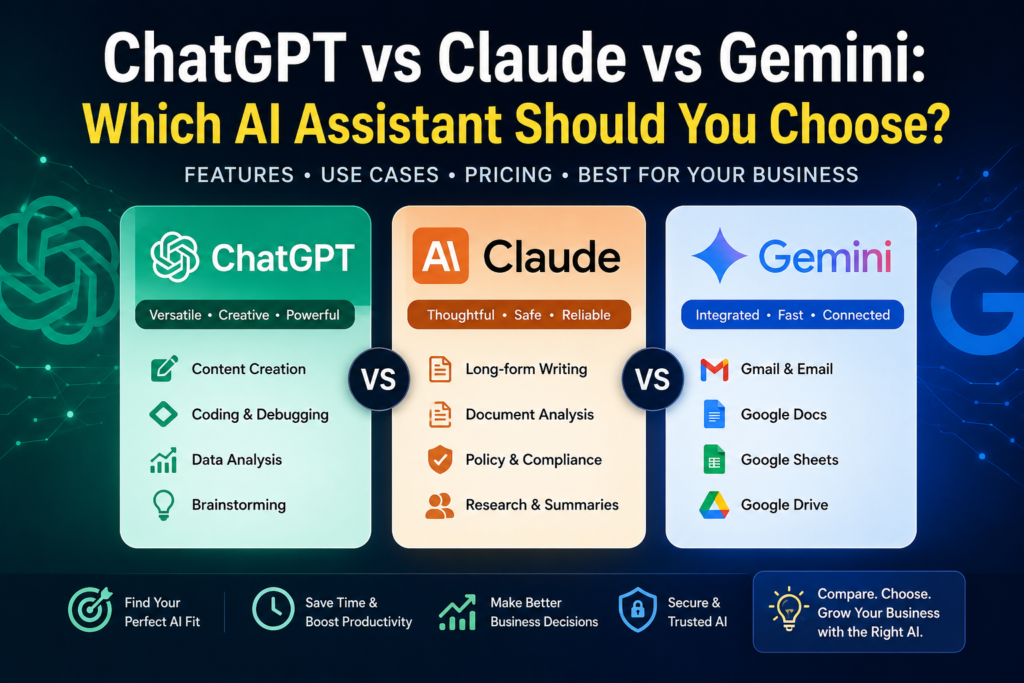
A practical comparison of today’s leading AI assistants to help business owners, professionals, and teams choose the right AI for their workflow.
Editorial Note: AI assistants evolve rapidly through frequent model updates and new features. While this guide reflects the capabilities available at the time of review, always verify the latest features, pricing, and availability on each vendor’s official website before making a purchasing decision.
AI Assistants Are Becoming Every Business Owner’s Most Valuable Tool
Just a few years ago, Artificial Intelligence felt like an emerging technology reserved for large enterprises and research labs.
Today, AI assistants have become everyday business tools.
Whether you’re writing proposals, analyzing spreadsheets, brainstorming marketing campaigns, researching competitors, preparing presentations, or automating repetitive work, an AI assistant can dramatically reduce the time required to complete these tasks.
The challenge isn’t whether you should use AI.
It’s deciding which AI assistant fits your business best.
The three platforms that dominate most business conversations are:
- ChatGPT by OpenAI
- Claude by Anthropic
- Google Gemini by Google
All three are capable, but they are not identical.
Each excels in different areas, integrates with different ecosystems, and serves different business needs.
This guide compares them from the perspective of small business owners, consultants, marketers, agencies, and professionals rather than AI researchers.
Quick Comparison
| Feature | ChatGPT | Claude | Gemini |
|---|---|---|---|
| Best Overall | ⭐⭐⭐⭐⭐ | ⭐⭐⭐⭐☆ | ⭐⭐⭐⭐☆ |
| Writing Quality | ⭐⭐⭐⭐☆ | ⭐⭐⭐⭐⭐ | ⭐⭐⭐⭐☆ |
| Research | ⭐⭐⭐⭐☆ | ⭐⭐⭐⭐☆ | ⭐⭐⭐⭐⭐ |
| Business Productivity | ⭐⭐⭐⭐⭐ | ⭐⭐⭐⭐⭐ | ⭐⭐⭐⭐☆ |
| Google Workspace Integration | ⭐⭐☆☆☆ | ⭐⭐☆☆☆ | ⭐⭐⭐⭐⭐ |
| Document Analysis | ⭐⭐⭐⭐☆ | ⭐⭐⭐⭐⭐ | ⭐⭐⭐⭐☆ |
| Coding Assistance | ⭐⭐⭐⭐⭐ | ⭐⭐⭐⭐☆ | ⭐⭐⭐⭐☆ |
| Creative Brainstorming | ⭐⭐⭐⭐⭐ | ⭐⭐⭐⭐☆ | ⭐⭐⭐⭐☆ |
Bottom line: There isn’t a universally “best” AI assistant. The right choice depends on your workflow, software ecosystem, and the type of work you perform every day.
Before Comparing Features
Many people compare AI assistants by asking:
“Which one is smarter?”
That isn’t the most useful question.
Instead, ask:
- Which assistant saves me the most time?
- Which one integrates with my existing software?
- Which produces the highest-quality output for my work?
- Which one will my team actually use?
These questions lead to better business decisions than focusing solely on benchmark scores or technical specifications.
ChatGPT at a Glance
Developer: OpenAI
Website: https://chatgpt.com/
ChatGPT is the AI assistant that introduced millions of people to generative AI. Over time, it has evolved into a versatile platform capable of supporting writing, analysis, coding, brainstorming, image generation, data interpretation, and workflow automation.
Strengths
- Excellent all-around performance
- Strong reasoning capabilities
- Wide range of integrations
- Large ecosystem of custom GPTs
- Supports file uploads and document analysis
- Useful for both technical and non-technical users
Common Business Use Cases
- Proposal writing
- Email drafting
- Blog creation
- Business planning
- Marketing campaigns
- Data analysis
- Spreadsheet assistance
- Customer communication
Potential Limitations
- Responses may occasionally require refinement.
- Business-specific outputs often improve with detailed prompts.
- Advanced features may require a paid subscription.
Claude at a Glance
Developer: Anthropic
Website: https://www.anthropic.com/
Claude is widely recognized for producing thoughtful, natural-sounding writing and handling lengthy documents effectively. It is particularly popular among consultants, analysts, legal professionals, HR teams, and anyone working with extensive documentation.
Strengths
- Exceptional writing quality
- Excellent document analysis
- Strong reasoning
- Clear and well-structured responses
- Handles large documents efficiently
Common Business Use Cases
- Contract review
- Policy documentation
- Standard Operating Procedures (SOPs)
- Long-form reports
- Business strategy
- Research summaries
Potential Limitations
- Fewer third-party integrations than some competitors.
- Smaller ecosystem of extensions and custom applications.
- Less focused on multimedia features than some platforms.
Gemini at a Glance
Developer: Google
Website: https://gemini.google.com/
Gemini is Google’s AI assistant, designed to work naturally with Google Workspace. Businesses already using Gmail, Google Docs, Sheets, Drive, Calendar, and Meet often find Gemini fits seamlessly into their existing workflow.
Strengths
- Excellent Google Workspace integration
- Strong web-based information retrieval
- Good spreadsheet support
- Native Google ecosystem
- Fast access to Google services
Common Business Use Cases
- Email drafting
- Spreadsheet analysis
- Presentation creation
- Document summarization
- Meeting preparation
- Collaborative document editing
Potential Limitations
- Best experience often depends on using Google’s ecosystem.
- Some advanced capabilities vary by Workspace plan.
- Certain business workflows may benefit from dedicated AI platforms.
Feature-by-Feature Comparison
1. Writing Quality
Business owners spend a surprising amount of time writing:
- Emails
- Proposals
- Reports
- Blog posts
- Marketing copy
- Social media content
- Internal documentation
The quality of AI-generated writing can significantly affect productivity.
| Capability | ChatGPT | Claude | Gemini |
|---|---|---|---|
| Email Writing | ⭐⭐⭐⭐⭐ | ⭐⭐⭐⭐⭐ | ⭐⭐⭐⭐☆ |
| Blog Articles | ⭐⭐⭐⭐⭐ | ⭐⭐⭐⭐⭐ | ⭐⭐⭐⭐☆ |
| Reports | ⭐⭐⭐⭐☆ | ⭐⭐⭐⭐⭐ | ⭐⭐⭐⭐☆ |
| Marketing Copy | ⭐⭐⭐⭐⭐ | ⭐⭐⭐⭐☆ | ⭐⭐⭐⭐☆ |
| Professional Tone | ⭐⭐⭐⭐☆ | ⭐⭐⭐⭐⭐ | ⭐⭐⭐⭐☆ |
Winner: Claude
Claude consistently produces polished, natural, and well-organized long-form writing with minimal editing.
Best Choice
- Claude for reports, policies, and documentation.
- ChatGPT for versatile everyday writing.
- Gemini for teams already working inside Google Workspace.
2. Research and Information Gathering
Research is more than finding information.
Business owners need AI to:
- Compare products
- Understand industries
- Analyze competitors
- Summarize reports
- Explain complex topics
| Capability | ChatGPT | Claude | Gemini |
|---|---|---|---|
| Market Research | ⭐⭐⭐⭐☆ | ⭐⭐⭐⭐☆ | ⭐⭐⭐⭐⭐ |
| Competitor Analysis | ⭐⭐⭐⭐☆ | ⭐⭐⭐⭐☆ | ⭐⭐⭐⭐⭐ |
| Summaries | ⭐⭐⭐⭐⭐ | ⭐⭐⭐⭐⭐ | ⭐⭐⭐⭐☆ |
| Business Insights | ⭐⭐⭐⭐⭐ | ⭐⭐⭐⭐☆ | ⭐⭐⭐⭐☆ |
Winner: Gemini
For businesses heavily invested in Google’s ecosystem and information retrieval capabilities, Gemini offers a strong research experience.
However, all three assistants perform well when given clear prompts and quality source material.
3. Document Analysis
One of the biggest productivity gains from AI comes from reducing the time spent reading lengthy documents.
Examples include:
- Contracts
- Financial reports
- Policy manuals
- Business proposals
- Meeting transcripts
- Research papers
| Capability | ChatGPT | Claude | Gemini |
|---|---|---|---|
| PDF Analysis | ⭐⭐⭐⭐☆ | ⭐⭐⭐⭐⭐ | ⭐⭐⭐⭐☆ |
| Long Reports | ⭐⭐⭐⭐☆ | ⭐⭐⭐⭐⭐ | ⭐⭐⭐⭐☆ |
| Summaries | ⭐⭐⭐⭐⭐ | ⭐⭐⭐⭐⭐ | ⭐⭐⭐⭐☆ |
| Contract Review | ⭐⭐⭐⭐☆ | ⭐⭐⭐⭐⭐ | ⭐⭐⭐⭐☆ |
Winner: Claude
Claude’s ability to work with long, complex documents makes it particularly valuable for knowledge-intensive work.
4. Everyday Productivity
For many business owners, AI isn’t used for one large project.
It’s used dozens of times throughout the day.
Typical tasks include:
- Drafting emails
- Improving presentations
- Creating meeting agendas
- Writing proposals
- Brainstorming ideas
- Summarizing conversations
- Generating checklists
| Task | ChatGPT | Claude | Gemini |
|---|---|---|---|
| Email Drafting | ⭐⭐⭐⭐⭐ | ⭐⭐⭐⭐⭐ | ⭐⭐⭐⭐☆ |
| Brainstorming | ⭐⭐⭐⭐⭐ | ⭐⭐⭐⭐☆ | ⭐⭐⭐⭐☆ |
| Project Planning | ⭐⭐⭐⭐⭐ | ⭐⭐⭐⭐⭐ | ⭐⭐⭐⭐☆ |
| Business Ideas | ⭐⭐⭐⭐⭐ | ⭐⭐⭐⭐☆ | ⭐⭐⭐⭐☆ |
| Productivity | ⭐⭐⭐⭐⭐ | ⭐⭐⭐⭐⭐ | ⭐⭐⭐⭐☆ |
Winner: ChatGPT
Its versatility across many different business activities makes ChatGPT an excellent everyday productivity assistant for most organizations.
5. Integration with Business Software
An AI assistant becomes significantly more valuable when it fits naturally into the software your team already uses.
| Platform | ChatGPT | Claude | Gemini |
|---|---|---|---|
| Microsoft 365 | Good | Good | Good |
| Google Workspace | Good | Limited | Excellent |
| APIs | Excellent | Good | Good |
| Third-Party Integrations | Excellent | Growing | Good |
| Automation Platforms | Excellent | Good | Good |
Best Fit by Ecosystem
| Your Environment | Recommended AI Assistant |
|---|---|
| Google Workspace | Gemini |
| Microsoft 365 | ChatGPT |
| Mixed Software Stack | ChatGPT |
| Documentation-Heavy Teams | Claude |
The best AI assistant is often the one that works naturally with the tools your business already relies on every day.
6. Coding and Technical Assistance
Even if you aren’t a software developer, AI can help with technical tasks such as creating website code, writing spreadsheet formulas, troubleshooting errors, generating SQL queries, and explaining technical concepts.
| Capability | ChatGPT | Claude | Gemini |
|---|---|---|---|
| Code Generation | ⭐⭐⭐⭐⭐ | ⭐⭐⭐⭐☆ | ⭐⭐⭐⭐☆ |
| Debugging | ⭐⭐⭐⭐⭐ | ⭐⭐⭐⭐☆ | ⭐⭐⭐⭐☆ |
| SQL Queries | ⭐⭐⭐⭐⭐ | ⭐⭐⭐⭐☆ | ⭐⭐⭐⭐☆ |
| Excel & Formulas | ⭐⭐⭐⭐⭐ | ⭐⭐⭐⭐☆ | ⭐⭐⭐⭐☆ |
| Code Explanation | ⭐⭐⭐⭐⭐ | ⭐⭐⭐⭐⭐ | ⭐⭐⭐⭐☆ |
Winner: ChatGPT
ChatGPT remains the strongest overall choice for coding assistance thanks to its mature ecosystem, strong reasoning, and ability to explain technical concepts in simple language.
7. Brainstorming and Creativity
AI assistants are excellent partners for idea generation. Whether you’re launching a new product, creating a marketing campaign, or planning business growth, AI can accelerate creative thinking.
| Task | ChatGPT | Claude | Gemini |
|---|---|---|---|
| Business Ideas | ⭐⭐⭐⭐⭐ | ⭐⭐⭐⭐☆ | ⭐⭐⭐⭐☆ |
| Marketing Campaigns | ⭐⭐⭐⭐⭐ | ⭐⭐⭐⭐☆ | ⭐⭐⭐⭐☆ |
| Product Naming | ⭐⭐⭐⭐⭐ | ⭐⭐⭐⭐☆ | ⭐⭐⭐⭐☆ |
| Content Ideas | ⭐⭐⭐⭐⭐ | ⭐⭐⭐⭐☆ | ⭐⭐⭐⭐☆ |
| Creative Writing | ⭐⭐⭐⭐☆ | ⭐⭐⭐⭐⭐ | ⭐⭐⭐⭐☆ |
Winner: Tie
- ChatGPT excels at generating a large number of creative ideas quickly.
- Claude often produces more polished and thoughtful long-form creative content.
Pricing Comparison
Pricing changes frequently, so always verify the latest plans on each vendor’s website.
| AI Assistant | Free Plan | Paid Plan Available | Best Value For |
|---|---|---|---|
| ChatGPT | Yes | Yes | General business users |
| Claude | Yes | Yes | Consultants and knowledge workers |
| Gemini | Yes | Yes | Google Workspace users |
For most small businesses, the free plans provide an excellent way to evaluate each platform before upgrading.
Which AI Assistant Is Best for Different Business Roles?
Consultants
Recommended: Claude
Why?
- Long reports
- Client documentation
- Proposal writing
- Strategic thinking
- Policy creation
Marketing Agencies
Recommended: ChatGPT
Why?
- Content creation
- Brainstorming
- Campaign planning
- SEO writing
- Social media ideas
Sales Teams
Recommended: ChatGPT
Why?
- Sales emails
- Proposal generation
- CRM assistance
- Objection handling
- Follow-up sequences
HR Teams
Recommended: Claude
Why?
- Employee handbooks
- Job descriptions
- Policies
- Performance documentation
- Interview preparation
Google Workspace Users
Recommended: Gemini
Why?
- Gmail integration
- Google Docs
- Google Sheets
- Google Drive
- Google Meet
Small Business Owners
Recommended: ChatGPT
Why?
Most small businesses perform a wide variety of tasks every day. ChatGPT’s flexibility makes it an excellent all-around assistant for writing, planning, research, customer communication, and business productivity.
Decision Framework
Still unsure which assistant to choose?
Use this quick guide.
| If You Want To… | Choose |
|---|---|
| Improve everyday productivity | ChatGPT |
| Write long reports and documents | Claude |
| Work inside Google Workspace | Gemini |
| Brainstorm business ideas | ChatGPT |
| Review contracts and policies | Claude |
| Analyze spreadsheets | Gemini |
| Create marketing content | ChatGPT |
| Research competitors | Gemini |
| Summarize lengthy documents | Claude |
Can You Use More Than One AI Assistant?
Absolutely.
Many businesses benefit from using different assistants for different tasks.
For example:
| Task | Recommended AI |
|---|---|
| Daily writing | ChatGPT |
| Contract review | Claude |
| Gmail and Docs | Gemini |
| Marketing ideas | ChatGPT |
| Business research | Gemini |
| Policy documents | Claude |
This approach allows you to leverage each platform’s strengths instead of expecting one tool to excel at everything.
However, if you’re just getting started, it’s usually better to master one AI assistant first before adding others.
Security and Privacy Considerations
Before uploading sensitive business information to any AI platform, review your organization’s security policies and the vendor’s documentation.
Consider the following best practices:
- Avoid sharing confidential customer information unless permitted.
- Remove personally identifiable information (PII) from test data whenever possible.
- Enable multi-factor authentication (MFA).
- Review data retention and privacy settings.
- Restrict access using role-based permissions.
- Understand how your organization’s data is processed.
Choosing a trusted AI platform should include evaluating security, compliance, and governance—not just features.
Common Mistakes to Avoid
Switching Between AI Assistants Constantly
Many users spend more time comparing AI assistants than actually using them.
Choose one, learn it well, and only evaluate alternatives when you have a specific business need.
Using Weak Prompts
The quality of your prompt often has a greater impact than the choice of AI assistant.
Instead of asking:
“Write a proposal.”
Try:
“Write a professional proposal for a cloud migration project for a manufacturing company with 500 employees, including scope, timeline, deliverables, assumptions, pricing structure, and next steps.”
Specific prompts produce significantly better results.
Expecting Perfect Answers
AI generates drafts—not final business decisions.
Always review:
- Customer communications
- Contracts
- Financial information
- Legal documents
- Marketing campaigns
Human oversight remains essential.
Frequently Asked Questions
Is ChatGPT better than Claude?
Neither is universally better.
ChatGPT offers greater versatility across many business tasks, while Claude often produces stronger long-form writing and document analysis.
Is Gemini better than ChatGPT?
Gemini is an excellent choice for organizations using Google Workspace.
For general-purpose business productivity, ChatGPT remains the more versatile option for many users.
Which AI assistant is best for writing?
Claude generally produces the most natural long-form writing.
ChatGPT performs exceptionally well for marketing, business communication, and everyday content creation.
Which AI assistant is best for coding?
ChatGPT is widely regarded as one of the strongest AI assistants for coding, debugging, spreadsheet formulas, and technical problem-solving.
Can I use multiple AI assistants?
Yes.
Many professionals combine different AI assistants depending on the task. However, if you’re new to AI, start with one platform before expanding your toolkit.
Which AI assistant should a small business choose?
For most small businesses, ChatGPT is the best starting point because of its flexibility, broad ecosystem, and ability to support marketing, operations, customer communication, planning, and automation.
Businesses with specialized needs may benefit from Claude or Gemini depending on their workflows.
Final Verdict
There is no single AI assistant that is objectively best for everyone.
Each platform has distinct strengths:
| AI Assistant | Best For |
|---|---|
| ChatGPT | Overall business productivity, content creation, brainstorming, coding, and automation |
| Claude | Long-form writing, document analysis, policies, contracts, and knowledge work |
| Gemini | Google Workspace integration, research, and collaborative productivity |
If you’re selecting your first AI assistant, ChatGPT offers the broadest range of capabilities for most business owners.
If your work revolves around extensive documentation and strategic reports, Claude is an outstanding choice.
If your organization already relies on Gmail, Google Docs, Google Sheets, and Google Drive, Gemini provides the smoothest experience.
Ultimately, the best AI assistant is the one that fits naturally into your daily workflow and consistently helps your business save time, improve quality, and make better decisions.
Key Takeaways
- There is no universal “best” AI assistant.
- Choose based on your business workflow rather than popularity.
- ChatGPT offers the strongest all-around productivity experience.
- Claude excels at writing and document analysis.
- Gemini is the best choice for Google Workspace users.
- Start with one AI assistant before adding others.
- Good prompting skills often matter more than the platform you choose.
- Always review AI-generated business content before using it.
References
- OpenAI — https://openai.com/
- Anthropic — https://www.anthropic.com/
- Google Gemini — https://gemini.google.com/
- Microsoft Copilot — https://www.microsoft.com/copilot
Disclaimer: Features, pricing, integrations, and model capabilities evolve rapidly. Always consult the official vendor documentation before making purchasing or implementation decisions.