Lindy Review 2026: Features, Pricing, Use Cases & Is It Worth It for Small Businesses?
Introduction
Businesses spend countless hours on repetitive tasks like scheduling meetings, replying to emails, qualifying leads, updating CRMs, and following up with customers. While traditional automation tools can automate workflows, they often require manual configuration and cannot make intelligent decisions.
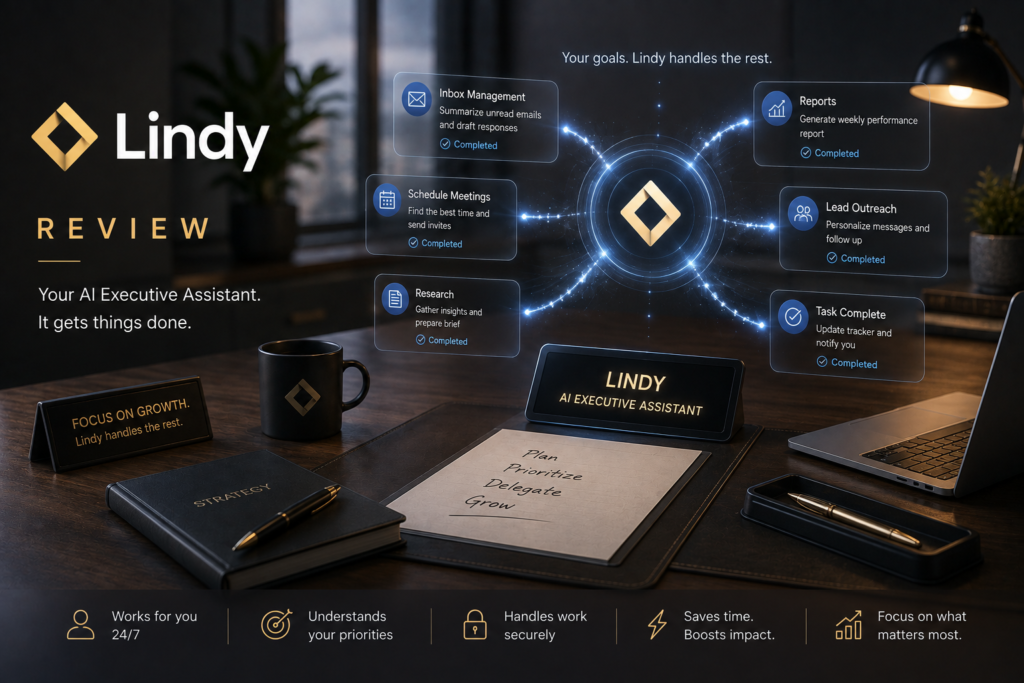
Lindy is an AI-powered automation platform that lets businesses build AI employees capable of handling everyday business tasks autonomously. From managing customer support and scheduling meetings to qualifying sales leads and automating email communication, Lindy acts as an intelligent AI assistant that can perform multi-step business processes with minimal human intervention.
For small businesses, Lindy offers an easy way to reduce administrative work, improve customer response times, and increase productivity without hiring additional staff.
In this Lindy review, we’ll explore its features, pricing, business use cases, advantages, limitations, and whether Lindy is worth using for small businesses.
What is Lindy?
Lindy is an AI employee and workflow automation platform developed by Lindy AI.
Launched in 2023, Lindy enables users to create custom AI assistants that can automate business operations through natural language instructions. It integrates with popular business applications such as Gmail, Google Calendar, Slack, HubSpot, Salesforce, Zoom, Notion, and many others.
Unlike traditional automation platforms, Lindy combines AI reasoning with workflow automation, allowing AI assistants to make context-aware decisions, communicate with customers, and perform business tasks independently.
Lindy is designed for:
- Small businesses
- Entrepreneurs
- Sales teams
- Customer support teams
- Marketing agencies
- Consultants
- Operations teams
Key Features
| Feature | Description |
|---|---|
| AI Employees | Create AI assistants that perform business tasks autonomously |
| Workflow Automation | Automate multi-step business processes with AI decision-making |
| Email Automation | Read, draft, and respond to emails intelligently |
| Meeting Scheduling | Schedule meetings and manage calendars automatically |
| CRM Integrations | Connect with HubSpot, Salesforce, Airtable, and other CRM platforms |
| AI Knowledge Base | Train AI assistants using company documents and internal knowledge |
| App Integrations | Connect with Gmail, Slack, Google Workspace, Notion, Zoom, and more |
| API Access | Integrate Lindy with custom business applications and workflows |
How Businesses Can Use Lindy
Lindy helps businesses automate repetitive tasks while providing AI-powered assistance across departments.
1. Sales Automation
Businesses can automate:
- Lead qualification
- Follow-up emails
- CRM updates
- Meeting scheduling
- Sales pipeline management
Example:
Website visitor submits inquiry →
Lindy qualifies the lead →
Schedules a meeting →
Updates CRM →
Notifies the sales representative
Benefits:
- Faster lead response
- Better customer engagement
- Increased sales productivity
2. Customer Support
Businesses can automate:
- Customer inquiries
- FAQ responses
- Ticket routing
- Appointment scheduling
- Follow-up communication
AI handles routine requests while escalating complex issues to human agents.
3. Executive Assistant Tasks
Lindy can function as a virtual executive assistant by managing:
- Calendar scheduling
- Meeting reminders
- Email prioritization
- Task management
- Internal communication
This helps business owners focus on strategic work instead of administrative tasks.
4. Marketing Operations
Marketing teams can automate:
- Campaign coordination
- Lead nurturing
- Content approvals
- Email outreach
- Customer engagement
Lindy works alongside AI tools like ChatGPT and Canva to streamline marketing workflows.
5. Internal Business Operations
Businesses can automate:
- Employee onboarding
- Document approvals
- Internal notifications
- HR requests
- Knowledge management
AI assistants improve operational efficiency while reducing repetitive manual work.
Real Business Automation Examples
AI Sales Assistant Workflow
Before AI
Lead submits inquiry →
Sales representative reviews information →
Schedules meeting →
Updates CRM →
Sends follow-up email
Time required: 20–30 minutes per lead
After AI Automation
Lead submits form →
Lindy qualifies lead →
Schedules meeting →
Updates CRM →
Sends personalized confirmation email →
Sales representative receives meeting details
Results:
- Faster response times
- Improved lead qualification
- Reduced administrative work
- Better customer experience
AI Executive Assistant Workflow
Executive receives dozens of emails →
Lindy prioritizes messages →
Schedules meetings →
Creates reminders →
Drafts replies →
Updates calendar automatically
Benefits:
- Time savings
- Better organization
- Increased executive productivity
Lindy Pros and Cons
Pros
✅ Easy-to-build AI assistants
✅ Excellent email and calendar automation
✅ Strong CRM and productivity integrations
✅ Natural language workflow creation
✅ Saves significant administrative time
✅ Ideal for sales and customer support automation
✅ No coding required
Cons
❌ Advanced features require paid plans
❌ AI-generated responses should be reviewed for sensitive communications
❌ Some complex workflows require setup and testing
❌ Smaller integration ecosystem compared to Zapier or Make
Pricing
Lindy offers subscription plans for individuals, teams, and businesses.
| Plan | Price | Best For |
|---|---|---|
| Free | Limited AI tasks | Individuals exploring AI automation |
| Pro | Monthly subscription | Professionals and freelancers |
| Business | Monthly subscription | Small businesses and growing teams |
| Enterprise | Custom Pricing | Organizations requiring advanced security, governance, and higher usage limits |
Pricing and AI task limits may change over time. Visit Lindy’s official website for the latest pricing information.
Lindy vs Alternatives
| Tool | Best For |
|---|---|
| Lindy | AI employees and business task automation |
| Dify | Custom AI applications and knowledge assistants |
| CrewAI | Multi-agent AI workflows |
| Gumloop | AI-powered workflow automation |
| Zapier | Traditional app-to-app automation |
Lindy vs CrewAI
Although both platforms leverage AI for automation, they are designed for different audiences.
| Area | Winner |
|---|---|
| Ease of use | Lindy |
| Business productivity | Lindy |
| Multi-agent collaboration | CrewAI |
| Developer flexibility | CrewAI |
| Email and scheduling automation | Lindy |
| Enterprise AI workflows | CrewAI |
Choose Lindy if you want AI assistants to automate everyday business tasks like emails, scheduling, CRM updates, and customer communication.
Choose CrewAI if you’re building advanced multi-agent AI systems for research, analysis, software development, or enterprise workflows.
Who Should Use Lindy?
Recommended For
✅ Small business owners
✅ Entrepreneurs
✅ Sales teams
✅ Customer support teams
✅ Consultants
✅ Marketing agencies
✅ Busy executives
Not Ideal For
❌ Businesses needing highly customized developer-focused AI platforms
❌ Organizations requiring self-hosted AI infrastructure
❌ Users looking only for basic app-to-app automation
Lindy for Small Businesses: Final Verdict
Lindy is one of the most user-friendly AI employee platforms available today. It combines AI reasoning, workflow automation, and business integrations to help organizations automate routine administrative tasks without requiring technical expertise.
Its ability to manage emails, schedule meetings, qualify leads, and assist customer support makes it especially valuable for entrepreneurs and small businesses looking to increase productivity while reducing operational costs.
Although developer-focused platforms like CrewAI and Dify offer more flexibility for building custom AI systems, Lindy excels at delivering ready-to-use AI assistants for everyday business operations.
Overall Rating: ⭐⭐⭐⭐⭐ 4.8/5
Best Feature: AI employees that automate email management, scheduling, CRM updates, and customer communication
Biggest Limitation: Less flexible than developer-oriented AI agent platforms for highly customized workflows
Final Recommendation: Highly recommended for small businesses, consultants, and entrepreneurs seeking an easy-to-use AI assistant platform that automates repetitive business tasks and improves team productivity.
Frequently Asked Questions (FAQ)
What is Lindy used for?
Lindy is used to create AI employees that automate emails, meeting scheduling, CRM updates, customer support, lead qualification, and other business workflows.
Is Lindy free?
Yes. Lindy offers a free plan with limited AI tasks. Paid plans provide additional AI usage, advanced integrations, collaboration features, and enterprise capabilities.
Is Lindy better than Zapier?
They serve different purposes. Lindy focuses on AI-powered business assistants capable of making intelligent decisions, while Zapier specializes in connecting applications through rule-based workflow automation.
Can businesses automate AI workflows using Lindy?
Absolutely. Lindy integrates with business applications such as Gmail, Google Calendar, Slack, HubSpot, Salesforce, Airtable, Notion, and more, enabling businesses to automate sales, customer support, scheduling, and administrative workflows.
Is Lindy suitable for small businesses?
Yes. Lindy is an excellent solution for small businesses that want to automate repetitive administrative work, improve customer communication, and boost productivity without hiring additional staff or building custom AI systems.
Related Articles
- CrewAI Review: Features, Pricing & AI Agent Use Cases
- Dify Review: Features, Pricing & Business Benefits
- Gumloop Review: Features, Pricing & Workflow Automation
- ChatGPT Review: Features, Pricing & Business Benefits
- Best AI Agent Platforms for Small Businesses in 2026
- Lindy vs CrewAI: Which AI Agent Platform Should You Choose?