Pabbly Connect Review 2026: Features, Pricing, Use Cases & Is It Worth It for Small Businesses?
Introduction
Small businesses often use multiple software applications for CRM, email marketing, accounting, e-commerce, customer support, and productivity. Manually transferring data between these tools wastes valuable time and increases the risk of errors.
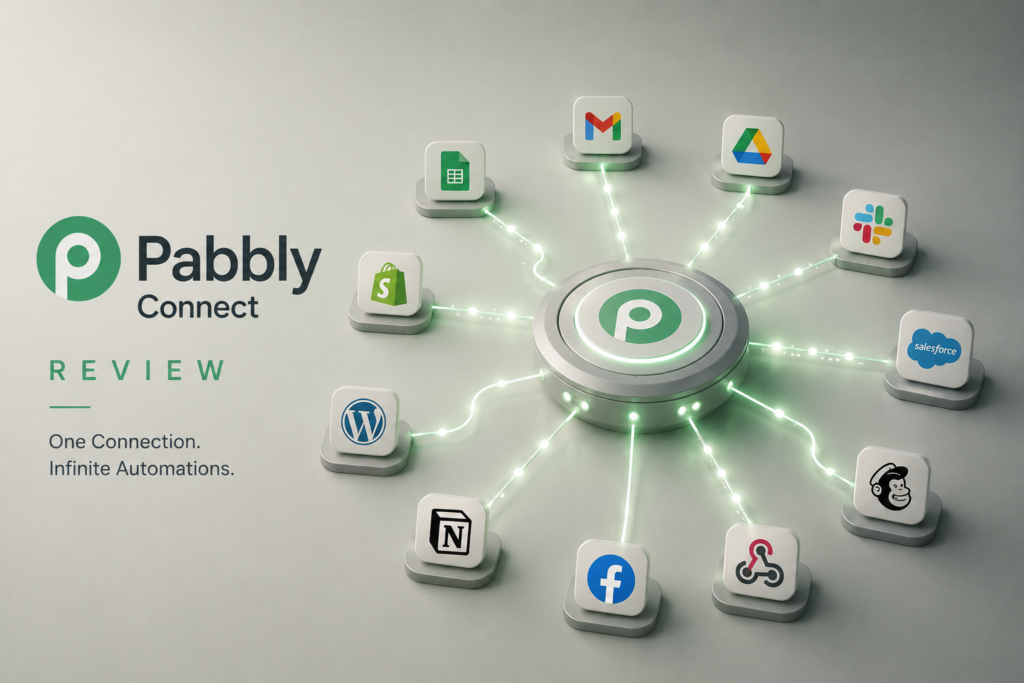
Pabbly Connect is a no-code workflow automation platform that enables businesses to connect thousands of applications and automate repetitive tasks without writing code. Similar to Zapier and Make, it allows users to build automated workflows that eliminate manual data entry and improve operational efficiency.
One of Pabbly Connect’s biggest advantages is its cost-effective pricing, making it an attractive option for startups and small businesses that need powerful automation without expensive monthly subscription fees.
In this Pabbly Connect review, we’ll explore its features, pricing, business use cases, advantages, limitations, and whether Pabbly Connect is worth using for small businesses.
What is Pabbly Connect?
Pabbly Connect is a cloud-based workflow automation platform developed by Pabbly.
Launched in 2019, it allows users to connect more than 2,000 business applications and automate workflows using triggers and actions. Businesses can automate processes across CRM systems, email marketing platforms, payment gateways, e-commerce stores, AI tools, spreadsheets, and communication platforms.
Pabbly Connect is especially popular among small businesses because it offers advanced automation capabilities at a lower cost than many competing platforms.
It is designed for:
- Small businesses
- Entrepreneurs
- Marketing agencies
- Sales teams
- E-commerce businesses
- Consultants
- Freelancers
Key Features
| Feature | Description |
|---|---|
| No-Code Workflow Builder | Create automation workflows using a simple visual interface |
| Multi-Step Automation | Build workflows with multiple actions and conditions |
| AI Integrations | Connect with ChatGPT, Claude, Gemini, OpenAI, and other AI services |
| 2,000+ App Integrations | Integrates with CRM, marketing, accounting, and productivity tools |
| Filters & Routers | Create conditional logic within workflows |
| Webhooks & API | Connect custom applications using APIs and webhooks |
| Scheduling | Run workflows automatically based on triggers or schedules |
| Lifetime Pricing Options | Offers lifetime plans during promotional periods, making it cost-effective for small businesses |
How Businesses Can Use Pabbly Connect
Pabbly Connect enables businesses to automate repetitive processes across departments.
1. Lead Management
Businesses can automate:
- Website lead capture
- CRM updates
- Sales notifications
- Follow-up emails
- Lead assignment
Example:
Customer submits contact form →
Pabbly Connect creates CRM record →
ChatGPT generates personalized welcome email →
Sales representative notified →
Follow-up task created
Benefits:
- Instant lead response
- Reduced manual work
- Improved conversion rates
2. Marketing Automation
Marketing teams can automate:
- Email campaigns
- Social media publishing
- Newsletter distribution
- Blog notifications
- Customer segmentation
Example:
New blog published →
Pabbly Connect sends email newsletter →
Creates LinkedIn post →
Publishes on Facebook →
Updates Google Sheets
3. E-commerce Automation
Online stores can automate:
- Order processing
- Invoice generation
- Inventory updates
- Shipping notifications
- Customer confirmations
This improves operational efficiency while reducing manual errors.
4. Customer Support Automation
Businesses can automate:
- Support ticket creation
- Customer notifications
- FAQ responses
- Escalation workflows
- Feedback collection
Support teams spend less time on repetitive administrative work.
5. AI Business Automation
Pabbly Connect integrates with leading AI platforms to automate:
- Content generation
- Customer communication
- Document creation
- Report generation
- Data processing
Example:
Customer inquiry received →
ChatGPT drafts response →
Grammarly improves grammar →
Pabbly Connect sends email →
CRM updated automatically
Real Business Automation Examples
AI Content Publishing Workflow
Before AI
Marketing team writes blog →
Creates social media posts →
Designs graphics →
Publishes content manually
Time required: 4–6 hours
After AI Automation
ChatGPT generates article →
Canva creates featured image →
Pabbly Connect publishes blog →
Social media posts scheduled →
Email newsletter sent automatically
Results:
- Faster content publishing
- Consistent marketing
- Reduced manual effort
- Increased productivity
AI Sales Workflow
Website visitor submits inquiry →
Pabbly Connect captures lead →
CRM updated →
ChatGPT drafts follow-up email →
Sales team notified →
Lead assigned automatically
Benefits:
- Faster lead management
- Improved customer engagement
- Better sales efficiency
Pabbly Connect Pros and Cons
Pros
✅ Affordable pricing compared to many competitors
✅ Supports multi-step workflow automation
✅ Easy-to-use interface
✅ Excellent AI integrations
✅ Connects with thousands of applications
✅ Supports APIs and webhooks
✅ Good value for small businesses
Cons
❌ Smaller integration ecosystem than Zapier
❌ Advanced debugging tools are limited
❌ Complex workflows may require testing
❌ User interface is less polished than some competitors
Pricing
Pabbly Connect offers flexible pricing designed for growing businesses.
| Plan | Price | Best For |
|---|---|---|
| Standard | Monthly subscription | Individuals and small businesses |
| Pro | Monthly subscription | Growing businesses with higher automation needs |
| Ultimate | Monthly subscription | Businesses requiring higher task limits |
| Lifetime Plans | Promotional pricing (occasionally available) | Businesses seeking long-term cost savings |
Pricing, task limits, and promotional offers may change over time. Visit Pabbly’s official website for the latest pricing information.
Pabbly Connect vs Alternatives
| Tool | Best For |
|---|---|
| Pabbly Connect | Affordable workflow automation |
| Zapier | Beginner-friendly automation |
| Make | Advanced visual workflows |
| n8n | Open-source automation and AI agents |
| Microsoft Power Automate | Microsoft ecosystem automation |
Pabbly Connect vs Zapier
Both platforms automate business workflows, but they target different audiences.
| Area | Winner |
|---|---|
| Ease of use | Zapier |
| Cost-effectiveness | Pabbly Connect |
| Multi-step automation | Tie |
| App ecosystem | Zapier |
| Value for small businesses | Pabbly Connect |
| Enterprise capabilities | Zapier |
Choose Pabbly Connect if your priority is affordable automation with strong core features.
Choose Zapier if you need the largest integration ecosystem and the simplest user experience.
Who Should Use Pabbly Connect?
Recommended For
✅ Small business owners
✅ Entrepreneurs
✅ Marketing agencies
✅ Sales teams
✅ E-commerce businesses
✅ Freelancers
✅ Consultants
Not Ideal For
❌ Enterprises requiring advanced governance and security features
❌ Businesses building highly complex enterprise automation workflows
❌ Organizations needing the largest possible library of application integrations
Pabbly Connect for Small Businesses: Final Verdict
Pabbly Connect is one of the best-value workflow automation platforms available for small businesses. It offers robust automation capabilities, AI integrations, multi-step workflows, and broad application support at a competitive price.
While Zapier excels in ease of use and Make provides more advanced workflow capabilities, Pabbly Connect stands out by delivering excellent automation features without the premium pricing associated with many competitors.
For startups, entrepreneurs, and growing businesses looking to automate operations while controlling costs, Pabbly Connect is a smart investment.
Overall Rating: ⭐⭐⭐⭐⭐ 4.7/5
Best Feature: Powerful workflow automation at an affordable price
Biggest Limitation: Smaller integration library and fewer advanced enterprise features than Zapier or Make
Final Recommendation: Highly recommended for small businesses seeking a cost-effective automation platform that connects AI tools, business applications, and everyday workflows without requiring coding skills.
Frequently Asked Questions (FAQ)
What is Pabbly Connect used for?
Pabbly Connect is used to automate workflows between business applications, including CRM systems, email marketing platforms, e-commerce stores, accounting software, AI tools, and communication platforms.
Is Pabbly Connect free?
Pabbly Connect offers a free plan with limited tasks. Paid plans provide higher task limits, premium integrations, and advanced workflow capabilities.
Is Pabbly Connect better than Zapier?
It depends on your priorities. Pabbly Connect is often more affordable and offers excellent value for small businesses, while Zapier provides a larger integration ecosystem, a more polished interface, and stronger enterprise capabilities.
Can businesses automate AI workflows using Pabbly Connect?
Yes. Pabbly Connect integrates with AI tools such as ChatGPT, Claude, Gemini, OpenAI, and other business applications, allowing businesses to automate content creation, customer support, reporting, and marketing workflows.
Is Pabbly Connect suitable for small businesses?
Absolutely. Pabbly Connect is an excellent choice for small businesses that want affordable workflow automation, seamless application integration, and AI-powered business processes without the complexity or cost of enterprise platforms.
Related Articles
- Zapier Review: Features, Pricing & Business Use Cases
- Make Review: Features, Pricing & Business Benefits
- n8n Review: Workflow Automation for Small Businesses
- ChatGPT Review: Features, Pricing & Business Benefits
- Best Workflow Automation Tools for Small Businesses in 2026
- Pabbly Connect vs Zapier vs Make: Which Automation Platform Should You Choose?