Relay.app Review 2026: Features, Pricing, Use Cases & Is It Worth It for Small Businesses?
Introduction
Workflow automation has become essential for small businesses looking to scale without increasing administrative overhead. Many repetitive tasks—such as qualifying leads, routing support tickets, onboarding employees, updating CRMs, and sending follow-up emails—still require manual effort, even though they follow predictable processes.
Traditional automation platforms like Zapier and Make have helped businesses connect applications and automate routine tasks. However, many organizations hesitate to automate critical workflows completely because they still need human oversight before important decisions are made.
This is where Relay.app takes a different approach.
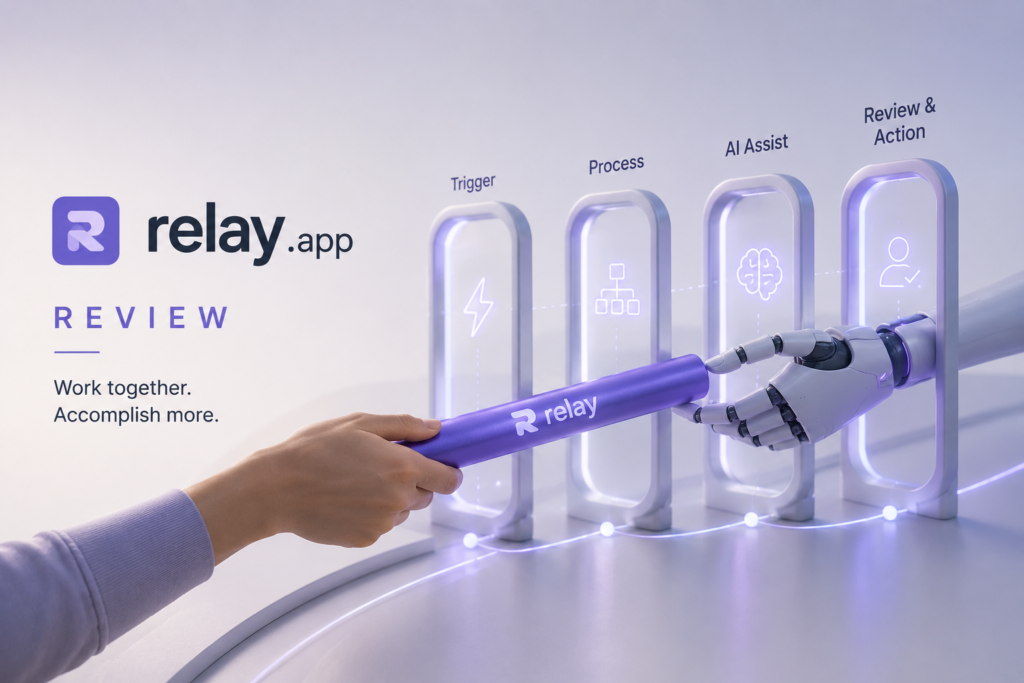
Developed by Relay, Relay.app is a no-code AI workflow automation platform that combines artificial intelligence with human-in-the-loop approvals. Instead of replacing employees, it automates repetitive work while allowing managers or team members to review important decisions before workflows continue. This balance of automation and human control makes Relay.app particularly attractive for small businesses that want to automate confidently without sacrificing oversight.
Whether you’re qualifying sales leads, managing customer support requests, onboarding new employees, or automating internal operations, Relay.app enables you to build intelligent workflows using natural language and visual automation tools—without writing code.
In this review, we’ll examine Relay.app’s features, pricing, integrations, business use cases, strengths, limitations, and how it compares with leading automation platforms such as Zapier, Make, and n8n to help you determine whether it’s the right automation solution for your business in 2026.
What is Relay.app?
Relay.app is an AI-powered no-code workflow automation platform that helps businesses automate repetitive processes across hundreds of applications while keeping people involved in important decisions.
Unlike traditional automation tools that rely solely on predefined triggers and actions, Relay.app allows users to describe workflows in natural language. The platform then generates editable visual workflows that include AI-powered decision-making, conditional logic, integrations, and approval steps.
One of Relay.app’s defining strengths is its human-in-the-loop design. Businesses can automate routine work while requiring manager approval before sensitive actions—such as approving invoices, sending contracts, updating customer records, or processing refunds—are completed.
This makes Relay.app well suited for organizations that need automation with accountability.
Company Behind Relay.app
- Company: Relay
- Category: AI Workflow Automation Platform
- Primary Product: No-code workflow automation with AI and human approvals
- Deployment: Cloud-based SaaS
Relay positions itself as a business automation platform that bridges the gap between simple task automation and fully autonomous AI agents. Rather than encouraging organizations to remove humans from workflows, it enables teams to automate repetitive tasks while maintaining visibility and control.
Main Capabilities
Relay.app helps businesses automate multi-step workflows across connected applications.
Core capabilities include:
- AI-assisted workflow creation
- Natural language workflow generation
- Visual workflow builder
- Human approval checkpoints
- Conditional branching
- Workflow templates
- Cross-application automation
- AI-powered decision steps
- Custom HTTP requests
- Webhooks
- Data transformations
- Notifications and alerts
These features allow businesses to automate complex operational processes while maintaining flexibility and governance.
Who Should Use Relay.app?
Relay.app is designed for organizations that want business automation without needing developers or complex scripting.
It is particularly useful for:
- Small business owners
- Operations managers
- Sales teams
- Customer success teams
- HR departments
- Finance teams
- Marketing teams
- Startup founders
- Consultants
- No-code builders
Businesses that already use cloud applications such as HubSpot, Gmail, Slack, Notion, Airtable, Jira, or Salesforce can benefit significantly from Relay.app’s ability to connect these tools into intelligent workflows.
Key Features of Relay.app
Relay.app combines AI-assisted workflow design with no-code automation and collaborative approvals.
| Feature | Description | Business Benefit |
|---|---|---|
| Natural Language Workflow Builder | Create workflows by describing them in plain English. | Faster workflow creation without coding. |
| Visual Workflow Designer | Edit automation using an intuitive drag-and-drop interface. | Easier workflow management and troubleshooting. |
| AI Workflow Steps | Add intelligent AI actions within workflows. | Automates decisions and repetitive tasks. |
| Human Approval Steps | Pause workflows for manager or team approval. | Maintains control over critical business processes. |
| Conditional Logic | Route workflows based on business rules. | Supports complex decision-making. |
| Workflow Templates | Ready-made automations for common business processes. | Faster deployment and implementation. |
| 200+ Integrations | Connect business applications into one workflow. | Eliminates manual data transfer. |
| Webhooks & HTTP Requests | Connect custom applications and APIs. | Supports advanced integrations. |
| Shared Workspaces | Teams collaborate on workflow development. | Improves operational efficiency. |
| Monitoring & Logs | Track workflow execution and diagnose issues. | Simplifies maintenance and auditing. |
AI Capabilities
Relay.app integrates artificial intelligence directly into workflow automation rather than acting as a standalone chatbot.
Natural Language Workflow Creation
Instead of manually configuring dozens of automation steps, users can simply describe what they want.
For example:
“When a new lead submits a website form, check if the company matches our ideal customer profile, create the contact in HubSpot, notify the sales team in Slack, and schedule a follow-up email after approval.”
Relay.app converts this prompt into an editable workflow, significantly reducing the time required to build automations.
AI Decision Steps
Many workflows require decisions based on incoming information.
Relay.app can use AI to:
- Classify customer inquiries
- Score sales leads
- Categorize support tickets
- Summarize text
- Extract important information
- Generate workflow content
Rather than relying only on fixed rules, AI enables workflows to adapt intelligently based on context.
Human-in-the-Loop Automation
This is Relay.app’s standout feature.
Instead of allowing automation to perform every action automatically, businesses can insert approval steps wherever human judgment is required.
Examples include:
- Approving invoices
- Reviewing AI-generated emails
- Confirming customer refunds
- Approving new vendor onboarding
- Reviewing contract updates
This approach reduces automation risks while preserving operational efficiency.
Conditional Branching
Relay.app supports sophisticated workflow routing based on business logic.
For example:
- High-value leads → Senior sales representative
- Existing customers → Customer Success
- Billing questions → Finance
- Technical issues → Engineering
This ensures work reaches the right team automatically.
Integrations
Relay.app connects with more than 200 business applications, enabling organizations to automate processes without replacing their existing software.
Popular integrations include:
- HubSpot
- Salesforce
- Gmail
- Slack
- Microsoft Teams
- Jira
- Asana
- Calendly
- Notion
- Airtable
- Google Workspace
- Stripe
For advanced users, Relay.app also supports:
- Custom HTTP requests
- APIs
- Webhooks
- Data transformations
These capabilities allow businesses to connect proprietary systems alongside popular SaaS applications, creating end-to-end automated workflows.
How Small Businesses Can Use Relay.app
Relay.app is designed to automate practical business processes that consume valuable employee time. Instead of automating isolated tasks, it helps businesses streamline complete workflows involving multiple people and applications.
1. Lead Qualification and Sales Automation
Sales teams often spend hours manually reviewing incoming leads, updating CRM records, assigning opportunities, and scheduling follow-ups.
Relay.app automates this process by:
- Capturing new website leads
- Enriching lead information
- Qualifying prospects using AI
- Creating CRM records
- Assigning leads to the appropriate sales representative
- Sending follow-up emails
- Requesting manager approval for high-value opportunities
This reduces manual administration while helping sales teams respond to prospects more quickly.
2. Employee Onboarding
Hiring a new employee usually involves multiple departments, including HR, IT, finance, and management.
Relay.app can automate onboarding by:
- Creating employee accounts
- Scheduling orientation meetings
- Sending welcome emails
- Creating Slack channels
- Provisioning software access
- Assigning onboarding tasks
- Requesting approval before activating critical systems
Instead of managing onboarding through spreadsheets and email threads, businesses can run a consistent workflow from a single platform.
3. Customer Support Automation
Customer support teams receive inquiries through multiple channels, including email, chat, contact forms, and helpdesk systems. Manually reading, categorizing, assigning, and responding to every request can quickly become time-consuming as a business grows.
Relay.app helps automate these repetitive processes while allowing human review for complex or sensitive cases.
Businesses can use Relay.app to:
- Automatically categorize incoming support tickets
- Route tickets to the correct department
- Prioritize urgent requests
- Notify support agents instantly
- Escalate high-priority issues
- Request manager approval before sending sensitive responses
Instead of manually forwarding emails or updating ticket statuses, Relay.app ensures every support request follows a consistent workflow.
4. Marketing Automation
Marketing teams frequently move data between multiple platforms, including CRM systems, email marketing software, social media tools, spreadsheets, and analytics dashboards.
Relay.app helps eliminate repetitive manual work by automating workflows such as:
- Lead nurturing campaigns
- Webinar registrations
- Newsletter subscriptions
- Campaign reporting
- Content approval workflows
- Social media publishing
- Marketing asset requests
For example, when someone downloads an eBook from your website, Relay.app can automatically:
- Add the contact to your CRM
- Enroll them in an email sequence
- Notify the sales team
- Schedule a follow-up task
- Update marketing dashboards
Everything happens automatically without requiring manual intervention.
5. Finance and Accounting
Finance teams often perform repetitive administrative tasks that follow clear business rules.
Relay.app can automate processes such as:
- Invoice approvals
- Expense reimbursement requests
- Payment reminders
- Purchase order approvals
- Vendor onboarding
- Financial reporting notifications
Human approval checkpoints ensure financial controls remain intact while eliminating repetitive administrative work.
6. Internal Operations
Growing businesses rely on hundreds of recurring internal workflows.
Relay.app can automate operational processes such as:
- Daily reports
- Weekly management updates
- Employee requests
- IT service requests
- Procurement workflows
- Compliance reminders
- Internal approvals
Instead of employees manually moving information between applications, Relay.app coordinates the entire workflow automatically.
Real Business Automation Examples
Relay.app is designed to automate complete business processes rather than isolated tasks. Its human-in-the-loop model makes it especially useful for workflows that require both efficiency and oversight.
Example 1: Lead Qualification
Before AI
A new lead submits a website form.
The sales coordinator:
- Reviews the lead
- Checks company size
- Searches LinkedIn
- Creates a CRM record
- Assigns the lead
- Sends an email
The process takes 10–20 minutes for every lead.
After Relay.app
Website Form
↓
AI evaluates lead quality
↓
CRM updated automatically
↓
Manager approval (if required)
↓
Lead assigned
↓
Follow-up email sent
Benefits
- Faster response times
- Better lead qualification
- Less manual CRM work
- Improved sales productivity
Example 2: Employee Onboarding
Before AI
HR manually:
- Sends welcome emails
- Creates Slack accounts
- Requests IT setup
- Schedules orientation
- Shares company documents
Multiple departments exchange numerous emails before the employee’s first day.
After Relay.app
New hire accepted
↓
Workflow starts automatically
↓
Accounts created
↓
Calendar invites scheduled
↓
Documents shared
↓
Manager approves completion
The onboarding experience becomes faster, more consistent, and easier to manage.
Example 3: Customer Support Routing
Before AI
Support staff manually read every incoming ticket before assigning it.
As ticket volume increases, response times become slower.
After Relay.app
Support ticket received
↓
AI categorizes request
↓
Correct department identified
↓
Urgent cases prioritized
↓
Team notified
↓
Manager approval for escalations
This improves customer response times while reducing repetitive work.
Example 4: Invoice Approval Workflow
Before AI
Employees email invoices to finance.
Finance reviews them manually before requesting manager approval.
After approval, accounting updates payment records.
After Relay.app
Invoice received
↓
AI extracts invoice details
↓
Manager reviews
↓
Finance approves
↓
Accounting system updated
↓
Payment scheduled
Human oversight remains intact while repetitive administrative tasks disappear.
Pros and Cons
Relay.app combines AI-powered automation with practical business controls, making it one of the more thoughtful workflow automation platforms available today.
Pros
✅ Easy-to-use no-code workflow builder
✅ Natural language workflow creation
✅ AI-powered workflow steps
✅ Human approval checkpoints improve governance
✅ More than 200 integrations
✅ Excellent visual workflow designer
✅ Strong balance between automation and human oversight
✅ Suitable for operations, sales, HR, finance, and customer support
✅ Supports APIs, webhooks, and custom HTTP requests
✅ Fast deployment using workflow templates
Cons
❌ Less suitable for businesses seeking fully autonomous AI agents
❌ Advanced workflows may require understanding branching logic
❌ Pricing can increase as workflow volume grows
❌ Smaller integration library than some mature competitors
❌ Not designed for AI writing, research, or conversational assistance
Pricing
Note: Pricing may change over time. Always refer to Relay.app’s official website for the latest plans and usage limits.
| Plan | Price | Best For |
|---|---|---|
| Free | Free | Beginners exploring workflow automation |
| Pro | Around $29/month | Individuals and small businesses |
| Team | Around $69/month | Teams sharing automation workflows |
| Business | Around $138/month | Growing businesses with higher automation volume |
| Enterprise | Custom Pricing | Large organizations requiring governance and scalability |
Which Plan Should Small Businesses Choose?
- Free: Ideal for testing Relay.app and building simple workflows.
- Pro: Best choice for freelancers, founders, and small businesses automating everyday operations.
- Team: Suitable for organizations where multiple users build and maintain workflows.
- Business: Recommended for companies running mission-critical automations across departments.
- Enterprise: Best for organizations requiring enterprise security, governance, and dedicated support.
Relay.app vs Alternatives
| Tool | Best For |
|---|---|
| Relay.app | AI workflow automation with human approval checkpoints |
| Zapier | Simple no-code automation between apps |
| Make | Complex visual workflow automation |
| n8n | Self-hosted, developer-friendly workflow automation |
| ChatGPT | AI writing, research, coding, and business assistance |
| Pabbly Connect | Affordable workflow automation for SMBs |
Relay.app vs Zapier
Zapier excels at simple trigger-action automations and has one of the largest integration ecosystems. Relay.app, however, provides more sophisticated workflow orchestration with AI-assisted decisions and built-in approval steps, making it better suited for business processes that require oversight.
Relay.app vs Make
Make offers powerful visual scenarios for complex automations and appeals to technically inclined users. Relay.app focuses more on business users, providing AI-assisted workflow creation and collaborative approvals with a gentler learning curve.
Relay.app vs n8n
n8n offers unmatched flexibility, self-hosting, and deep customization for developers. Relay.app prioritizes ease of use, cloud deployment, and human-in-the-loop workflows, making it a better fit for non-technical teams.
Who Should Use Relay.app?
Recommended For
✅ Small business owners
✅ Operations managers
✅ Sales teams
✅ Customer success teams
✅ HR departments
✅ Finance teams
✅ Marketing teams
✅ Startup founders
✅ No-code builders
Not Ideal For
❌ Organizations seeking fully autonomous AI agents with no human oversight
❌ Users needing only simple one-step automations
❌ Businesses focused primarily on AI content creation or conversational assistants
Final Verdict
Overall Rating: ⭐⭐⭐⭐⭐ 4.6/5
Relay.app brings a refreshing approach to workflow automation by combining AI-powered decision-making with human oversight. Instead of encouraging businesses to automate everything blindly, it allows organizations to insert approval checkpoints wherever judgment is required, making automation more trustworthy and easier to adopt.
For small businesses, Relay.app can streamline lead qualification, customer support, employee onboarding, finance approvals, and internal operations without requiring coding expertise. Its natural language workflow builder, visual designer, and broad integration ecosystem make it accessible to both technical and non-technical users.
Its biggest limitation is that it focuses on workflow orchestration rather than replacing every automation or AI platform. Businesses looking for content generation, coding assistance, or fully autonomous AI agents will still need complementary tools such as ChatGPT or Claude.
If your goal is to automate real business processes while keeping people involved in important decisions, Relay.app is one of the most practical AI workflow automation platforms available in 2026.
Frequently Asked Questions (FAQ)
What is Relay.app used for?
Relay.app is used to automate business workflows across more than 200 applications. Common use cases include lead qualification, employee onboarding, customer support routing, invoice approvals, meeting follow-ups, and operational reporting.
Is Relay.app free?
Yes. Relay.app offers a free plan that allows users to explore the platform with limited automation and AI usage. Paid plans unlock higher workflow limits, collaboration features, and advanced capabilities.
Is Relay.app better than ChatGPT?
They serve different purposes. Relay.app is designed for workflow automation across business applications, while ChatGPT specializes in conversational AI, writing, research, brainstorming, and problem-solving.
Can businesses automate workflows using Relay.app?
Absolutely. Relay.app is purpose-built for business automation. It enables organizations to create AI-powered workflows with conditional logic, approvals, integrations, and automation across more than 200 business applications.
Does Relay.app require coding?
No. Most workflows can be created using its no-code visual builder and natural language workflow generation. Advanced users can also extend workflows using APIs, webhooks, custom HTTP requests, and data transformations when needed.
Related Articles
- n8n Review 2026: Features, Pricing, Use Cases & Is It Worth It for Small Businesses?
- Zapier Review 2026: Features, Pricing, Use Cases & Is It Worth It?
- Make Review 2026: Features, Pricing, Use Cases & Is It Worth It?
- Pabbly Connect Review 2026: Features, Pricing, Use Cases & Is It Worth It?
- ChatGPT Review 2026: Features, Pricing, Use Cases & Is It Worth It for Small Businesses?
- 10 AI Automation Workflows Every Small Business Should Implement in 2026
Overall Assessment: 4.6/5 ⭐⭐⭐⭐⭐
Relay.app is one of the most promising AI workflow automation platforms for small businesses that want to automate complex processes without giving up human oversight. Its combination of natural language workflow creation, AI-powered decision-making, visual automation, and approval checkpoints makes it an excellent choice for organizations looking to scale operations safely and efficiently.