Small Business AI Automation Case Studies: Real-World Workflows, Results & ROI
Case study type: Case study collection / cornerstone guide
Geography: India
Business type: Small businesses across industries
Workflows covered: WhatsApp lead qualification, customer support, invoice processing, content operations, internal reporting, lead follow-up
Automation risk level: Moderate; higher where money, commitments, sensitive data, or customer-facing decisions are involved
Implementation difficulty: Moderate overall; beginner for AI-assisted drafting and advanced for multi-system automations
Scope & Assumptions
This is a case-study collection built from publicly reported examples, common small-business workflows, and practical planning models. The available evidence does not provide complete implementation details or independently verified results for every workflow. Where an outcome is not verified for a specific business, it is explicitly labeled as an External Report, Research Finding, Calculated Estimate, Illustrative Assumption, or Proposed Workflow. Hypothetical numbers should not be treated as guaranteed business results.
Small businesses rarely need AI simply because AI is available.
They need it when a specific business process is consuming too much time, creating avoidable errors, slowing customer response, or forcing the owner to become the default decision-maker.
That is why the most useful AI automation case studies are not really about which AI model was used. They are about what changed in the workflow, what remained under human control, and whether the change created measurable business value.
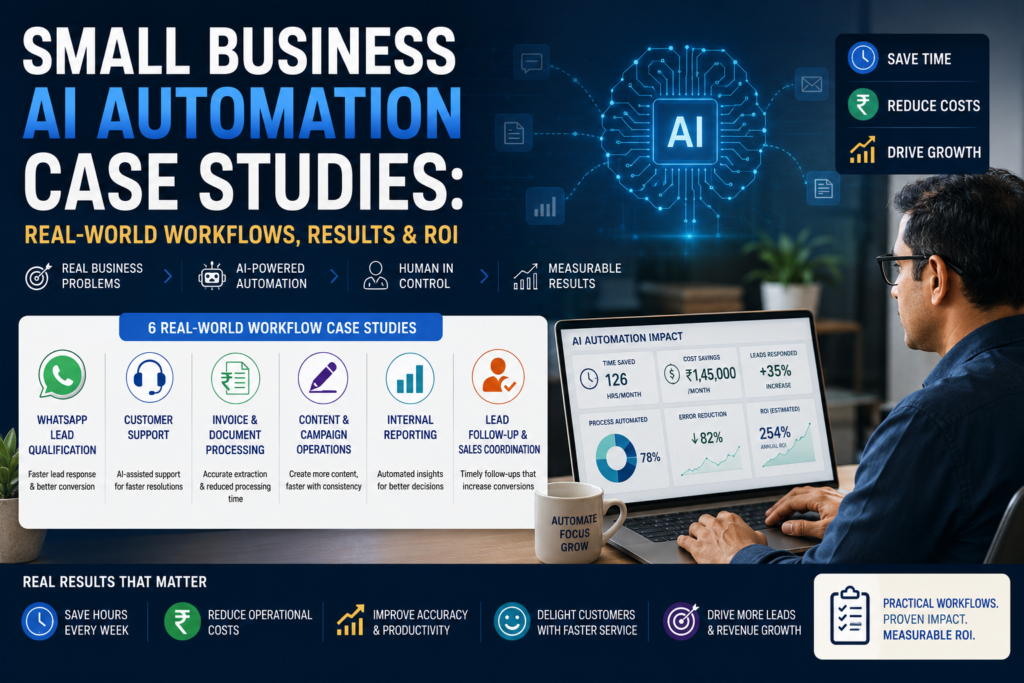
This guide examines six practical small-business AI automation scenarios:
- WhatsApp lead qualification
- Customer support
- Invoice and document processing
- Content and campaign operations
- Internal reporting
- Lead follow-up and sales coordination
For each case study, we examine the business situation, the manual workflow, the proposed AI automation, the human role, the evidence or estimated result, the economics, and the lessons that can be applied to other businesses.
The broader principle throughout the guide is simple:
The goal is not to automate everything. The goal is to identify the right workflow, automate the repetitive parts, keep humans responsible for important decisions, and prove that the change improves the business.
Six Case Studies at a Glance
The six case studies below cover different types of small-business workflows, from customer-facing sales and support to back-office finance, marketing, and management reporting. Together, they show where AI can create business leverage, what should remain rules-based or human-controlled, and which metrics should be used to judge success.
Important: The evidence level varies by case study. Some examples are proposed implementation patterns, while others use calculated estimates or publicly reported results. The evidence label in the table shows how each case study’s results should be interpreted..
| Case Study | Business Problem | AI Role | Primary KPI | Evidence |
|---|---|---|---|---|
| WhatsApp Lead Qualification | Missed/slow lead handling | Classification + extraction | First-response time | Proposed Workflow |
| Customer Support | Repetitive customer questions | Retrieval + drafting | Response time | Proposed Workflow |
| Invoice Processing | Manual data entry | Document extraction | Processing time | Calculated Estimate |
| Content Operations | Slow content production | Drafting + repurposing | Time per approved asset | Proposed Workflow |
| Internal Reporting | Manual report preparation | Summarization | Reporting hours | External Report |
| Lead Follow-up | Missed sales follow-ups | Summarization + drafting | Follow-up completion/conversion | Proposed Workflow |
How to Read These AI Automation Case Studies
Before looking at individual workflows, it is important to distinguish between different types of evidence.
| Evidence label | What it means | How to use it |
|---|---|---|
| Verified Result | Measured outcome for a specific business supported by sufficiently clear evidence | Useful as a benchmark, but still validate applicability |
| External Report | Result publicly reported by another party but not independently verified here | Treat as directional evidence |
| Research Finding | General finding that helps establish a reasonable business hypothesis | Use to select KPIs; don’t treat it as a guaranteed result |
| Calculated Estimate | Number calculated from explicitly stated assumptions | Useful for planning |
| Illustrative Assumption | Hypothetical input used to demonstrate a calculation | Replace with actual business data |
| Proposed Workflow | Recommended future-state implementation pattern | Use as a blueprint, not as evidence of an actual result |
This distinction matters because AI automation articles frequently present hypothetical savings as if they were achieved by a real company.
This guide deliberately avoids doing that.
Case Study 1: WhatsApp Lead Qualification and Routing
Business situation
For many Indian small businesses, WhatsApp is effectively the front door of the business.
Customers ask about:
- Price
- Availability
- Location
- Services
- Delivery
- Appointment times
- Product specifications
- Discounts
- Next steps
The problem is not necessarily message volume alone. It is that the information arrives as unstructured conversations.
A sales employee may need to read the entire message, determine what the customer wants, ask qualifying questions, check availability, record the lead, and remember to follow up.
When several conversations arrive simultaneously, leads can easily be delayed or forgotten.
Evidence status
Proposed Workflow + Research-grounded expectation
The supplied evidence does not establish a fully verified single-business WhatsApp implementation with independently validated conversion results. Therefore, this case study should be treated as a practical implementation pattern rather than a verified business result.
Before: manual workflow
Customer WhatsApp message → Staff reads → Staff asks questions → Staff checks availability/price → Staff responds → Staff records lead → Staff remembers follow-up → Owner handles exceptions
Common problems include:
- Missed messages
- Slow first response
- Inconsistent qualification
- Repeated questions
- Manual copying into CRM/spreadsheets
- Forgotten follow-ups
- Owner dependency
AI automation
A business-first implementation could use AI for:
Incoming message → AI classifies intent → AI extracts key information → AI identifies missing information → Rules validate → Lead record created/updated → Sales person receives structured lead → AI prepares optional draft response
For example, AI might identify:
- Customer intent
- Product/service requested
- Location
- Preferred date
- Quantity
- Urgency
- Language
- Existing customer status
The automation platform then handles deterministic tasks such as:
- Creating a CRM record
- Assigning the lead
- Applying tags
- Scheduling a follow-up
- Sending an approved acknowledgement
Human role
Humans remain responsible for:
- Pricing exceptions
- Negotiation
- Complaints
- Discounts
- Complex requirements
- Final sales decisions
- Binding commitments
The AI should support the sales employee rather than replace the sales decision.
Reported / estimated result
The most defensible expected improvements are:
- Faster response
- More consistent qualification
- Fewer manual data-entry steps
- Better visibility of outstanding leads
- Lower owner dependency
However, conversion improvement should not be assumed.
The correct measurement is:
Baseline response time → automated response time
and then:
Baseline lead-to-meeting/conversion rate → post-pilot rate
ROI
Consider a business receiving 1,000 inquiries per month.
Assume:
- 4 minutes manual handling per inquiry
- ₹300 fully loaded labour cost/hour
Current effort:
1,000 × 4 minutes = 4,000 minutes = 66.7 hours
Approximate labour value:
66.7 × ₹300 = ₹20,000/month
If automation reduces manual handling by 40%:
26.7 hours saved × ₹300 ≈ ₹8,000/month
This is only an illustrative calculation.
If automation costs ₹6,000/month, the direct labour benefit is approximately ₹2,000/month before considering revenue effects.
That means the business should also measure whether faster follow-up improves conversion.
Lessons
Lesson: WhatsApp automation should begin with triage and routing, not unrestricted autonomous conversation.
The biggest value may come from ensuring that every inquiry becomes a structured, trackable business opportunity.
Case Study 2: AI-Assisted Customer Support
Business situation
Small businesses frequently answer the same questions repeatedly:
- Pricing
- Delivery
- Operating hours
- Product information
- Appointment availability
- Warranty
- Returns
- Service areas
The problem becomes particularly visible during peak periods when staff must repeatedly search previous messages, FAQs, documents, or internal knowledge.
Evidence status
Proposed Workflow + Research Finding
The supplied evidence supports faster response and consistency as reasonable KPI hypotheses but does not provide a verified end-to-end result for a specific SMB.
Before
Customer query → Staff searches information → Staff checks policy → Staff writes response → Customer waits → Complex issue escalated to owner
This creates:
- Repeated work
- Slow responses
- Inconsistent answers
- Owner interruptions
- Knowledge dependency on experienced employees
AI automation
A controlled support workflow can look like:
Customer query → AI identifies intent → AI retrieves approved information → AI drafts response → Rules check scope → Response sent or routed to human → Interaction logged
AI can handle:
- Intent classification
- FAQ retrieval
- Summarization
- Drafting
- Language detection
- Ticket categorization
Rules should handle:
- Eligibility
- Refund policies
- Service-area restrictions
- Required fields
- Escalation conditions
Human role
Humans should remain responsible for:
- Complaints
- Refunds
- Sensitive cases
- Exceptions
- Policy disputes
- High-value customers
- Ambiguous requests
Result
The most important KPIs are:
- Median first-response time
- Resolution time
- Rework rate
- Escalation rate
- Customer satisfaction where available
A faster response is valuable only if the quality remains acceptable.
ROI
A business should calculate:
Current support cost − future support cost = operational benefit
But it should also measure whether faster responses:
- Reduce repeat inquiries
- Increase customer retention
- Improve satisfaction
- Increase repeat purchases
Lessons
The key lesson is that AI should not become an uncontrolled source of customer answers.
The strongest design uses approved information sources, explicit boundaries, and human escalation.
Case Study 3: Invoice and Document Processing
Business situation
Invoice processing is one of the clearest examples of where AI can reduce repetitive data entry.
A typical small business may receive invoices as:
- PDFs
- Scanned documents
- Photographs
- Email attachments
An employee then manually enters information into accounting or ERP software.
Evidence status
Proposed Workflow + Calculated Estimate
The supplied article does not establish a verified specific-business outcome for invoice automation.
Before
Invoice received → Employee downloads document → Reads invoice → Types fields → Checks totals → Corrects errors → Saves document → Accountant/owner reviews
Typical fields include:
- Vendor
- Invoice number
- Date
- GST information
- Tax amount
- Total
- Line items
AI automation
A safer design is:
Invoice uploaded → Document AI extracts fields → Rules validate → Exceptions sent to human → Approved data posted → Document archived
AI performs extraction.
Rules perform validation.
Humans handle exceptions.
Human role
Human review remains important when:
- Vendor details do not match
- Tax values appear inconsistent
- Required information is missing
- Duplicate invoices are suspected
- The invoice contains unusual items
- The system has low confidence
Result
The primary measurable outcome is not “AI accuracy.”
It is:
How much employee time is removed from manual data entry without increasing errors?
Useful KPIs include:
- Minutes per invoice
- Extraction correction rate
- Duplicate detection rate
- Processing turnaround time
- Exception rate
ROI
For example, if a business processes 500 invoices per month and saves 3 minutes per invoice:
500 × 3 = 1,500 minutes
That’s:
25 hours/month
If the loaded labour cost is ₹300/hour:
25 × ₹300 = ₹7,500/month
Again, this is a calculated estimate based on hypothetical assumptions, not a reported business result.
Lessons
The key lesson is:
Do not automate data entry without automating validation.
Extraction without validation simply moves errors faster.
Case Study 4: Content and Campaign Operations
Business situation
Small businesses increasingly need content for:
- Websites
- Social media
- WhatsApp campaigns
- Product descriptions
- Advertisements
But content production often involves repeated drafting, editing, resizing, repurposing, and approval.
Evidence status
Proposed Workflow
No specific verified business result is established in the supplied evidence.
Before
Marketing idea → Draft → Edit → Create variations → Approval → Publish → Report results
Common bottlenecks:
- Writing takes too long
- Multiple versions are manually created
- Approvals are delayed
- Brand consistency varies
- Reporting is disconnected from production
AI automation
AI can assist with:
- First drafts
- Content variations
- Summaries
- Repurposing
- Headline ideas
- Social captions
- Campaign variations
Automation can handle:
- Moving approved content
- Creating tasks
- Scheduling
- Maintaining content calendars
- Collecting performance data
Human role
Humans should control:
- Brand positioning
- Claims
- Sensitive messaging
- Final approval
- Campaign strategy
- Customer-facing commitments
Result
Instead of claiming that AI produces “10× more content,” measure:
- Time per approved asset
- Approval cycles
- Rework
- Content output
- Engagement
- Leads generated
The most useful KPI is approved business output, not raw AI-generated volume.
ROI
Suppose a business previously spends 20 staff hours per month creating campaign content.
If AI-assisted workflows reduce this to 12 hours:
8 hours saved × ₹400/hour = ₹3,200/month
But if the business produces more qualified leads as a result, the commercial value could exceed the labour saving.
That revenue impact must be measured rather than assumed.
Lessons
AI should increase marketing throughput and consistency, not simply flood the business with more content.
Case Study 5: Internal Reporting and Management Information
Business situation
Owners and managers often spend significant time preparing weekly or monthly reports.
Information may be distributed across:
- Spreadsheets
- CRM
- Accounting software
- Project management tools
- Sales reports
- Support systems
The owner then manually combines the information to answer basic questions:
- What happened this week?
- Which leads are outstanding?
- What invoices are overdue?
- Which customers need attention?
- Where are operational bottlenecks?
Evidence status
External Report + Proposed Workflow
The supplied evidence includes one publicly shared automation example that reportedly reduced monitoring work from approximately 15 hours to 45 minutes per week, with n8n explicitly named. However, the full measurement methodology, baseline definition, and auditability were not established in the supplied material.
Therefore, it should be treated as an External Report, not a verified benchmark.
Before
Collect spreadsheets → Copy data → Clean data → Build report → Identify issues → Email owner → Owner asks follow-up questions
This is often a recurring administrative burden.
AI automation
A business-first reporting workflow could be:
Systems updated → Automation collects data → Rules calculate KPIs → AI summarizes trends → Exceptions identified → Management report generated → Owner reviews
AI can summarize:
- Major changes
- Exceptions
- Customer issues
- Sales trends
- Operational bottlenecks
But calculations should preferably remain deterministic.
Human role
The owner or manager remains responsible for:
- Interpreting business implications
- Taking corrective action
- Approving decisions
- Investigating anomalies
AI should summarize the evidence rather than become the final decision-maker.
Reported result
The external example cited above suggests that substantial monitoring-time reductions are possible in some automation workflows.
But the correct conclusion is not:
“Your business will save 14 hours and 15 minutes per week.”
The correct conclusion is:
Automated monitoring can potentially eliminate substantial repetitive reporting work when data sources are structured and the workflow is reliable.
ROI
If management reporting consumes 15 hours per week:
15 × 4.33 ≈ 65 hours/month
At ₹500/hour:
65 × ₹500 ≈ ₹32,500/month
If automation removes even part of that effort, the potential operational value can be significant.
The actual saving should be measured after implementation.
Lessons
The biggest lesson is:
Automate the collection and summarization of information, but keep management decisions human-led.
Case Study 6: Lead Follow-Up and Sales Coordination
Business situation
Generating leads is only part of the sales process.
Many small businesses lose opportunities because:
- Nobody follows up
- Follow-up happens too late
- Different staff members contact the same prospect
- The owner has to remember outstanding opportunities
- Leads are stored in WhatsApp or spreadsheets rather than a structured system
Evidence status
Research Finding + Proposed Workflow
The supplied material supports faster response and consistent follow-up as reasonable hypotheses, but does not establish a verified conversion increase for a specific business.
Before
Lead arrives → Employee responds → Quote sent → Staff remembers follow-up → Follow-up missed → Lead becomes inactive
AI-assisted automation
A controlled workflow could be:
Lead created → AI summarizes requirement → Lead categorized → Follow-up date determined by rules → Task created → AI drafts follow-up → Salesperson reviews → Message sent → CRM status updated
AI can help with:
- Summarizing previous conversations
- Identifying customer intent
- Drafting follow-ups
- Personalizing messages
- Suggesting next actions
Rules can control:
- Follow-up timing
- Number of attempts
- Lead status
- Assignment
- Escalation
Human role
The salesperson remains responsible for:
- Negotiation
- Pricing
- Customer objections
- Closing
- Relationship management
Result
The business should measure:
- First-response time
- Follow-up completion rate
- Lead aging
- Lead-to-meeting rate
- Lead-to-sale conversion
- Revenue per lead
The most important point is that faster follow-up should be tested against conversion, rather than assumed to produce it.
ROI
Suppose:
- 500 qualified leads/month
- 10% conversion
- Average gross contribution per customer = ₹5,000
Current customers:
500 × 10% = 50 customers
If faster and more consistent follow-up increases conversion to 11%, that becomes:
500 × 11% = 55 customers
Incremental customers:
5
Potential incremental gross contribution:
5 × ₹5,000 = ₹25,000/month
This is purely an illustrative scenario. A real business must establish its own baseline and measure the actual effect.
Lessons
The lesson is important:
AI automation can create value without replacing the salesperson.
The AI handles memory, summarization, drafting, and workflow coordination while the salesperson remains responsible for the relationship and commercial decision.
What These Six Case Studies Have in Common
Although the workflows are different, the implementation pattern is remarkably similar.
| Workflow | AI’s primary role | Rules’ primary role | Human responsibility |
|---|---|---|---|
| WhatsApp leads | Classification, extraction, drafting | Routing, validation | Qualification exceptions, closing |
| Customer support | Intent, retrieval, drafting | Policy boundaries | Complaints, sensitive cases |
| Invoice processing | Data extraction | Validation | Exceptions and approval |
| Content operations | Drafting, repurposing | Scheduling/workflow | Strategy and final approval |
| Internal reporting | Summarization | KPI calculations | Business decisions |
| Lead follow-up | Summarization, drafting | Timing and routing | Negotiation and closing |
This reveals an important pattern:
AI is most valuable when it reduces reading, typing, searching, and summarizing. Rules are most valuable when the business needs predictable control. Humans are most valuable when judgment, accountability, relationships, or exceptions matter.
Before vs. After: What Actually Changes
Across these case studies, the transformation is not:
Humans → AI
It is:
Unstructured work → structured workflow → AI assistance → rules-based control → human decision → measurable outcome
Before
- WhatsApp messages
- Emails
- Spreadsheets
- Manual copying
- Memory-based follow-up
- Repeated questions
- Owner dependency
- Limited measurement
After
- Structured intake
- System of record
- AI classification/extraction
- Automated routing
- Approved templates
- Human approval gates
- Exception queues
- Audit logs
- KPI measurement
That distinction is critical.
A business does not become “AI-enabled” merely because employees have access to ChatGPT or another AI assistant.
The workflow itself must change.
The Business Problem: Why Small Businesses Need Proof, Not Hype
Small businesses generally cannot afford long technology experiments without clear outcomes.
Before implementing AI, decision-makers should be able to answer:
- Which workflow is causing the bottleneck?
- How much does that workflow currently cost?
- What part of the workflow actually requires AI?
- What can simpler automation handle?
- Where must humans remain responsible?
- What KPI will determine success?
- What will make the business stop or scale the pilot?
A business should therefore avoid starting with:
“Which AI tool should we buy?”
A better starting question is:
“Which repetitive business workflow should we improve first?”
When AI Is the Right Solution—and When It Isn’t
AI is not automatically the best answer.
Start with rules-based automation when:
- Inputs are structured
- Rules are predictable
- Required fields are known
- Actions are deterministic
- The business simply needs routing or reminders
Examples:
- Appointment reminders
- Status changes
- Required-field validation
- Task creation
- Notifications
Add AI when:
- Customers use free text
- Messages vary significantly
- Documents have inconsistent layouts
- Information must be extracted from unstructured content
- Employees spend time interpreting rather than simply processing information
Examples:
- WhatsApp classification
- Invoice extraction
- Customer-query classification
- Conversation summarization
- First-draft responses
Human Control, Risks and Safeguards
“Human in the loop” is not enough as a description.
The workflow must specify:
- Who reviews?
- What requires approval?
- What happens when AI confidence is low?
- What information can AI access?
- What actions are prohibited?
- How are errors recorded?
What should generally remain human-controlled initially?
- Refunds
- Pricing exceptions
- Contract commitments
- Legal commitments
- Medical advice
- Financial advice
- Sensitive HR decisions
- High-value customer disputes
- Irreversible transactions
The first version should be designed around reversible, low-risk actions.
Reference Architecture for Small-Business AI Automation
A practical architecture can contain six components:
| Component | Role |
|---|---|
| Customer channel | WhatsApp, email, website, forms, helpdesk |
| System of record | CRM, helpdesk, accounting system, or controlled spreadsheet |
| Automation layer | Moves data and applies deterministic rules |
| AI capability | Classification, extraction, summarization, drafting |
| Human escalation queue | Handles exceptions and approvals |
| Monitoring and logging | Records failures, overrides, outcomes, and KPIs |
The system of record is particularly important.
Without one, automation may simply create a faster version of the same fragmented process.
Cost: Software Is Not the Total Cost
A realistic AI automation budget should include:
| Cost category | What it includes |
|---|---|
| Software | AI/API, automation platform, CRM/helpdesk |
| Implementation | Workflow design, integrations, testing |
| Human oversight | Exceptions, approvals, monitoring |
| Training | SOPs and employee enablement |
| Governance | Access controls, data handling, audit logs |
| Maintenance | Template, rule, and integration updates |
This is why a cheap AI subscription does not necessarily mean a cheap automation project.
How to Measure Business Results
Before automation, measure a baseline.
Depending on the workflow, capture:
- Transaction volume
- Median handling time
- First-response time
- Turnaround time
- Rework rate
- Error rate
- Escalation rate
- Completion rate
- Conversion rate
- Cost per handled item
Then compare the same metrics after implementation.
Recommended KPI set
| KPI | Direction |
|---|---|
| Median first-response time | Down |
| Average handling time | Down |
| Rework/error rate | Down |
| Human escalation rate | Down, but not necessarily zero |
| Completion/conversion rate | Up |
| Cost per handled item | Down |
The objective is not to make every KPI improve.
The objective is to determine whether the overall business outcome improved enough to justify the investment.
ROI: Prove the Economics Before Scaling
A simple model is:
Current monthly process cost
= Monthly volume × Manual minutes per item ÷ 60 × Loaded hourly cost
Net monthly benefit
= Current process cost − Future process cost
Payback period
= One-time implementation cost ÷ Net monthly benefit
However, labour savings are only one possible source of value.
AI automation can also potentially create value through:
- Faster lead response
- Higher conversion
- More completed transactions
- Fewer missed inquiries
- Faster invoice processing
- Reduced errors
- Greater employee capacity
- Reduced owner dependency
These outcomes should be measured, not assumed.
What the Six Case Studies Teach Us
The individual workflows point to several common implementation lessons.
1. Workflow clarity beats AI sophistication
A poorly designed workflow does not become good because it uses a more sophisticated AI model.
2. Baseline measurement must come first
Without a before-state, the business cannot reliably demonstrate an after-state.
3. AI should handle ambiguity
AI is useful when employees must interpret unstructured information.
4. Rules should handle certainty
Predictable actions should remain deterministic wherever possible.
5. Human oversight must be engineered
Approval gates, escalation queues, and accountability must be part of the workflow design.
6. Integration creates both value and risk
Every additional system connection creates another possible failure point.
7. ROI must be proven before scaling
A successful demonstration is not automatically a successful business investment.
Recommended Starting Version for a Small Business
A small business does not need to automate six workflows simultaneously.
Start with one workflow.
A sensible first pilot could be:
WhatsApp Lead Triage + Routing
Automate:
- Intent classification
- Language detection
- Lead tagging
- Information extraction
- Lead creation
- Routing
- Follow-up task creation
Keep human-controlled:
- Pricing
- Negotiation
- Complaints
- Refunds
- Binding commitments
- Complex customer interactions
Measure:
- First-response time
- Handling time
- Escalation rate
- Follow-up completion
- Lead-to-meeting/conversion rate
Run the pilot long enough to establish a meaningful comparison with the baseline.
30/60/90-Day AI Automation Roadmap
First 30 days
- Select one workflow
- Measure baseline
- Map the current process
- Identify risks
- Define business rules
- Build the smallest sensible pilot
- Keep strict human approval
Days 31–60
- Analyze exceptions
- Improve prompts/templates
- Add deterministic automation
- Reduce unnecessary manual steps
- Measure adoption
- Compare KPIs against baseline
Days 61–90
- Quantify business value
- Review reliability
- Review ROI
- Tighten governance
- Decide whether to expand
- Consider a second workflow only if the first is stable
When Should a Business Scale AI Automation?
Scaling should happen only when:
- The workflow is clearly understood
- KPIs have improved against baseline
- Exception rates are understood
- Integration failures are detectable
- Employees consistently use the system
- Human responsibilities are clear
- Data handling controls are appropriate
- Business value exceeds ongoing costs
The right question is not:
“Can we automate more?”
It is:
“Has this workflow proven that further automation will create more business value than risk and cost?”
Final Takeaway
The six case studies show that small-business AI automation is rarely about replacing employees.
It is about redesigning repetitive work.
AI can classify a WhatsApp inquiry, extract information from an invoice, summarize a customer conversation, prepare a content draft, explain a management report, or prepare a sales follow-up.
Rules can validate information, route work, schedule tasks, enforce policies, and maintain the system of record.
Humans can handle judgment, relationships, exceptions, approvals, and accountability.
That combination is often more valuable—and safer—than trying to build a fully autonomous AI workflow.
The broader lesson is that successful AI adoption is not about automating as much as possible. It is about identifying the right workflow, introducing AI where it creates genuine leverage, keeping humans responsible for important decisions, and measuring whether the change improves the business. For small businesses, a focused and measurable pilot is usually a better path to sustainable AI adoption than a large technology rollout.
A Practical Next Step
If you are considering AI automation for your business, don’t start by buying another AI tool.
Start with one workflow.
Measure how it works today. Identify the repetitive steps. Separate AI tasks from rules-based automation. Define where human approval is required. Establish 3–5 KPIs. Then run a controlled pilot and compare the results with your baseline.
Intelligent AI Lab’s Business-First AI Assessment™ can be used as a structured starting point to identify the right workflow, prioritize automation opportunities, define human-control requirements, and establish measurable KPIs before investing in technology.
The objective is simple: find the workflow where AI can create genuine business leverage—not the workflow where AI looks most impressive.